
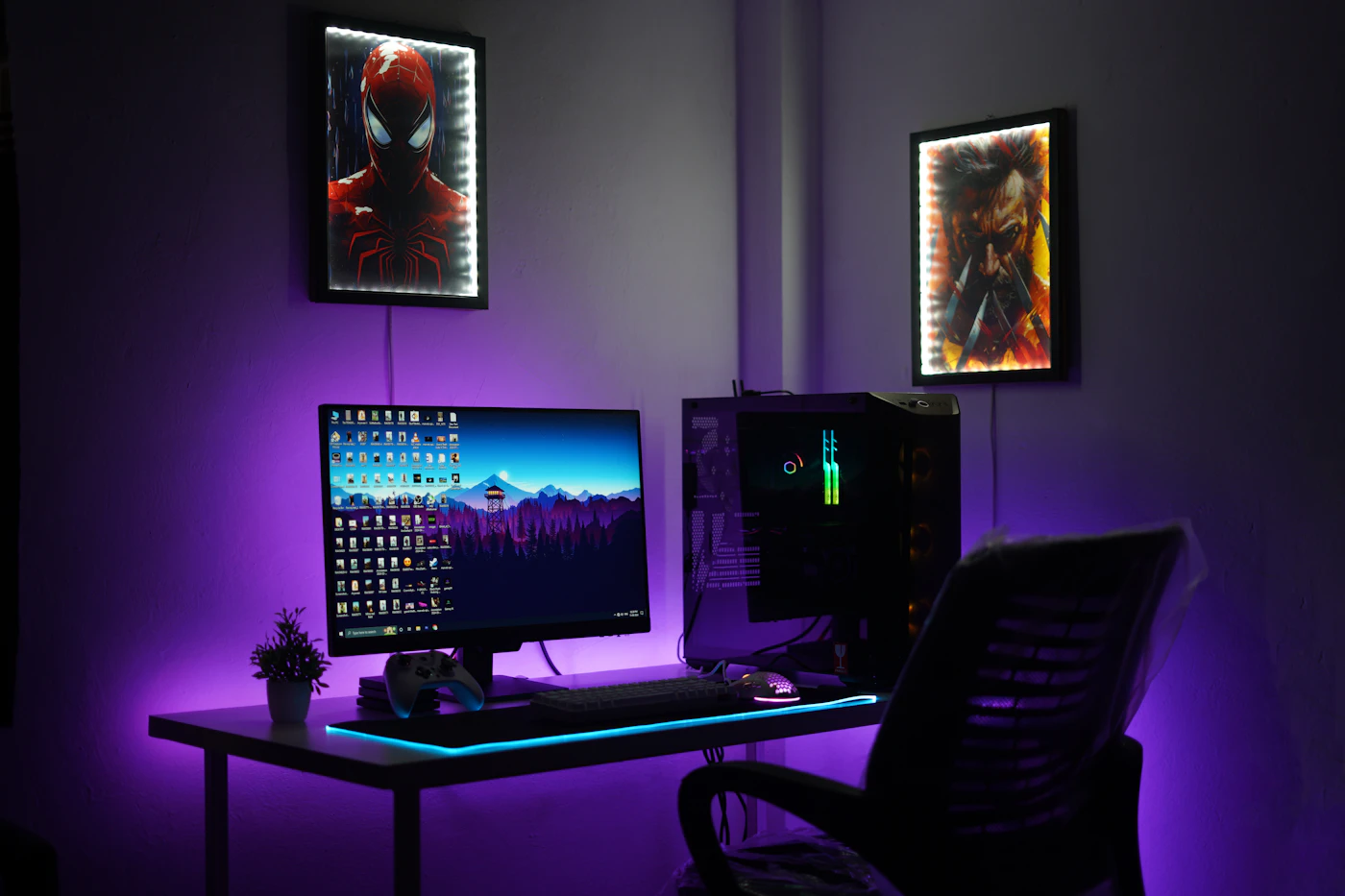
BUILD A WORLD YOU ACTUALLY WANT TO LIVE IN.
15 design-forward gaming room ideas for PC desks, console lounges, bedrooms, shared apartments and cinematic after-dark escapes.
The best gaming room ideas do more than look impressive in a photo. They give the screen a sensible position, the player a comfortable seat, and everything from controllers to cables a place to disappear. Then the room gets its personality: warm walnut, nostalgic arcade color, soft pastels, minimalist black or a cinematic Vice City–inspired sunset.
Whether you’re building a dedicated gaming room or carving out one wall of a rental bedroom, this guide pairs 15 distinctive styles with practical implementation advice. You will find a room-type selector, lighting strategy, space planning checklist, small-budget priorities and realistic mistakes to avoid—not just another collection of neon inspiration.
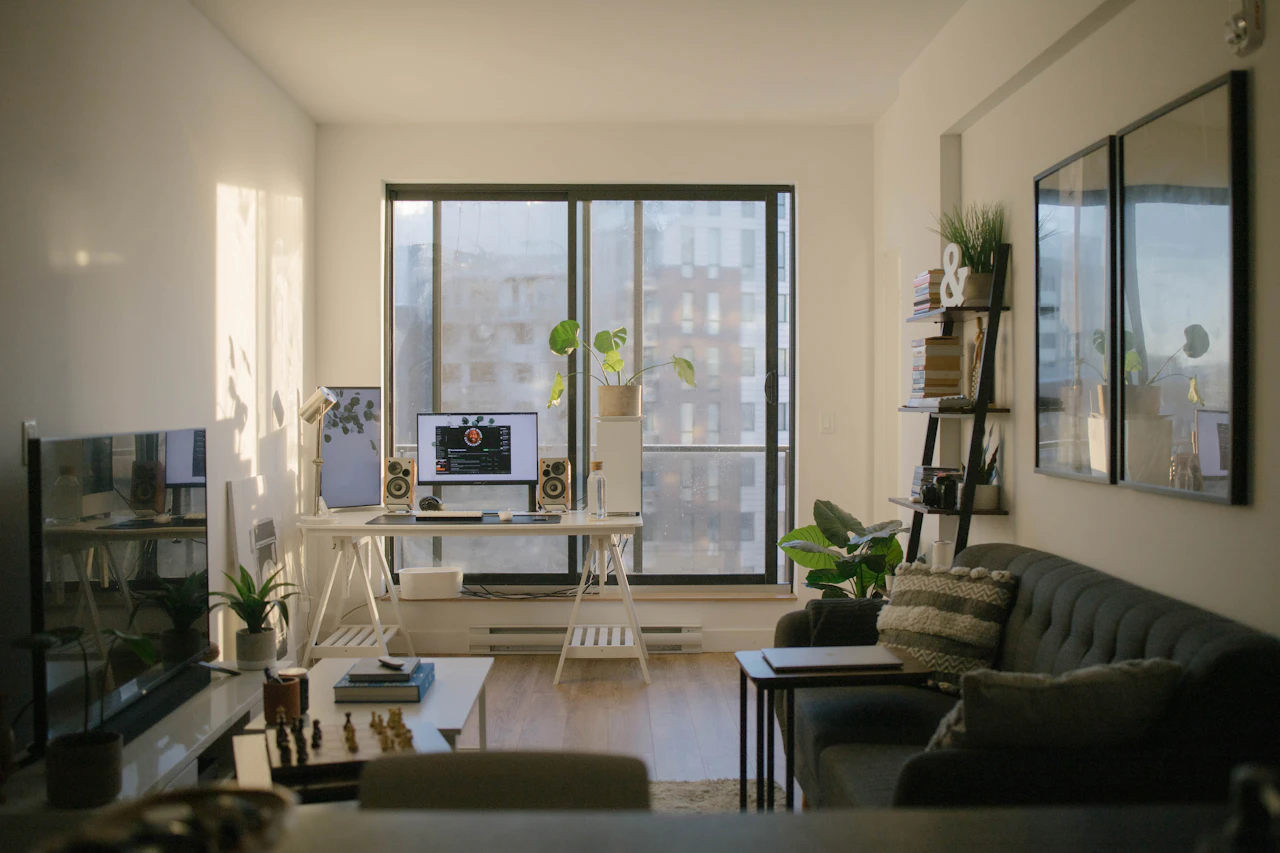
First, choose the gaming room that fits your real life
Design begins with the platform and the floor plan. A PC player needs an accessible keyboard and mouse surface, adequate desk depth and comfortable screen placement. A console player needs a good sofa-to-screen relationship, a safe place for controllers and ventilated media storage. A hybrid room needs both modes without letting gaming equipment take over daily life.
| Your space | Best starting layout | Main design priority |
|---|---|---|
| Small bedroom | One-wall PC nook | Desk depth, clear chair route and visual calm |
| Shared living room | Console-first media zone | TV sightline, concealed controllers and ventilation |
| Home office | Switchable dual-mode workstation | Neutral task lighting by day; mood lighting at night |
| Dedicated room | PC, console or two-player zones | Circulation, power planning and acoustic comfort |
| Rental apartment | Freestanding / reversible features | No heavy adhesive mounts or permanent alterations |
THE 3-QUESTION TEST: What do you play most often? What must stay accessible while you play? What should the room feel like when everything is powered off? The third answer is what separates a beautiful home from a hardware display.
What a successful gaming room actually needs
Picture your favorite hour in the room—not the picture you hope to post online. Where would your elbows rest? Could you reach a controller without standing up? Would the room still feel inviting after the lights change from cyan to warm white? Those questions are more useful than deciding which LED strip to buy first.
Comfort first
Screen sightline, supported seating, and enough room to move freely.
Calm by default
Cable routes, easy charging, and a home for the things you put down.
Personality last
One distinctive material, color story or lighting moment that feels like you.
The design rule: use a beautiful room as your inspiration, then reverse-engineer it into a layout that works with your actual desk, chair, window and daily routine.
The Layout Essentials
Start with the furniture and monitor position you actually need. Check desk footprint, stability, clamp compatibility and load limits before ordering.
Height-adjustable desk; check size and load rating.
Corner layout with space for equipment and storage.
Flexible L-shaped footprint for a bedroom corner.
Free desk space; verify monitor VESA and weight.
Two-display flexibility; confirm mounting compatibility.
Compact monitor positioning for a single-screen setup.
Simple height adjustment with under-screen space.
Raises a display while storing small accessories.
Affiliate disclosure: As an Amazon Associate, Smart Space Finds earns from qualifying purchases. Product availability, price and options can change; verify the current Amazon US listing before ordering.
15 gaming room ideas with a distinct point of view
Use these as complete design directions, not shopping lists. Each one includes the signature aesthetic, a move worth copying and a common failure to avoid.
Vice City After Dark
Cinematic tropical / PC or console
Keep the main furniture charcoal or walnut, then build one sunset-inspired focal point with coral, petrol blue and a trace of palm green. Put color-changing lights behind a shelf or display, not directly into your eyes. A framed geometric sunset print makes the theme recognizable without copying game artwork.
Quiet-Luxury Gaming Den
Walnut, warm stone / adults
Choose a substantial but visually simple desk, a textured rug and one shaded floor lamp. Hide charging accessories in a ventilated drawer or tray and use a single framed piece behind the screen. Matte finishes prevent the space from looking like a showroom for components.
Small Bedroom Battlestation
Compact and calm / studio apartments
Treat the gaming desk as a piece of bedroom furniture. Use a light-wood top, slim monitor arm and vertical storage for headsets and controllers. Place the display where it is not the first bright object seen from bed, and give the setup an easy end-of-day reset.
Console-First Living Room
Low-profile cinema / shared households
Start with the sofa and screen sightline, not a gaming desk. Use a closed-looking media cabinet with deliberate open ventilation, a shallow controller tray and side lighting that does not reflect on the TV. Keep the room’s existing palette so the console feels integrated.
Workday-to-Game-Night Office
Dual mode / hybrid routines
Make the workstation persuasive at 9 a.m. and atmospheric at 9 p.m. Keep task lighting color-neutral, put the most-used work gear within reach and use programmable accent lamps separately. A mat or concealed organizer can establish a clean boundary between productivity and play.
Retro Arcade with Restraint
Vintage color blocking / nostalgia
Borrow the geometry of an arcade rather than filling the room with bulky cabinets. A cobalt or cherry-red cabinet front, one checkerboard textile and a small display of retro controllers are enough. Balance them with modern, uncluttered surfaces.
Matte-Black Minimalist
Architectural monochrome / PC
Black works best with texture and light separation: combine matte cabinetry, woven upholstery and a soft indirect wall wash. Use readable labels on drawers and a desk light with adequate task illumination. The setup should be functional even with the accent LEDs switched off.
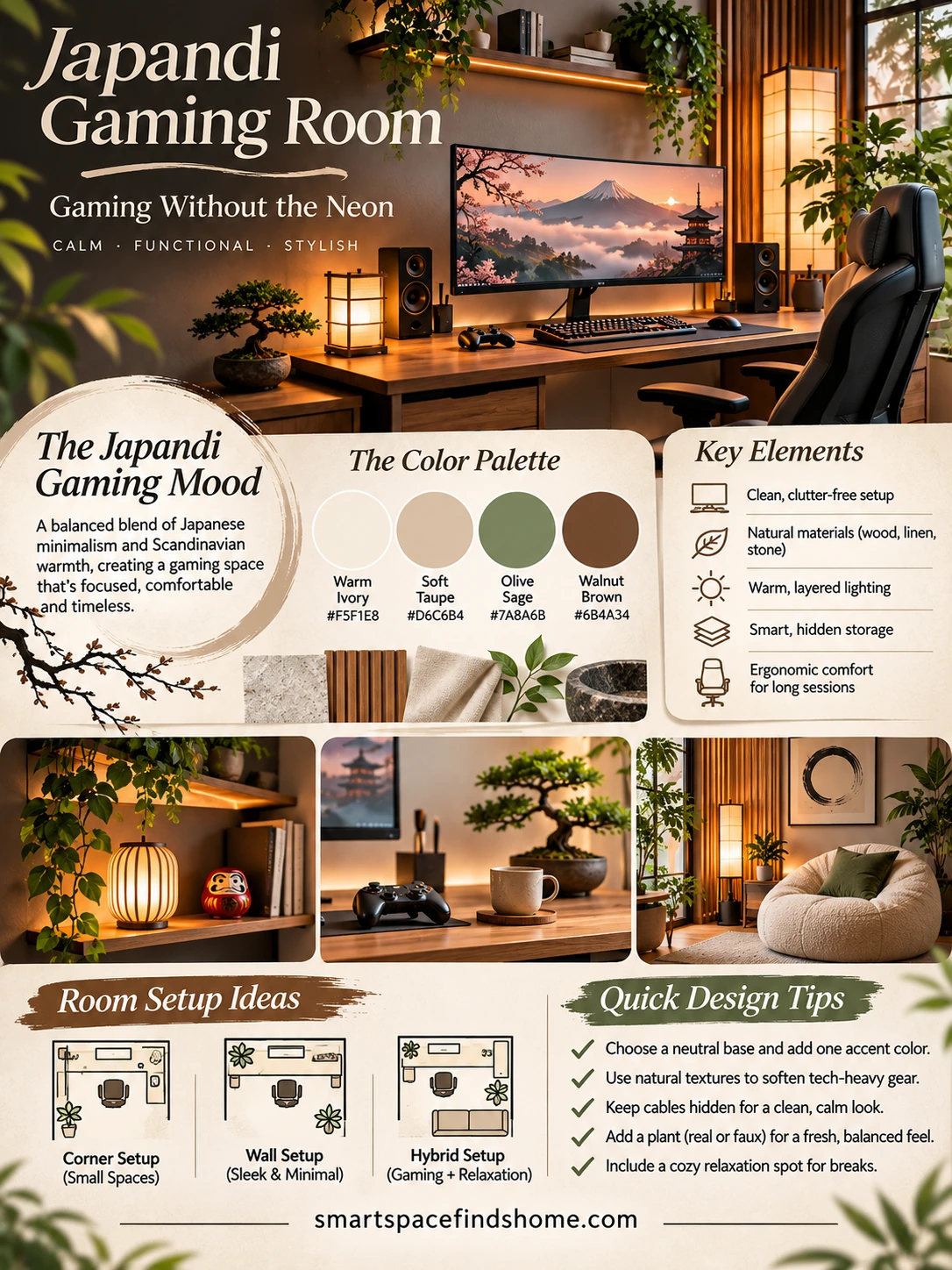
Pastel Cloud Gaming Corner
Lavender, cream / soft aesthetic
A pale palette can feel playful and grown-up when the main surfaces stay simple. Pair an off-white desk with muted lavender, soft mint or dusty pink accents. Hide most cables in a neutral raceway and reserve colorful lighting for a single shelf edge.
Two-Player Shared Station
Balanced dual setups / co-op
Give each player a defined reach zone, charging location and light control. Matching monitor sightlines make the composition feel intentional, but identical gear is not required. Route the two cable bundles independently so replacing one device does not disturb the other.
Cozy Reading and Gaming Nook
Warm minimal / quiet evenings
A small lounge chair, side table and textured throw can soften a gaming corner that is also used for reading. Use a warm shaded lamp for books, then add a discreet low-glare light behind the monitor or TV. Books and game cases share one curated storage system.
Renter-Friendly Feature Wall
Removable decor / apartments
Let the wall be distinctive without making permanent alterations. Try lightweight frames, freestanding shelving and a removable color panel that is compatible with the paint finish. Test adhesives in an inconspicuous place; even products marketed as removable can mark some surfaces.
Collector’s Gallery Setup
Curated display / collections
Treat collectibles like a museum edit rather than storage overflow. Put a few favorites on shelves with generous negative space and keep the rest protected in drawers. Use diffused light and choose shelving based on real load ratings, not just its appearance in photos.
Sound-Conscious Apartment Room
Soft acoustics / late-night play
Start with the noise actually leaving the room. A rug and curtains may reduce some reflections inside the space, but they do not soundproof walls. Use a headset when needed and isolate speakers from a resonant desk with appropriate pads or stands.
Camera-Ready Stream Studio
Editorial backdrop / creators
Separate the gaming display, face light and background light into three jobs. Keep the backdrop a little less busy than the foreground and plan where a microphone arm can move without blocking the monitor. Test a camera crop before installing art or shelving.
The Disappearing Living-Room Setup
Flexible shared space / minimal clutter
For households without a dedicated gaming room, make shutdown part of the design. Choose a low media console, a small charging drawer and one basket sized for controllers. A movable side table can serve snacks during play and disappear when the room is reset.

A GTA 6–inspired room without a single game screenshot
The atmosphere is in the color story: neon signage after dark, warm sunset skies, tropical greens and deep coastal blues. Translate that language into original interior design rather than copying a game’s graphics, logos or characters. Keep the permanent furniture neutral so the room works long after the first burst of excitement.
The ratio: start with roughly 70% calm background, 20% texture and furniture contrast, and 10% expressive accent. This is a design heuristic, not a technical rule. At night, use a dim indirect glow; by day, let the neutral palette lead.
Independent interior-design inspiration. Grand Theft Auto and GTA VI are trademarks of their respective owners. Smart Space Finds is not affiliated with Rockstar Games.
Build the feeling in three layers
Use the following relative visual balance as a creative starting point—not a measurement or a scientific formula. The room should have a calm foundation, a smaller supporting material palette, and only a few expressive details.
Try the lights-off test: if the room looks unfinished without RGB, its foundation needs another pass.
The practical build: 7 steps before you buy a single LED strip
- Measure the useful footprint. Record wall width, desk depth, window position, outlet locations and every door swing. Mark where the chair must roll and where feet will rest.
- Choose the screen wall. Avoid direct glare and reflections. For a desktop monitor, aim for a comfortable readable distance and position it straight ahead, with the top of the display around eye level or slightly below.
- Fit the furniture, not the photo. Confirm load ratings, monitor-arm compatibility, knee space and access to cables before ordering.
- Plan power and ventilation. Keep cords away from pathways, use correctly rated equipment and retain the ventilation clearances required by console or PC manufacturers.
- Separate light into jobs. General lighting for cleaning and walking, task lighting for work and indirect accent lighting for atmosphere.
- Define an easy storage reset. Every headset, controller and charger needs a simple home within reach but off the main working surface.
- Add one signature detail. A striking palette, framed print, sculptural lamp or curated shelf is more memorable than five unrelated effects.
ERGONOMICS NOTE: OSHA’s computer workstation guidance recommends a monitor directly in front of the user, generally around 20–40 inches from the eyes depending on readability, with its top line at or below eye level. Adjust for monitor size, text size and individual needs. These principles apply to desk setups; sofa-to-TV viewing is a different layout problem.
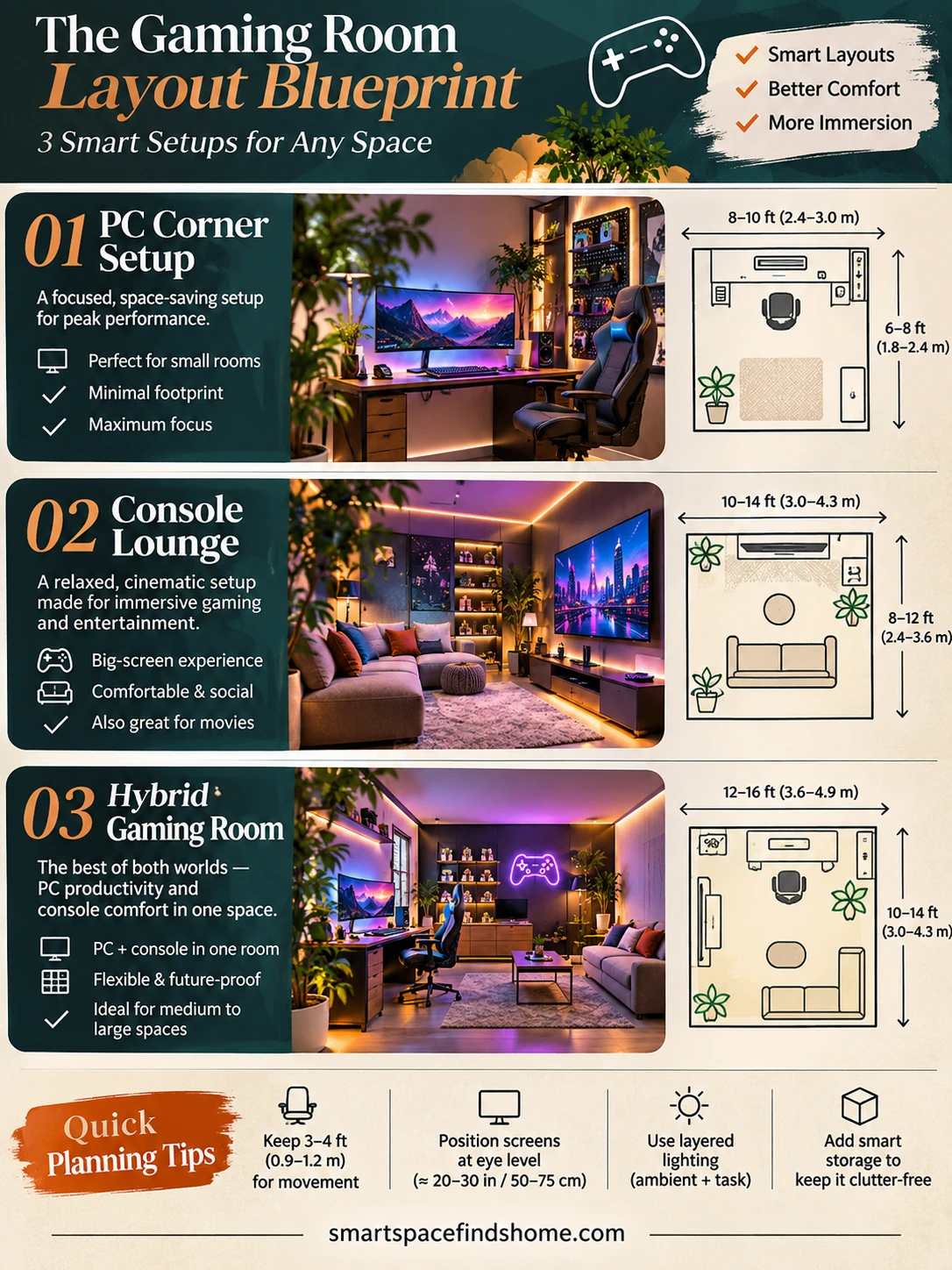
Three room footprints, three sensible plans
These are illustrative planning exercises, not guaranteed furniture clearances or prescriptive building standards. Measure your own equipment, seating travel and accessible paths before buying.
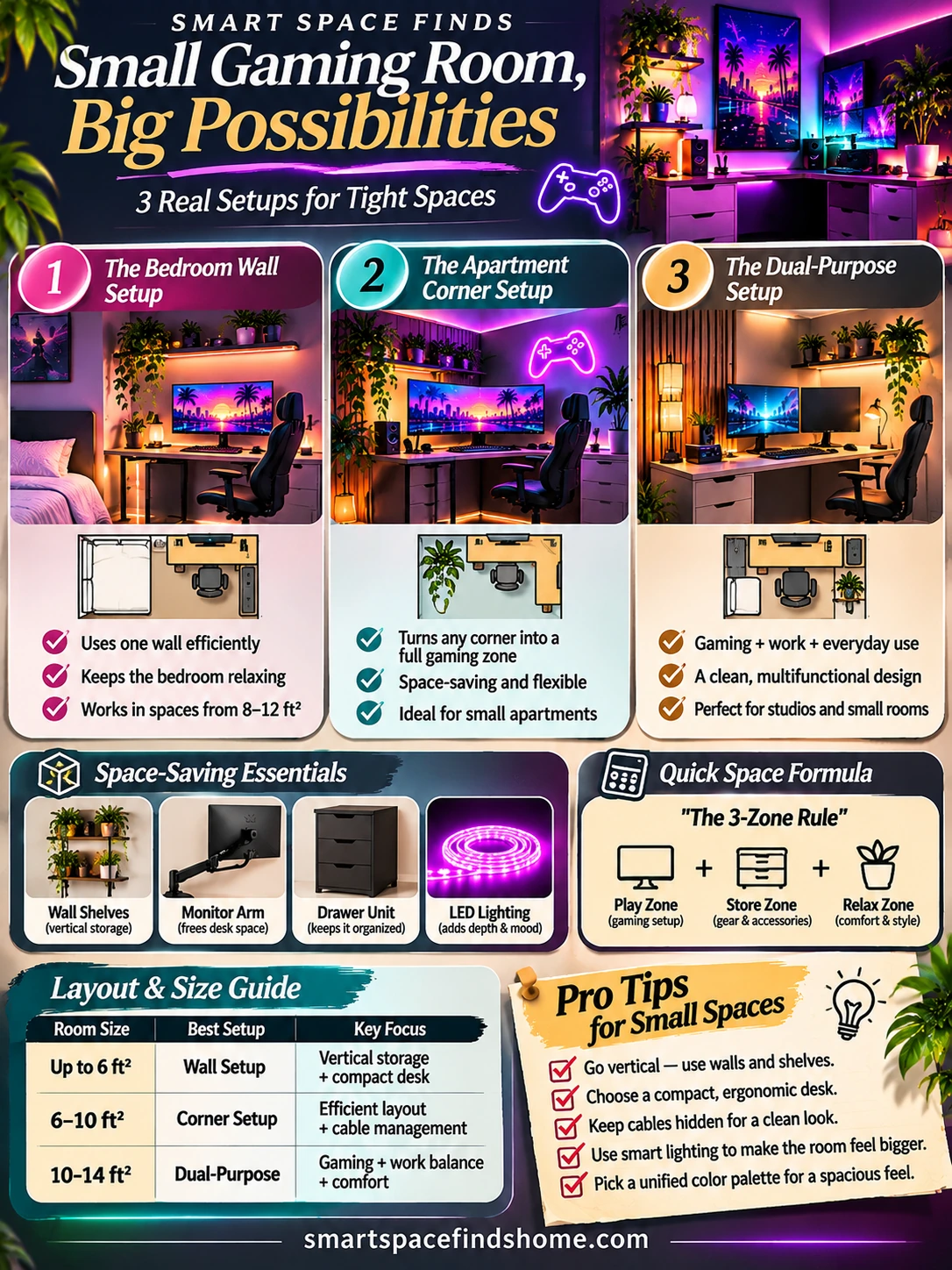
A bedroom wall
One compact PC surface, a monitor arm only if safely compatible, and a slim vertical accessory rack. Keep the chair route outside the main doorway.
A hybrid corner
Use one desk wall with a small drawer unit, a side lamp and a switchable ambient scene. Favor closed storage over extra display pieces.
A dedicated space
Create one primary gaming zone and one secondary lounge or display wall. Maintain independent paths for chairs, outlets and equipment access.
How to test a layout for free: use painter’s tape to mark the furniture footprint, set a chair inside it, and mimic turning, standing and reaching for accessories before committing.
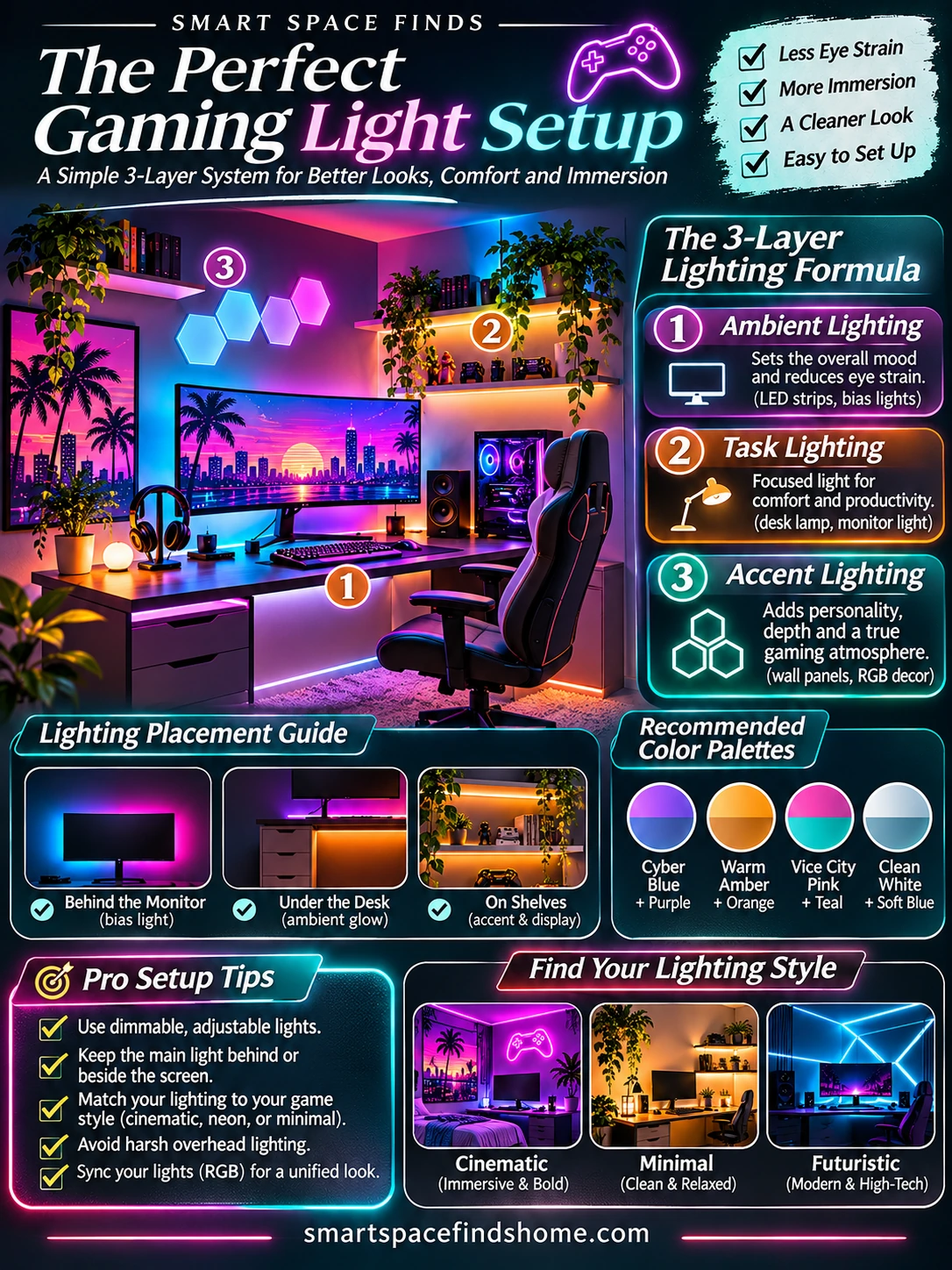
Lighting: a layered room beats a room full of LEDs
A memorable gaming space has more than one lighting condition. In daytime, preserve usable natural light without placing a bright window directly behind the screen or in its reflection. At night, light the surrounding wall gently so the monitor is not the only bright surface. Keep a separate neutral lamp available for desk work, cleaning or assembling equipment.
For a cinematic effect, hide strips behind the desk or shelf lip so the light reflects on a surface rather than exposing individual LED dots. A color-changing strip can be fun, but it should not become the only source of usable light. A dimmable warm lamp often does more for a cozy setup than another saturated glow.
Light the Room, Not Just the Desk
Build a neutral everyday scene first, then add an optional after-dark accent. Compare power requirements, monitor fit and glare before purchasing.
Indirect color for shelves and desk edges.
Flexible corner lighting for an ambient scene.
Targeted color accent behind a display or console.
Illuminates desk tasks without occupying the surface.
Premium monitor light bar with adjustable front and rear illumination; check monitor fit.
Dedicated work light for a shared workstation.
Indirect wall and ceiling mood lighting.
Affiliate disclosure: As an Amazon Associate, Smart Space Finds earns from qualifying purchases. Product availability, price and options can change; verify the current Amazon US listing before ordering.
Desk and chair comfort: design around the person
The most stylish workstation loses its appeal when elbows have nowhere to go or the monitor forces a twisted posture. Sit in your actual chair, place your hands where the keyboard and mouse would be, and check that shoulders stay relaxed. Leave enough mouse travel for your playing style. Confirm that monitor arms support your screen’s size and weight and that the desk can safely handle the clamp.
Choose adjustability and support over the label “gaming chair.” For console lounges, prioritize a stable, comfortable seat and an unobstructed TV view. Keep snacks and drinks away from power equipment, and avoid lighting or displays that make it difficult to see room edges when getting up.
“The best setup is the one you forget to manage. Everything you reach for is where you expect it, the screen feels comfortable, and the room still looks like home when the game ends.”
Comfort and Control
Small changes to feet, mouse space and reach can improve a workstation without changing its entire look.
Foot support for a seated desk setup.
Soft foot support; check height and available legroom.
Dynamic foot support for desk-based routines.
Larger surface for keyboard and mouse.
Classic gaming mouse surface.
Basic non-slip mouse pad for compact desks.
Affiliate disclosure: As an Amazon Associate, Smart Space Finds earns from qualifying purchases. Product availability, price and options can change; verify the current Amazon US listing before ordering.
Make a small gaming room feel more intentional
In tight spaces, vertical organization helps only when it does not make the wall look crowded. A few shelves, one pegboard or a narrow drawer unit can support the workstation. A single monitor arm may free valuable desk area. Keep the color palette coherent with the rest of the bedroom or living room, and make the setup easy to switch off visually when not in use.
Do not assume a tiny desk is automatically a space-saver. A desk that is too shallow can force the screen too close and the keyboard too far forward. Often a medium-depth surface with carefully chosen storage uses the available wall better than an overloaded narrow table.
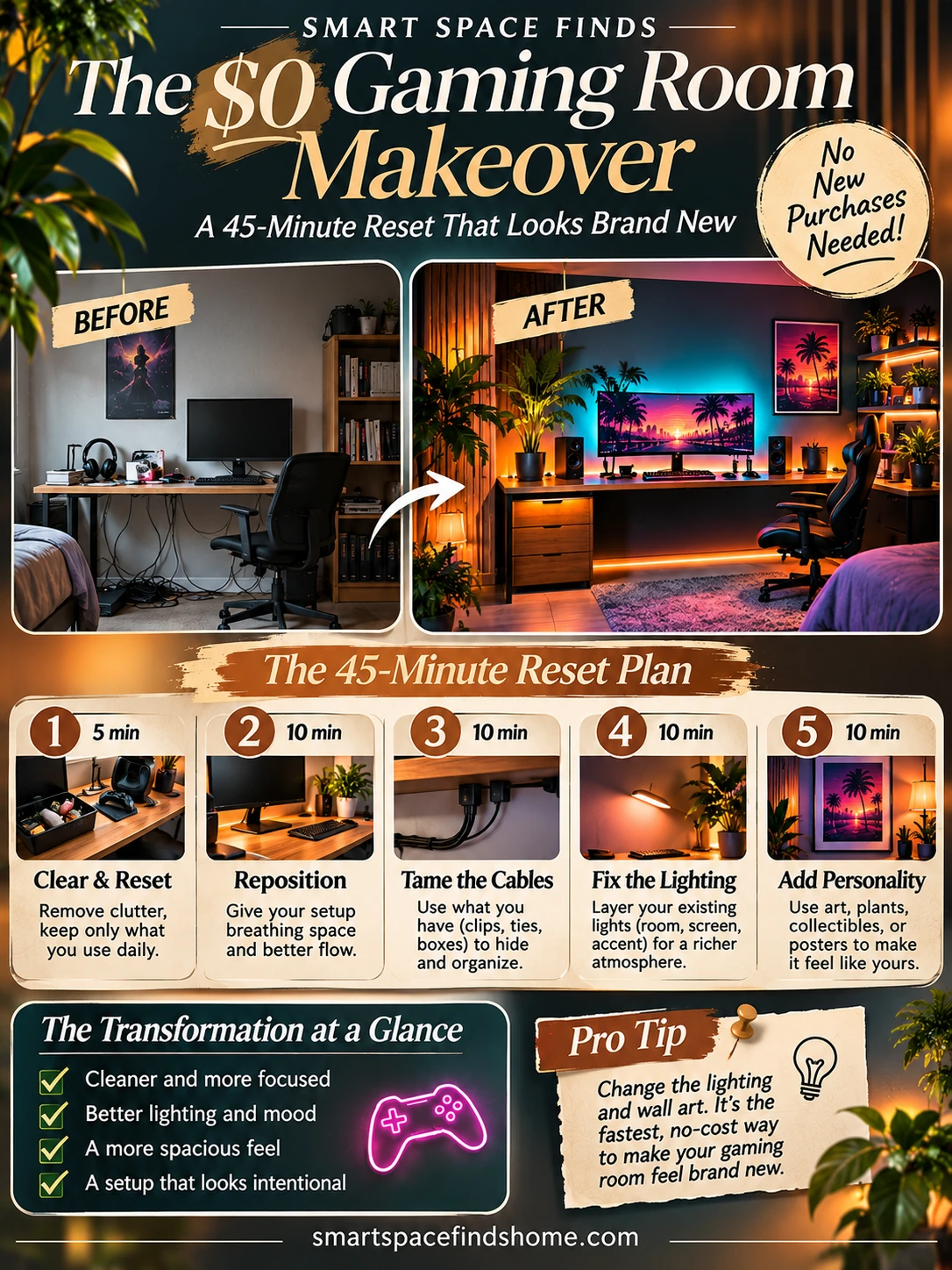
The 45-minute gaming room reset
Before spending money, try this practical exercise with your existing furniture. The timing is an illustrative workflow; allow longer if moving heavy equipment or if you need help handling furniture.
- Minutes 0–10: photograph the real room. Take one photo with the lights on and one with the screen on. Notice glare, visible cords and anything blocking movement.
- Minutes 10–20: clear the active zone. Move unused accessories away from the desktop or media unit. Keep only the controls and items needed during play.
- Minutes 20–30: create a single return path. Assign obvious places to the controller, headset and charger. Secure only low-voltage device cables using reversible ties; leave electrical work to qualified professionals.
- Minutes 30–40: adjust lighting. Switch off harsh decorative lights and reposition a lamp or available backlight until the screen remains easy to read without leaving the surroundings pitch-black.
- Minutes 40–45: repeat the photograph. Compare the two versions and write down the ONE remaining friction point worth solving with a purchase.
Why this works as a buying filter: it separates an actual problem—like unstable screen placement—from the temptation to buy something merely because it looks good on a social feed.
Give Every Accessory a Home
Keep daily essentials close without building visual clutter. Confirm the mounting surface and shelving capacity.
A simple desktop landing place for one headset.
Move headphones off the desk when they are not in use.
Low-profile headset storage; check surface suitability.
Tiered desktop organization for larger setups.
Raises screens and stores accessories in one zone.
Affiliate disclosure: As an Amazon Associate, Smart Space Finds earns from qualifying purchases. Product availability, price and options can change; verify the current Amazon US listing before ordering.
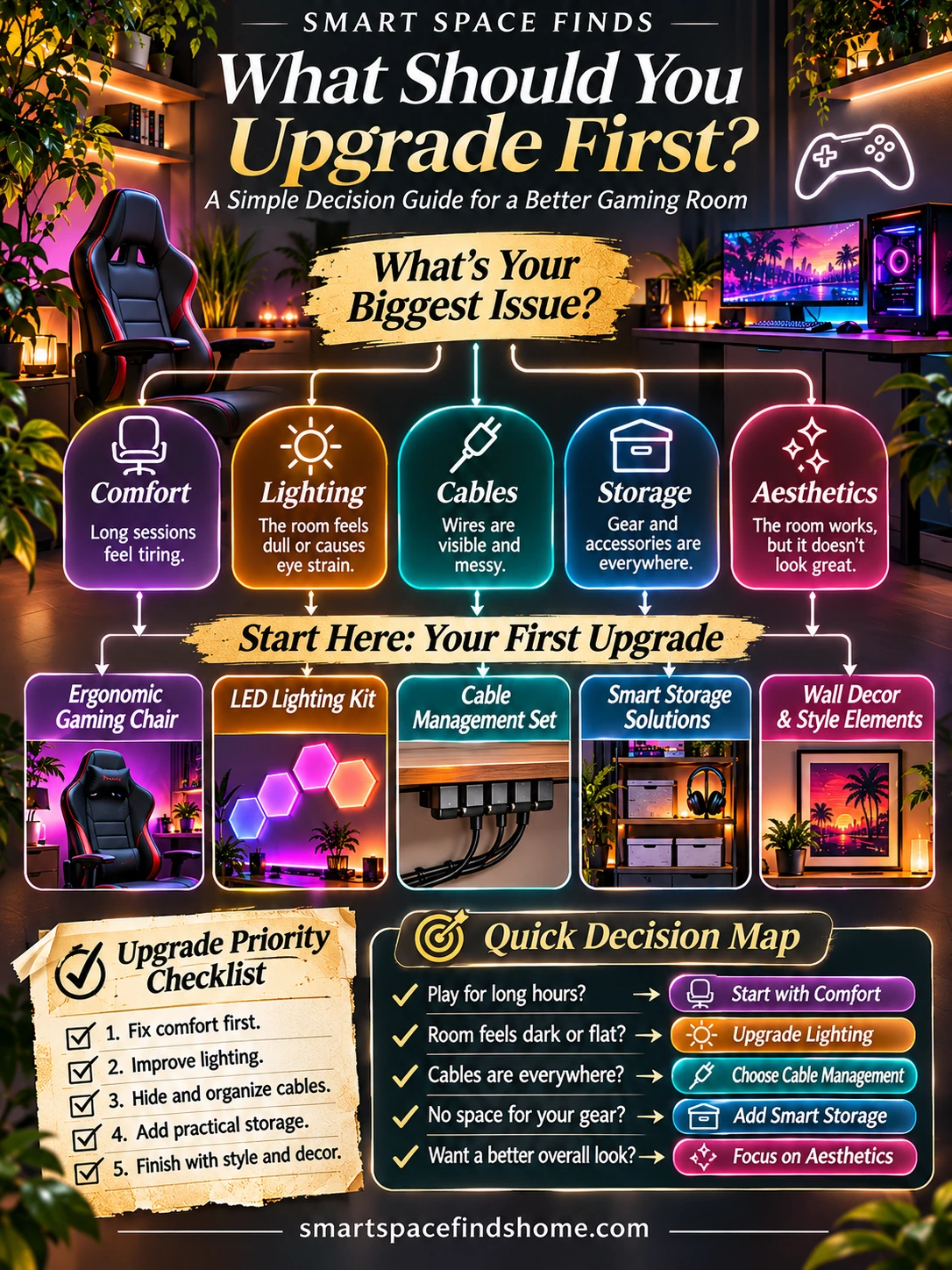
Where to spend first: three budget passes
| Pass | Priority | What to check |
|---|---|---|
| 01 / Fix function | Comfortable chair, useful desk, monitor placement | Dimensions, fit, accessibility, weight limits |
| 02 / Remove friction | Cable tray, controller storage, blackout solution, useful lamp | Actual annoyance solved, safe installation, durability |
| 03 / Create identity | Original art, accent light, rug, one display shelf | Compatibility with the room, easy cleaning, reversibility |
Want an affordable makeover? Audit what you already own before you shop. Repositioning the desk, clearing a cable route, moving a floor lamp or framing one existing print can change the room immediately. Reserve purchases for problems that the rearrangement cannot solve.
Why doesn’t my gaming setup feel right?
Use these room-level fixes before buying something new. Each answer begins with the likely friction, then the least disruptive first step.
My gaming setup looks messy, even after I clean it.
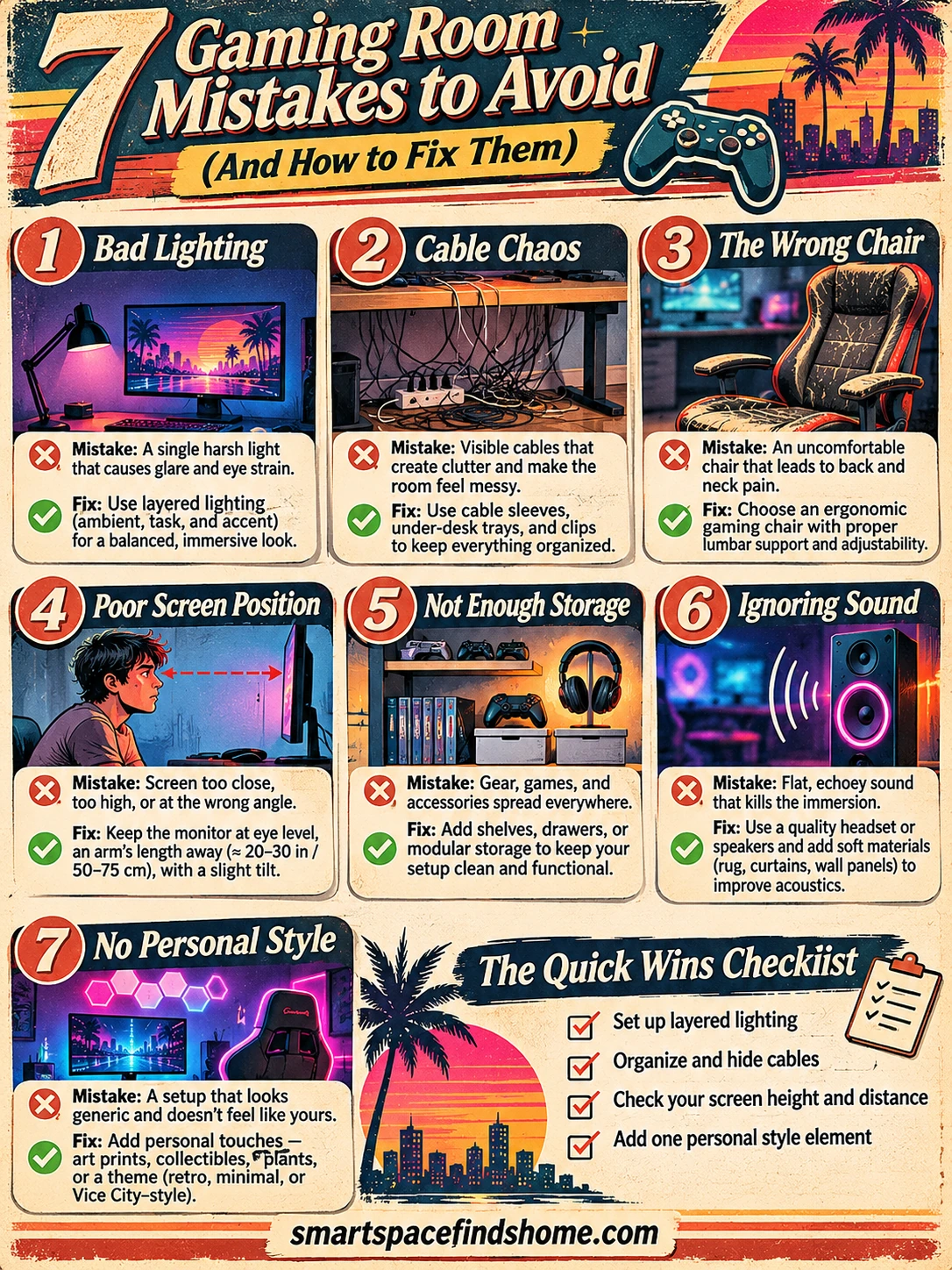
Look for visual duplication: separate chargers, loose cables, multiple product boxes and too many small display objects. Group charging into one accessible area, route visible cords along a deliberate path and keep a clear strip of desk around the controls. Do not put heat-generating equipment inside sealed containers.
My monitor looks great at night but is hard to see in daylight.
Check reflections from windows and glossy surfaces before adjusting display settings. Rotate the desk or display to reduce direct glare, then consider adjustable blinds. Keep task light distinct from accent lighting.
The room feels too dark or visually tiring.
Add an indirect warm light behind or beside the screen and a separate light for navigating the room. Dim saturated colors and test whether edges, floors and labels remain readable.
There is nowhere to put a second controller or headset.
Give each everyday item a designated landing zone at arm’s reach but outside the active keyboard or mouse area. A shallow drawer or ventilated open tray usually changes daily behavior more than another decorative wall shelf.
I have almost no money to spend.
Start with a zero-cost edit: rearrange furniture to reduce glare, clear the floor, group existing accessories and create a five-minute reset routine. Spend only after you can name a specific remaining problem and the product that solves it.
My apartment echoes or noise bothers other people.
Soft furnishings may reduce some reflections within a room, but they do not reliably stop sound traveling through walls. Try headphones, considerate volume and speaker placement first. Structural sound isolation is a separate project.
The Cable-Control Kit
Organize first; buy only what solves an actual tangle. Keep access to outlets and ventilation, and never run mains cables under rugs.
Under-desk route for adapters and loose cables.
More room for an accessible under-desk cable route.
Adjust cable bundles when equipment changes.
Keep small charging cables within reach.
Mixed routing accessories for a desk reset.
Clamp-on cable management; verify desk-edge fit.
Affiliate disclosure: As an Amazon Associate, Smart Space Finds earns from qualifying purchases. Product availability, price and options can change; verify the current Amazon US listing before ordering.
Plan cables, airflow and connectivity before the glow
A clean gaming room should also be easy to maintain. Keep power strips accessible, avoid running cords beneath rugs or across walking paths, and follow the electrical load and usage instructions supplied with your equipment. Never daisy-chain power strips. If you need additional outlets, use a qualified electrician rather than improvising a permanent solution with extension cords.
For consoles and PCs, follow the manufacturer’s clearance guidance and leave space to clean dust from vents. Put the router or network connection on your room sketch, especially if the setup is far from the strongest wireless signal. When possible, test the connection where you intend to play before you commit to a permanent desk position. Choose cable ties you can reopen for future upgrades and leave a service loop where equipment needs to move.
FIVE-MINUTE FINAL TEST: Can you sit and stand without hitting furniture? Can you read the screen during daylight? Can you reach the outlet without pulling the unit forward? Can you remove dust safely? Can you return the room to its everyday state with minimal effort? If the answer to any of these is no, solve that problem before adding more décor.
Console Charging and Organization
For console-focused setups, verify the exact console generation, controller type and any stand-specific cooling claims before purchase.
Charge two compatible controllers in one location.
Single-controller charging dock; confirm compatible DualSense model before ordering.
Consolidated stand; confirm the specific PS5 model and fit.
Affiliate disclosure: As an Amazon Associate, Smart Space Finds earns from qualifying purchases. Product availability, price and options can change; verify the current Amazon US listing before ordering.
Five gaming-room mistakes that age badly
Too much accent lighting: prioritize the screen’s readability and one balanced focal point. Decor before dimensions: even a beautiful desk is a mistake when the chair cannot move. Blocked airflow: electronics need access to vents and the clearance defined by their manufacturer. Overfilled collections: choose a hero object and give it negative space. Permanent changes in rentals: always check the surface and agreement before attaching anything heavy.
A Flexible Second Screen
For mixed work-and-play setups, a portable display can add flexibility without a permanent dual-monitor station. Check inputs, USB-C support and power.
Portable screen for compatible laptops or consoles.
Affiliate disclosure: As an Amazon Associate, Smart Space Finds earns from qualifying purchases. Product availability, price and options can change; verify the current Amazon US listing before ordering.
Gaming room design: frequently asked questions
How can I make a gaming room look expensive without spending much?
Use a restrained palette, one consistent material finish, hidden cable paths and deliberate lighting. Fix mismatched clutter before purchasing décor. A tidy layout with a single focal point often looks more considered than a collection of flashy accessories.
What is the best gaming setup for a small bedroom?
Start with a comfortable desk depth, screen positioned away from glare, a chair route that does not block the doorway and vertical storage for rarely used gear. Choose a palette that works with the bedroom even when the lights are off.
Are RGB lights necessary for a good gaming room?
No. Warm lamps, indirect wall lighting and a screen with controlled reflections can create atmosphere. RGB is an optional accent, not a substitute for useful lighting.
How can I make a gaming room look inspired by GTA 6?
Use an original sunset-inspired palette with peach, rose, petrol blue and palm green; add restrained retro geometry and a subtle tropical note. Avoid copying protected game images, branded elements or implying an official connection.
What should I buy first for a gaming room?
Correct the most important functional problem: poor seating, an unsuitable desk, screen glare, unsafe cable routing or missing storage. Buy decorative accessories after those are solved.
Do curtains and acoustic panels soundproof a gaming room?
No. Soft furnishings can change reflections and reverberation inside a room, but meaningful sound isolation usually requires construction changes. Headphones and considerate volume are often the practical apartment solution.
The final edit: build the room around the way you live
Pick one concept and make it functional in normal daylight before you perfect its nighttime glow. The result should feel like a room, not a set: comfortable to play in, easy to reset and distinctive without needing every accessory visible at once. This approach keeps the strongest gaming room ideas relevant even as consoles, computers and color trends change.
Continue the gaming spaces collection:
Editorial standards: Room concepts are independent design inspiration based on spatial planning and published ergonomic guidance. Smart Space Finds has not claimed to build or physically test every concept. All external research was used for editorial fact-checking; this article keeps editorial links internal.