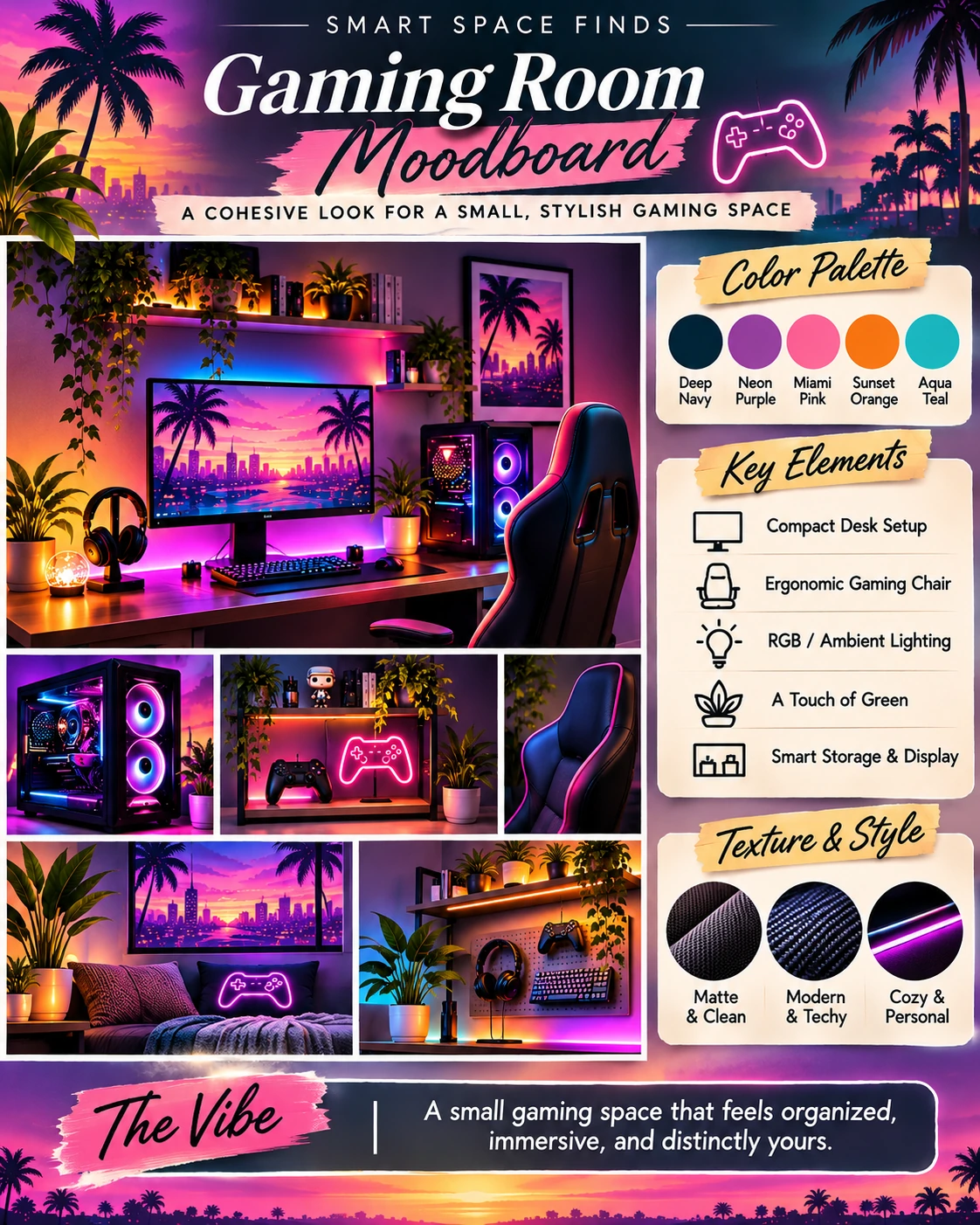
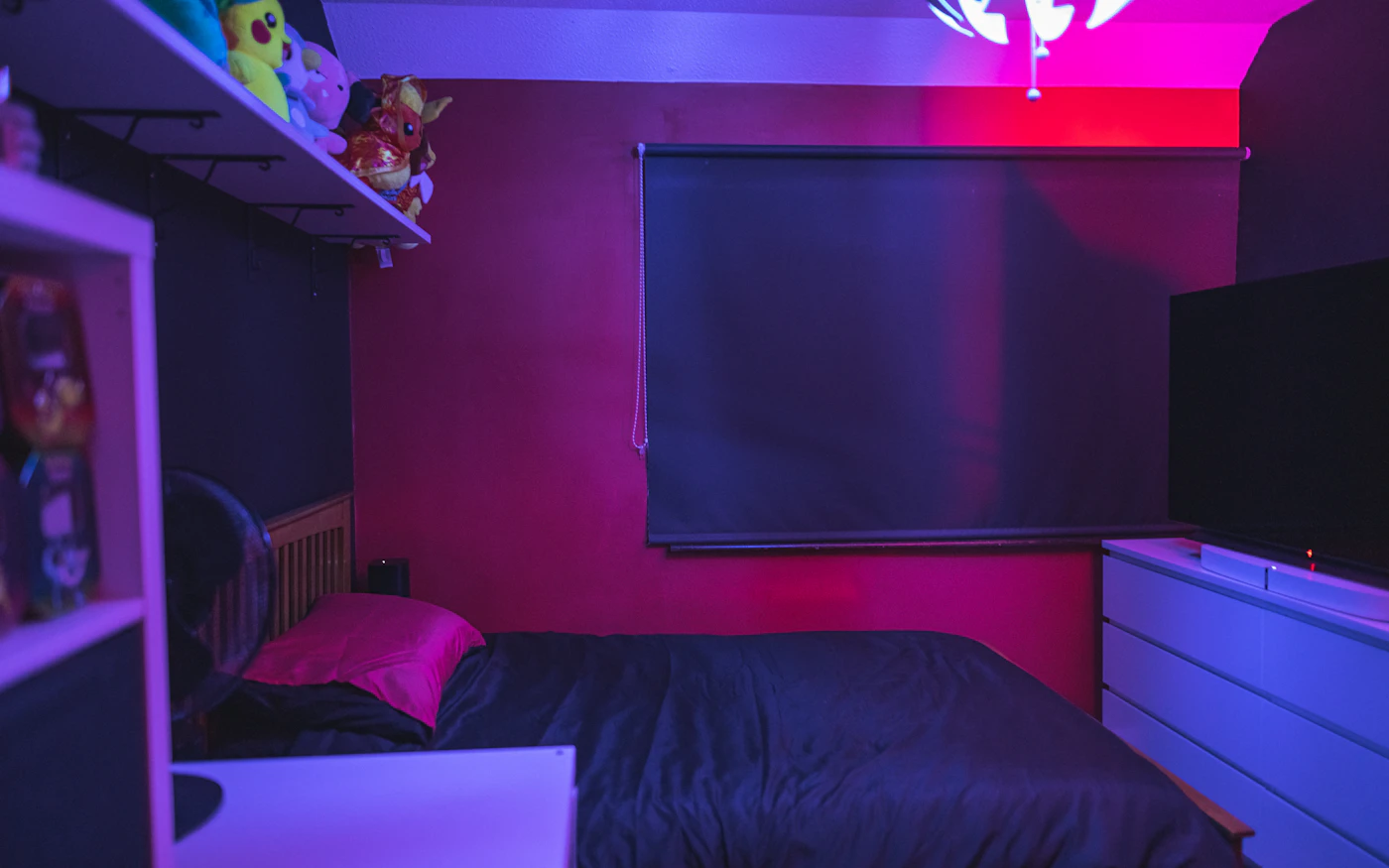
Less square footage.
More room to play.
A better gaming room begins with a floor plan, not a shopping cart. Build a comfortable gaming zone that still lets your bedroom or apartment work as a home.
The best small gaming room ideas make a tight space feel intentional—not stuffed with a miniature version of a full-size battlestation. Whether you’re fitting a PC beside your bed, sharing a studio TV or designing a GTA VI-inspired corner, begin with the space you actually have. Below you’ll find 12 layouts, a room-fit decision guide, safety and comfort checks, and a no-buy-first makeover plan.
Editorial approach: Recommendations are based on practical space planning and workstation ergonomics; no single dimension fits every room or body. This is independent interior-design inspiration and is not affiliated with Rockstar Games.
The quick answer: how to fit gaming into a small room
Choose one primary gaming zone, keep the route between the bed and doorway clear, use a desk deep enough for your monitor and controls, and move spare accessories off the floor. Before buying anything, mark the proposed furniture edges with painter’s tape and physically test opening the closet, moving your chair and reaching the outlets.
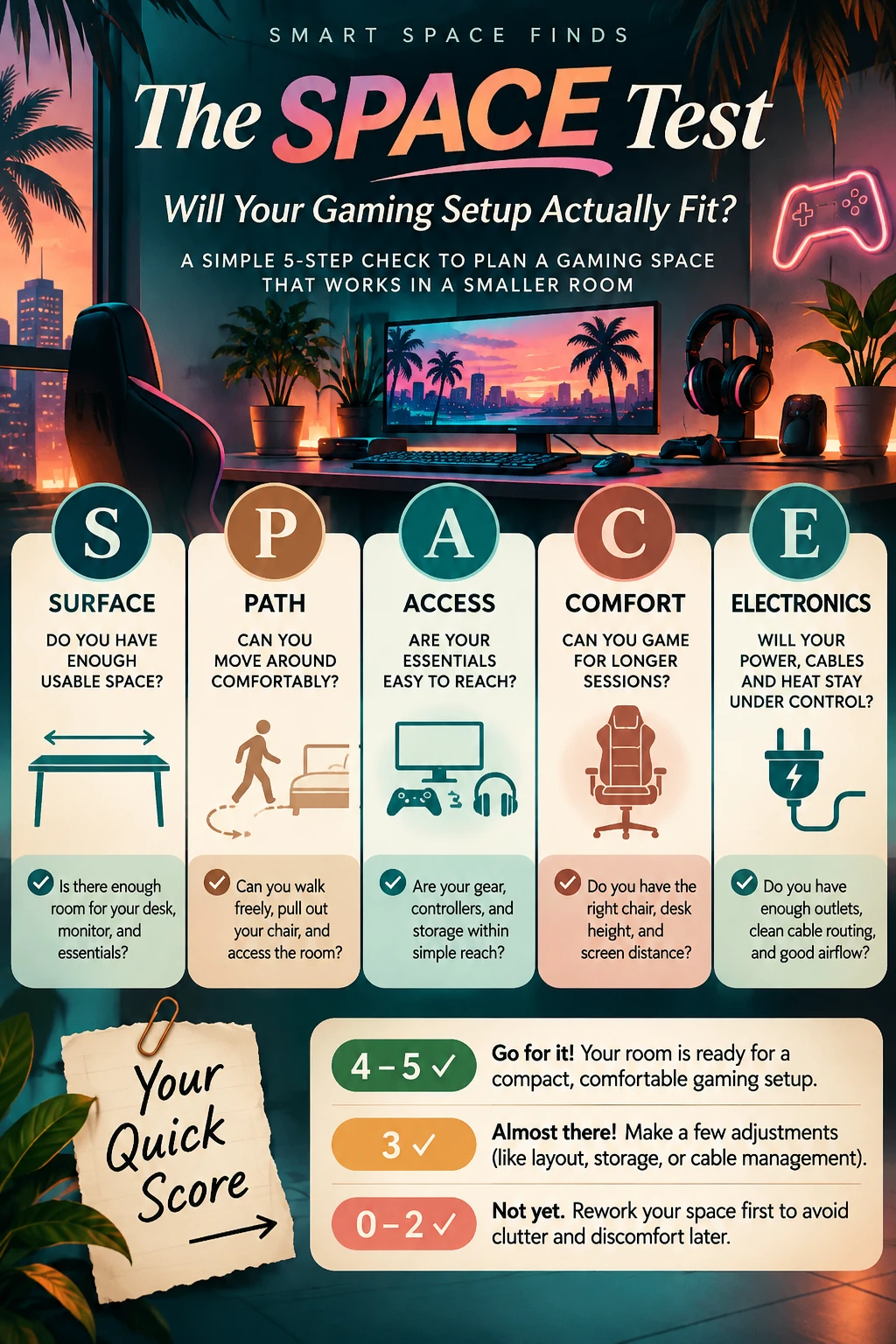
Will your gaming setup actually fit?
Run this five-part check before placing an order. It is an original planning checklist, not a building-code standard.
- S — Surface: Can your monitor, hands, keyboard and mouse function without stacking accessories?
- P — Path: Can you pull out the chair and walk past without squeezing around furniture?
- A — Access: Can the closet, drawers, outlets and windows still be used?
- C — Comfort: Can you sit with supported feet, relaxed shoulders and a screen at a comfortable distance?
- E — Electronics: Does equipment have ventilation and a safe, inspectable cable route?
Decision: If any item fails, revise the layout before buying smaller accessories to disguise the problem.
“A setup isn’t space-saving if it makes the rest of your room harder to use.”
Design for the hour after you stop gaming, too.
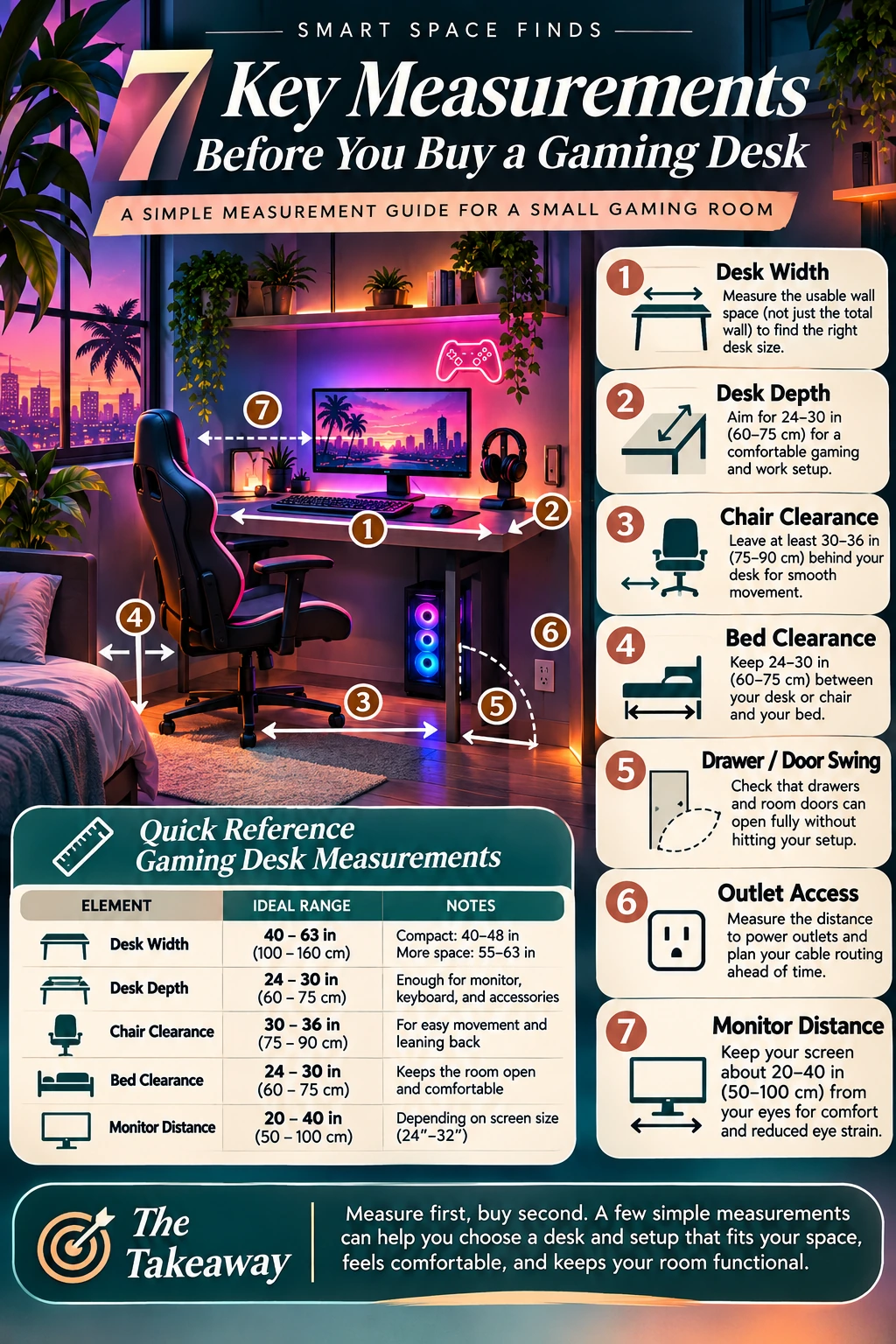
Measure these seven things before choosing furniture
Take measurements of the usable wall width, actual desktop depth, chair pullback, door and drawer swings, window glare, outlet positions and ventilation clearance. Include the monitor stand depth—not just the panel size. Sketch the room from above or use masking tape at full scale. A compact gaming desk that fits the wall can still block your wardrobe when the chair is occupied.
Before buying, rehearse a real gaming session
This simple at-home test catches problems that styled product photos cannot show.
Use painter’s tape to mark the desktop width and front edge on the floor. Mark the door swing separately.
Sit, turn and pull back as though ending a session. Notice the narrowest passage behind you.
Place a keyboard and mouse, or a similarly sized template, where your hands naturally fall.
Open the closet, reach the bed, check windows and confirm that cables would not cross your route.
The purchase rule: only shop for a desk when the taped version passes all four checks. If it fails, try a different wall before shrinking the desk.
Find your layout in 30 seconds
| Room constraint | Best starting layout | Why |
|---|---|---|
| Only one narrow wall | Single-wall micro station | Concentrates the footprint |
| Unused corner | Corner command center | Can improve usable depth |
| Existing shared TV | Console micro-lounge | Avoids duplicate screens |
| Work and gaming share a room | Dual-purpose desk | One footprint, two modes |
| Rental / no drilling | Portable cart or desk-edge storage | Reversible organization |
| Look feels flat, but layout works | Vice City micro-corner | Changes mood without more furniture |
The table selects a starting point, not an equipment size. Always check clearance and product specifications in your own room.
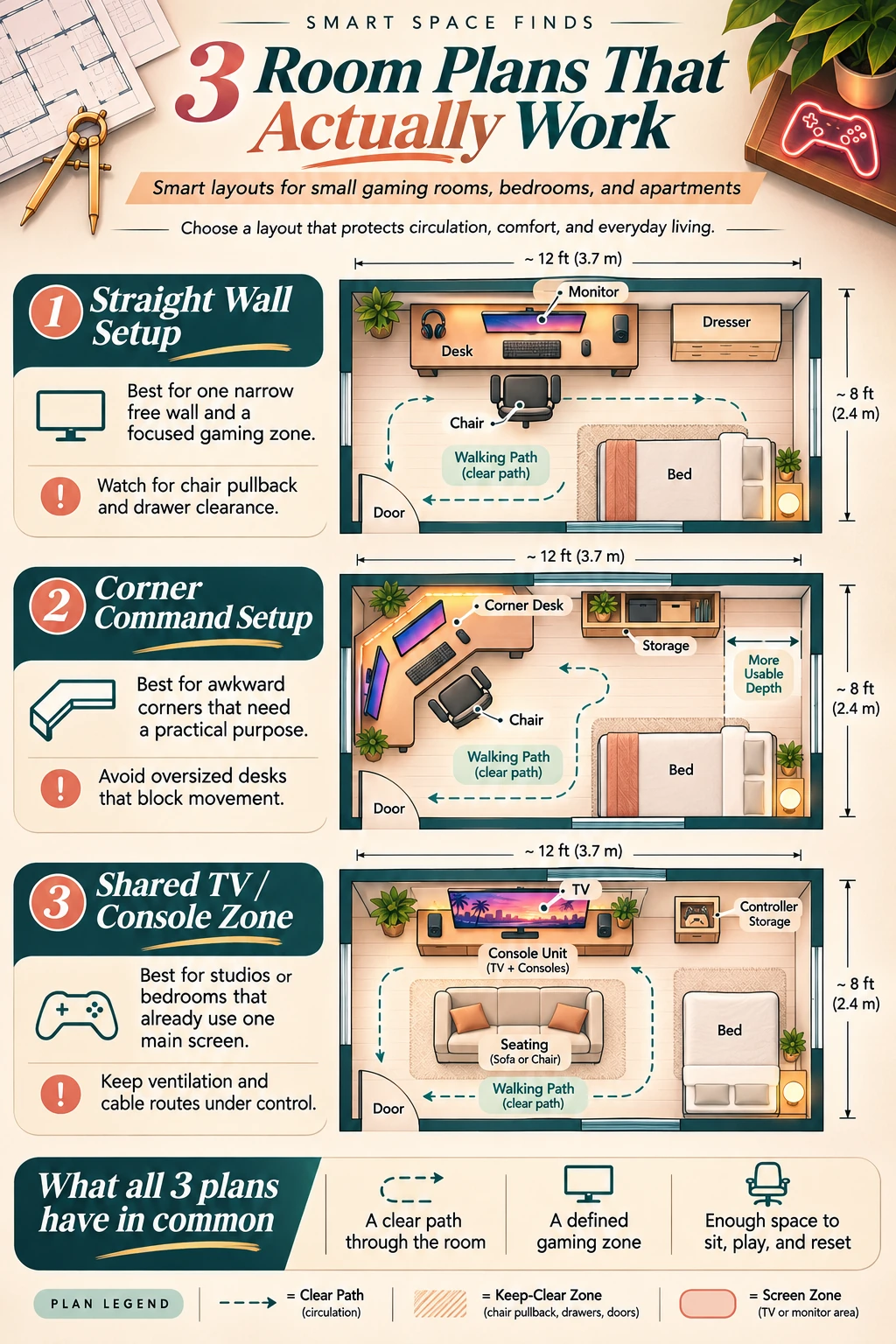
Three room plans, one non-negotiable: clear circulation
These are illustrative spatial relationships—not architectural drawings or scale-verified measurements. Use the arrangement to plan your own room, then test it with real furniture dimensions.
01 / Straight wall
Group screen and gear along one wall. Leave the chair’s rearward movement free.
02 / Corner station
Use the corner for the setup, but don’t sacrifice the room’s walking lane.
03 / Shared TV zone
Keep one screen and give controllers an organized home.
Make the Room Fit
Choose the footprint before the finish. Measure your wall, chair pullback, desk depth and door swings first.
Affiliate disclosure: As an Amazon Associate, I earn from qualifying purchases. Product availability, variants and pricing may change; check the current Amazon listing before ordering.
12 small gaming room ideas for bedrooms and apartments
Every idea solves a distinct constraint. Treat these as practical design patterns rather than copied floor plans: a bedroom with a bed, dresser and one outlet behaves differently from an empty studio.
The single-wall micro station
- Best for
- A narrow bedroom wall and one monitor.
- How it works
- Center the screen on the available wall, store the headset on a side hook and keep the desktop limited to the keyboard, mouse and current game essentials.
- Measure first
- Measure the desk’s usable depth and the chair’s full pulled-back footprint.
- Avoid
- Buying a desk by its advertised width while ignoring door or dresser clearance.
The corner command center
- Best for
- An awkward corner that otherwise collects clutter.
- How it works
- Angle the screen toward your seated position; keep the keyboard and mouse centered in front of you. Use the extra rear corner depth for cable access, not decorative objects.
- Measure first
- Check both wall lengths, chair rotation and access to nearby outlets.
- Avoid
- Forcing an oversized L-shaped desktop into a tiny corner.
The bed-adjacent station
- Best for
- A bedroom with one short free wall.
- How it works
- Set up the gaming zone beside the bed rather than at its foot when possible. Choose a low-profile desktop and keep bedside access clear.
- Measure first
- Test bed-making, drawer opening and night-time walking clearance.
- Avoid
- Allowing the chair back to collide with the bed every time you stand up.
The floating-monitor desk
- Best for
- A shallow surface that feels crowded.
- How it works
- A compatible monitor arm may move the monitor stand off the desk. Pair it with restrained accessories and leave ventilation clear.
- Measure first
- Verify monitor VESA pattern, weight range, clamp or grommet opening, desktop strength and wall clearance.
- Avoid
- Assuming every desk edge or monitor supports an arm.
The console micro-lounge
- Best for
- A studio with an existing television.
- How it works
- Use the screen you already own. Group controllers and chargers in a shallow tray or closed cabinet; choose seating that serves everyday living too.
- Measure first
- Check viewing angle, cable reach and console ventilation around its vents.
- Avoid
- Adding an unnecessary second television or hiding hot electronics in sealed storage.
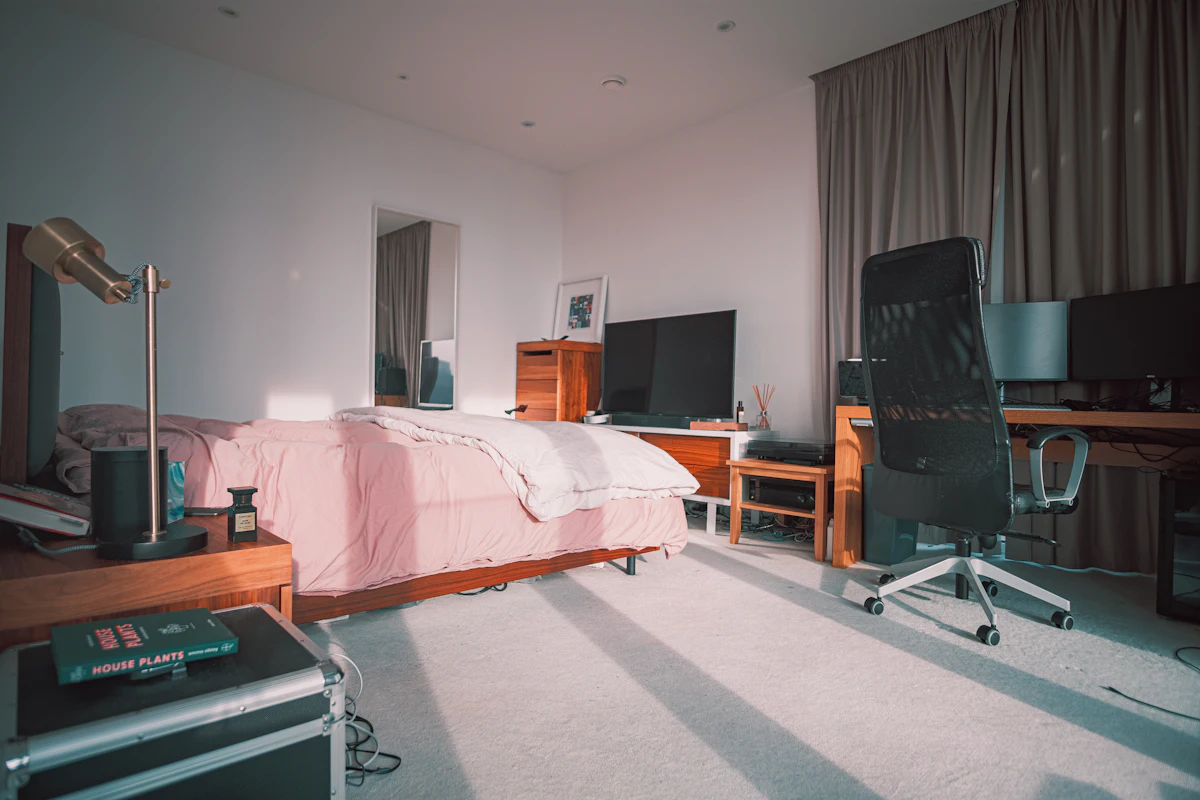
The closet-adjacent nook
- Best for
- A narrow strip beside a wardrobe.
- How it works
- Treat the area beside the closet as a possible station while keeping every door and drawer fully usable. Lightweight removable lighting makes the look reversible.
- Measure first
- Mark the complete closet-door swing and shelf reach with tape.
- Avoid
- Placing active gaming hardware in a poorly ventilated closed closet.
The work-by-day, game-by-night desk
- Best for
- A bedroom that doubles as a home office.
- How it works
- Use one screen and one clear work surface; give work items and gaming accessories separate small trays. Switch lighting scenes instead of adding furniture.
- Measure first
- Check keyboard, writing surface, camera position and power requirements for both tasks.
- Avoid
- Designing only for the prettier nighttime setup.
The vertical accessory wall
- Best for
- A small desk overwhelmed by headsets and controllers.
- How it works
- Use a low-profile pegboard, approved wall rail or removable desk-edge organizer. Keep heavy items on structurally appropriate supports.
- Measure first
- Verify mounting permissions, anchors, weight ratings and ease of reach.
- Avoid
- Installing heavy shelving on unsuitable walls or above a pillow.
The under-bed gear archive
- Best for
- Extra controllers, spare cables and game cases.
- How it works
- Put nonpowered accessories in a labeled, easy-to-slide bin. Keep current-use gear within reach of the desk.
- Measure first
- Measure bed clearance including bedframe supports and the height of storage bins.
- Avoid
- Putting powered-on consoles, chargers or heat-producing devices under bedding.
The portable console cart
- Best for
- A flexible shared living room or rental.
- How it works
- Choose a stable cart with locking casters for controllers and accessories; park it outside circulation routes and disconnect cables before moving.
- Measure first
- Measure where the cart rests and whether cords can snag on its wheels.
- Avoid
- Rolling active equipment while power or display cables remain connected.
The quiet two-tone station
- Best for
- A room that must feel calm beyond gaming hours.
- How it works
- Repeat one neutral material and one accent tone. Use closed containers, a single lamp and subtle cable routing instead of stacking merchandise.
- Measure first
- Check that lighting is controllable and surfaces stay easy to clean.
- Avoid
- Mistaking visual minimalism for adequate screen, keyboard or leg clearance.
The Vice City micro-corner
- Best for
- A renter who wants GTA VI-inspired atmosphere without a full room makeover.
- How it works
- Pick one original sunset-inspired art print, one diffused coral or teal light source and a neutral desk. Use switchable presets to return the room to rest mode.
- Measure first
- Check screen reflections, visible light strips and the ability to switch lights off independently.
- Avoid
- Covering every wall in harsh RGB or using copyrighted game artwork without permission.
Three starting blueprints worth testing
| Plan | Where each item goes | Failure to check |
|---|---|---|
| Straight wall | Centered screen; compact desk; accessories on one vertical surface | Chair blocks bed or dresser |
| Corner | Screen faces seated user; cables leave along one accessible route | Corner wing crowds walkway |
| Console zone | Existing screen; ventilated console; shallow accessory dock | Closed cabinet traps heat |
These are arrangement concepts, not scale drawings. Test chair movement and screen viewing positions in person.
Free Your Desktop
Regain useful desk surface without sacrificing monitor distance, stability or a comfortable keyboard position.
Affiliate disclosure: As an Amazon Associate, I earn from qualifying purchases. Product availability, variants and pricing may change; check the current Amazon listing before ordering.
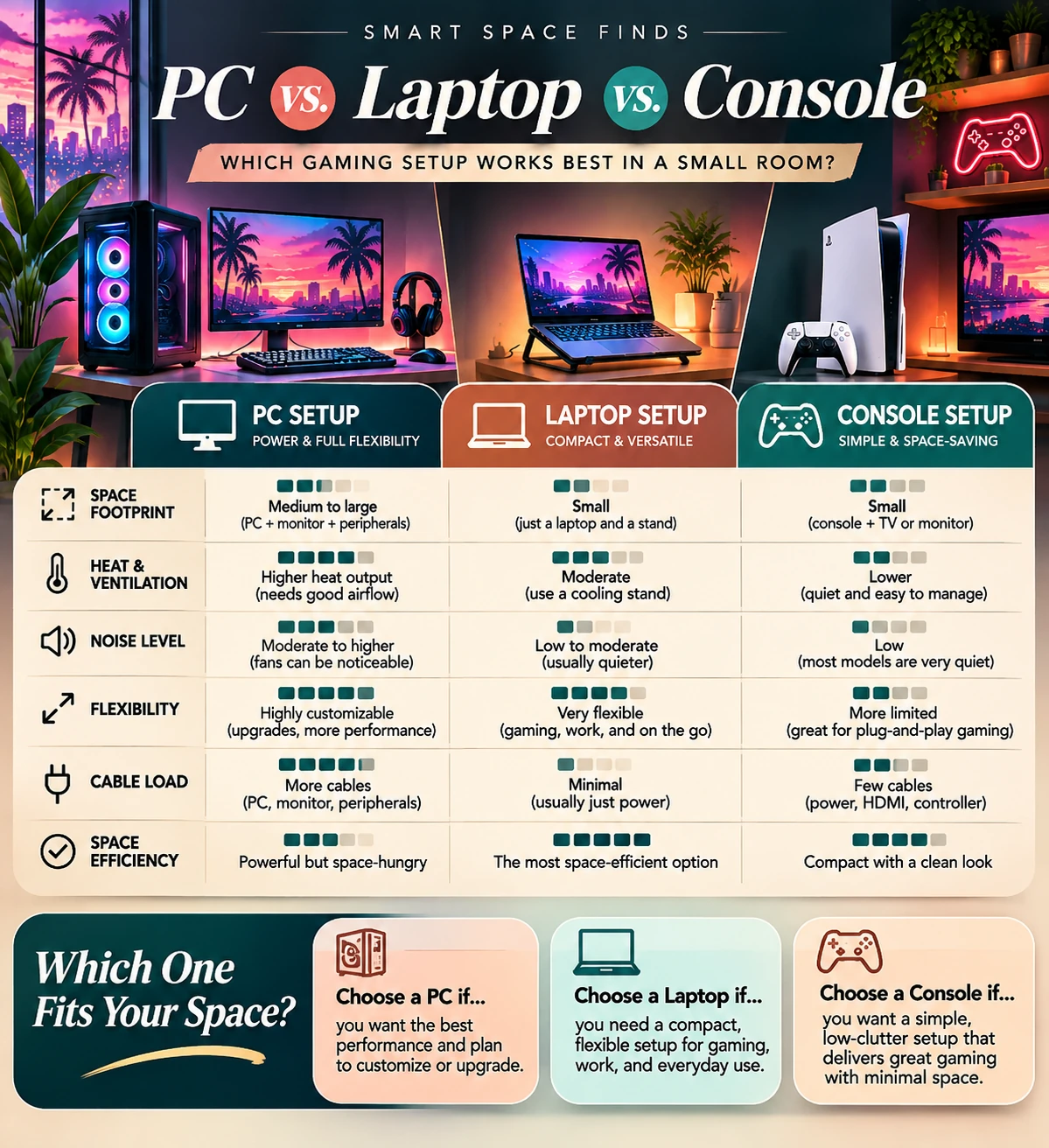
PC, laptop or console? Choose the footprint before the hardware
In a small gaming bedroom, hardware placement is part of the floor plan. The right system is not necessarily the smallest one: it is the one that can stay cool, connect safely and leave enough room for ordinary life.
| Setup type | Space advantage | Trade-off to check |
|---|---|---|
| Gaming laptop | Can be packed away or shared with work | Heat, fan noise and comfortable screen/keyboard placement |
| Small desktop PC | Can keep components in one compact case | Physical case dimensions, ventilation, service access and cable reach |
| Full-size tower | Can suit demanding hardware needs | Floor or desk footprint, airflow around all intake/exhaust vents |
| Console + existing TV | May eliminate the need for a second gaming desk | Screen sharing, controller storage, seating distance and console airflow |
Where should the PC tower go?
Start by checking the case manufacturer’s orientation and airflow requirements. A solid stand beside the desk may be better than hiding a tower inside an unventilated cabinet. Leave service panels and power connections reachable; check that a desk-mounted bracket actually supports the case weight and dimensions. Never block intake or exhaust vents with fabric, bedding or tightly packed accessories.
What about the router, cables and shared outlets?
Map the power and network routes before arranging furniture. Keep extension leads out of walking paths, protect cables from chair casters and furniture edges, and avoid overloading outlets or power strips. A shorter, accessible cable run is preferable to a prettier but hard-to-inspect tangle.
What if you share the bedroom?
Consider keyboard noise, open-back headset sound leakage, late-night light spill and the other person’s sleep schedule. A directional task lamp, headphones at sensible volume and a lighting preset you can switch off immediately may deliver more everyday comfort than decorative RGB panels.
Keep Cables and Hardware Under Control
Manage cables where they can be inspected, keep walkways open and never obstruct computer or console ventilation.
Affiliate disclosure: As an Amazon Associate, I earn from qualifying purchases. Product availability, variants and pricing may change; check the current Amazon listing before ordering.
How to make a small gaming bedroom feel larger
Keep the floor visually calm
A single organized cable path, properly parked chair and a place for the controller often make a stronger difference than adding more shelves. Favor fewer objects at floor level and keep the area around vents and sockets accessible.
Use vertical storage selectively
Put light, frequently used accessories on hooks or pegboards at reachable heights. In rentals, use allowed removable solutions and follow their weight limits. Avoid heavy decor or unstable shelving above a bed or chair.
Choose soft, controllable lighting
Diffuse light behind or beside the screen rather than shining an exposed strip toward your eyes. In a bedroom, separate gaming lighting from softer evening lighting so the space can change function without changing furniture.
Give Accessories Their Own Place
Use the smallest sensible holder, hook or dock to keep headsets and controllers off the desk and floor.
Affiliate disclosure: As an Amazon Associate, I earn from qualifying purchases. Product availability, variants and pricing may change; check the current Amazon listing before ordering.
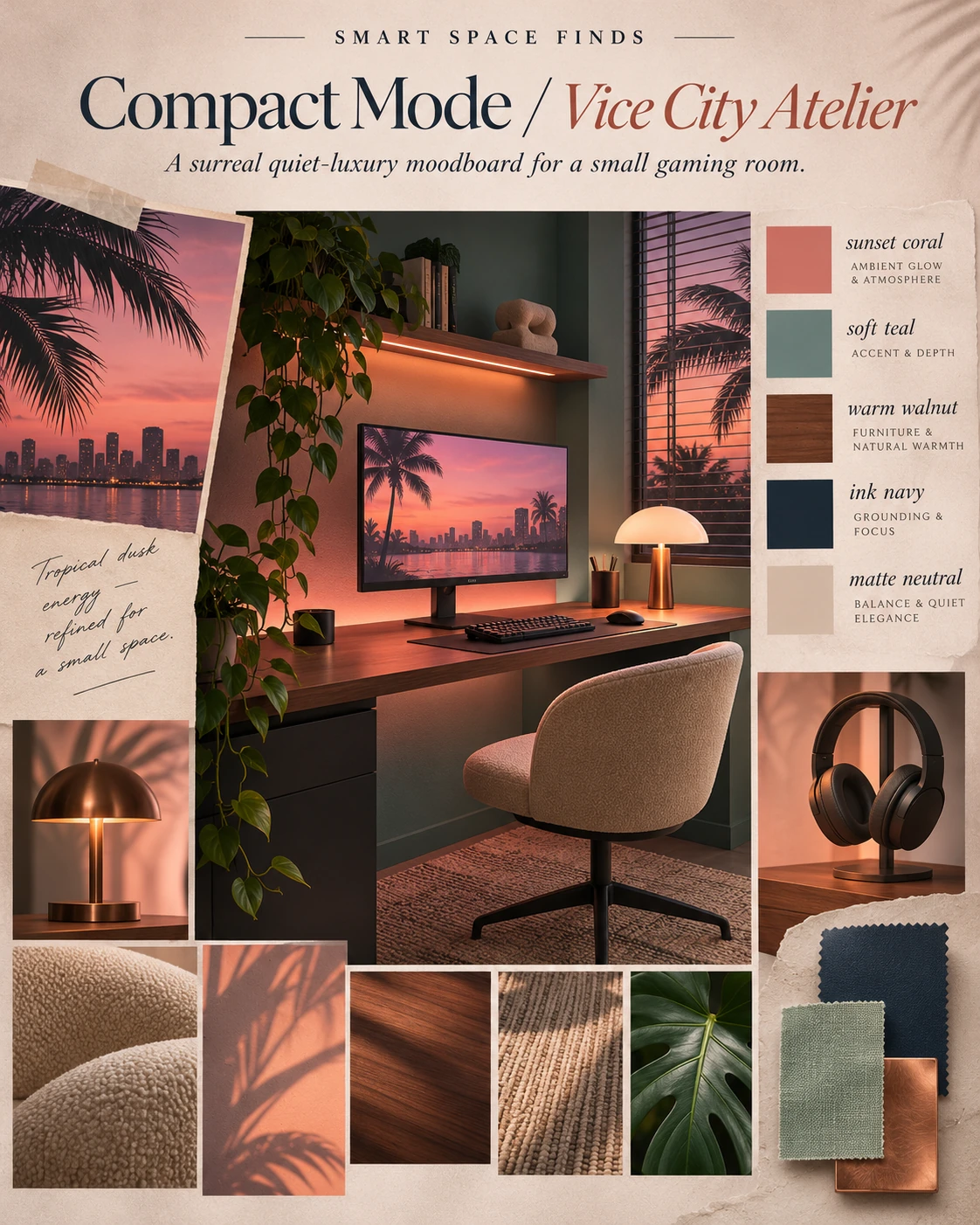
The GTA VI-inspired color formula
Capture the atmosphere of a tropical city at dusk with an original sunset-inspired print, one soft coral light and a restrained teal accent. Keep major furniture neutral, and avoid official game screenshots or character art unless you have the appropriate rights. The goal is an adaptable mood—not an imitation Rockstar set.
The percentages describe visual emphasis, not literal paint coverage.
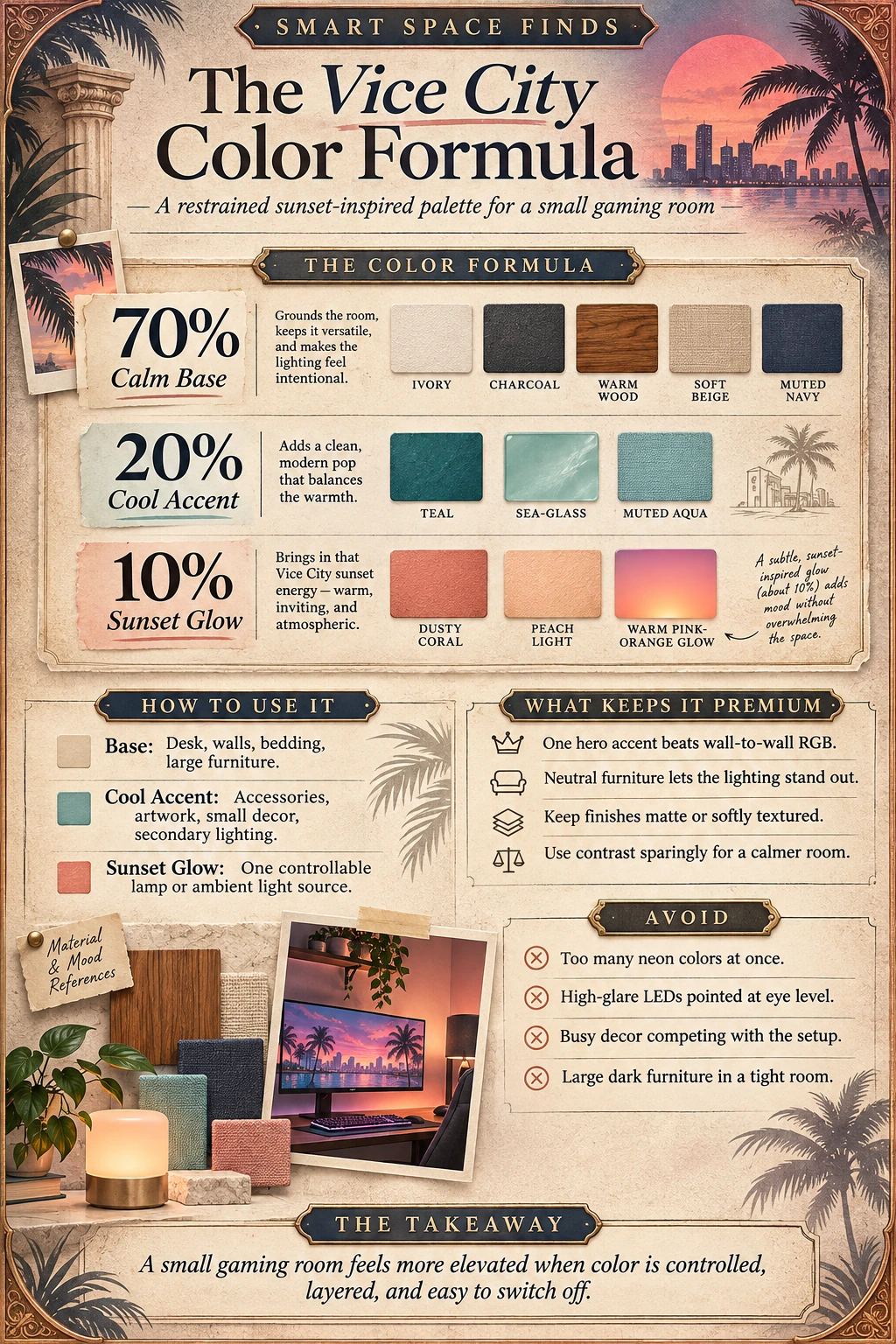
Layer the Lighting, Not the Clutter
Choose controlled, diffused lighting. Keep the actual task light separate from optional decorative color.
Affiliate disclosure: As an Amazon Associate, I earn from qualifying purchases. Product availability, variants and pricing may change; check the current Amazon listing before ordering.
What will actually improve your room?
Match purchases to verified constraints. You might not need any new gear at all.
| Problem observed | Try for free first | Consider buying only if… |
|---|---|---|
| Chair hits the bed | Move the desk or rotate the chair zone | The reconfigured room still fails the clearance test |
| Screen feels too close | Shift monitor stand and reduce desk clutter | A compatible arm or deeper desk gives a comfortable view |
| Cables dominate the floor | Unplug unused equipment and consolidate safe routes | A suitable tray or clips will keep cables protected |
| Bedroom is too bright at night | Dim or redirect existing light | A controllable lamp solves the problem without glare |
| Gear has no home | Assign one existing drawer or basket | Accessories still spill onto essential surfaces |
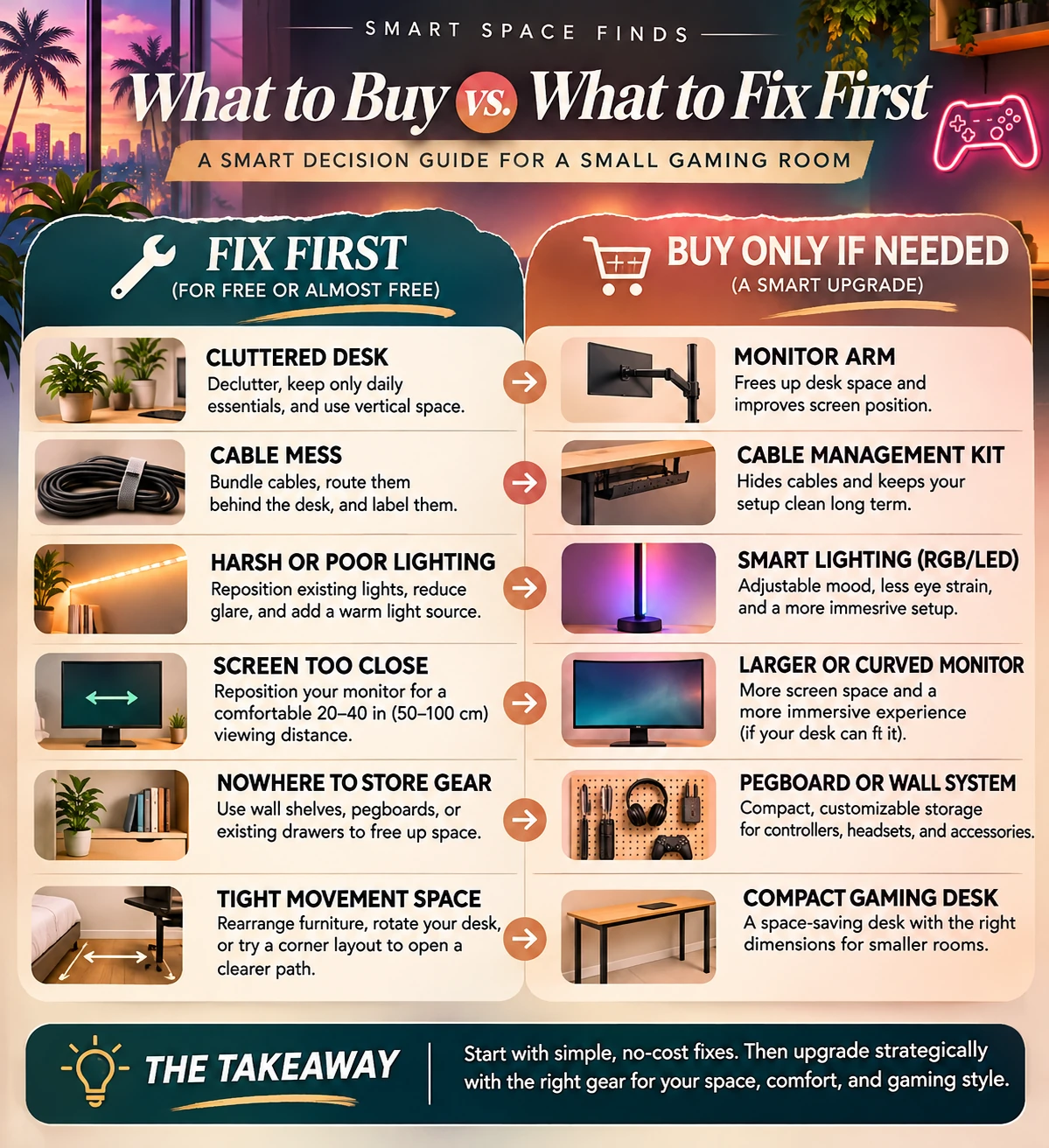
Budget priorities: spend on the constraint first
The $0-first reset
Reposition existing gear, remove unused objects, reroute loose cords safely and test a new desk angle before buying. Make the room work in daylight and after dark.
When a purchase earns its space
Prioritize a properly sized desk, compatible monitor support, controllable task light or simple accessory storage only when it resolves a problem you have already measured.
Four real-world small-room problems, solved
“My chair hits the bed.”
Test rotating the desk or using the straight wall instead of the corner. Mark the chair at its occupied and pulled-back positions before deciding whether smaller furniture is necessary.
“The monitor is too close.”
Recheck desktop depth and display stand footprint. If compatible, an arm may help, but a desk that supports the screen at a proper distance is more important than a visually floating monitor.
“Everything looks cluttered.”
Remove rarely used objects first, then group accessories in one tray, one vertical organizer and one safe cable route. Do not buy multiple organizers before seeing what remains.
“I need the bedroom to feel relaxing.”
Use a neutral daytime palette, dimmable side lighting and a quick way to hide controls. Keep the gaming corner clearly defined without turning the whole room into a gaming display.
What not to buy for a tiny gaming room
A giant L-shaped desk without measured chair clearance; tall shelving you cannot secure safely; high-brightness exposed LED strips facing your eyes; an extra monitor when the room has no usable viewing position; and cosmetic cable coverings that hide an overheating or damaged cable. Product photography can make oversized furniture look deceptively compact.
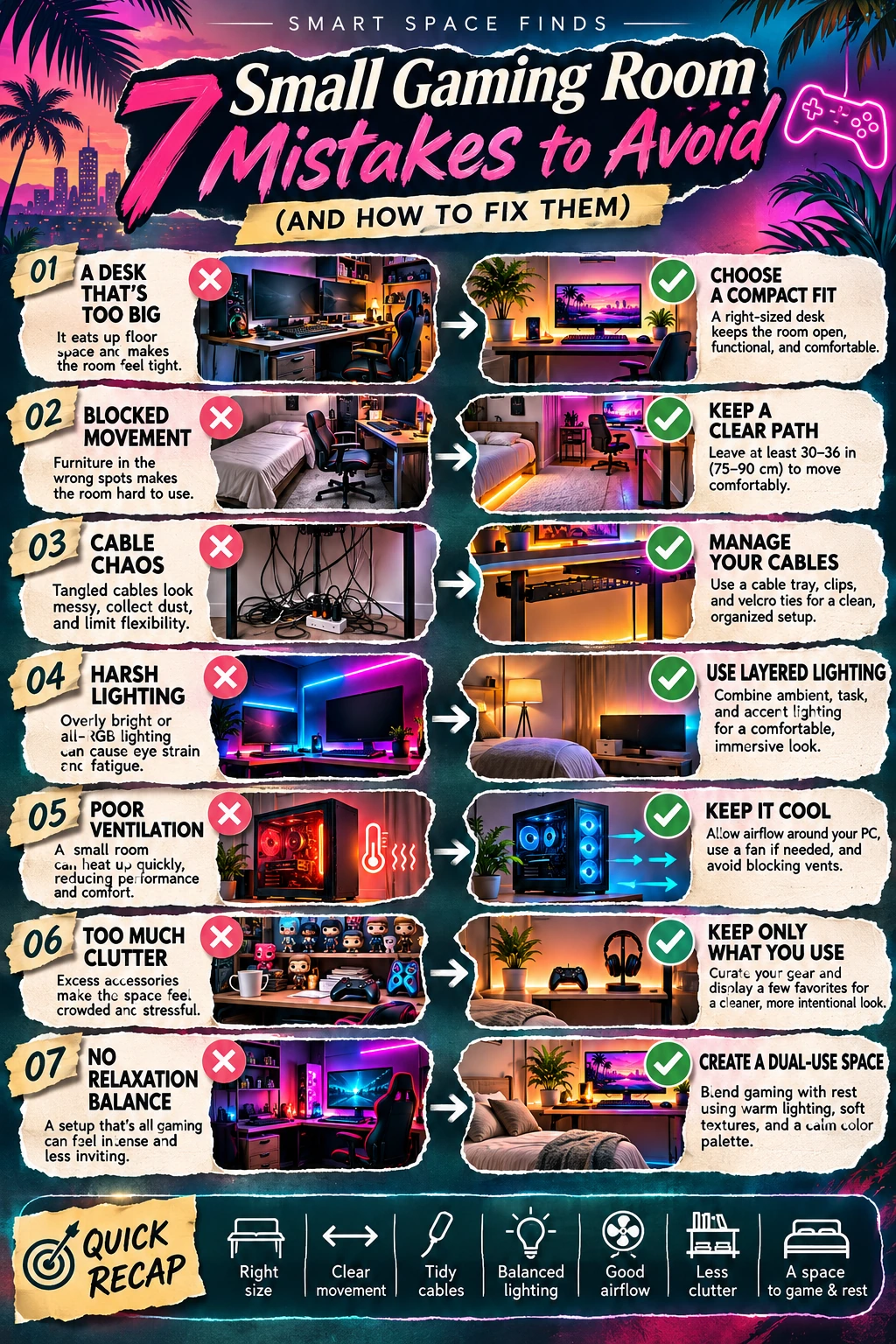
Finish With Comfort, Not More Stuff
Only add finishing accessories once the chair, display, movement and ventilation work well.
Affiliate disclosure: As an Amazon Associate, I earn from qualifying purchases. Product availability, variants and pricing may change; check the current Amazon listing before ordering.
Small gaming room safety and comfort checklist
- Keep the route to the door clear and the chair able to move freely.
- Place the main display in front of you without forcing your neck to twist.
- Set the chair so feet are supported, shoulders stay relaxed and wrists avoid awkward angles.
- Check monitor reflections at the time of day you usually play.
- Preserve the manufacturer-required ventilation around consoles, PCs and power supplies.
- Keep power strips accessible, avoid damaged cords and do not run cables where feet or furniture can pinch them.
- Confirm mounting permissions and fastener suitability before attaching gear to a wall.
- Switch harsh accent lights off when the room returns to sleep mode.
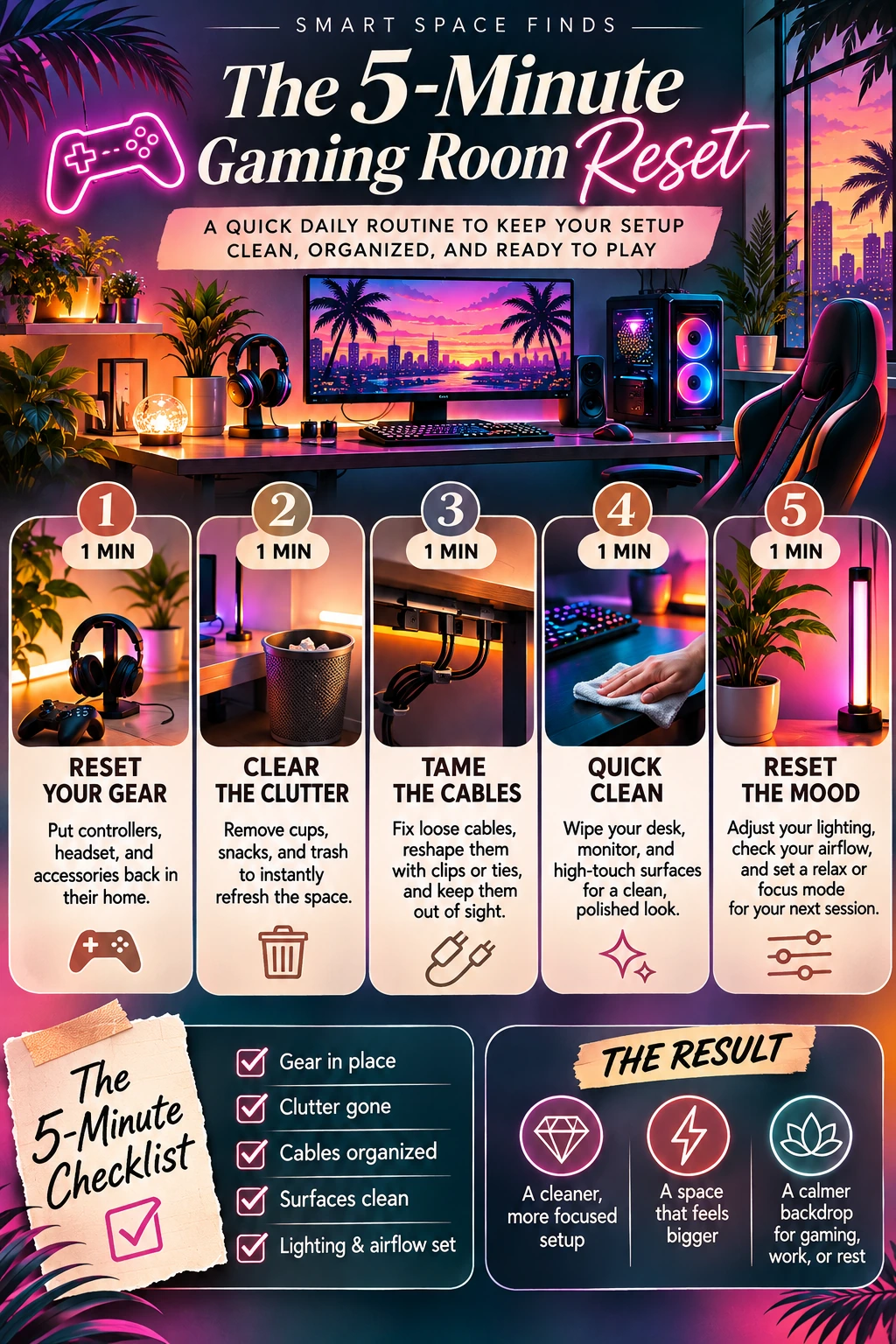
How to keep a gaming corner from taking over your room
Minute 1: return headset and controllers to their home. Minute 2: clear cups and loose packaging. Minute 3: coil or route removable cables away from the walkway. Minute 4: wipe the desk and check ventilation is unobstructed. Minute 5: switch to room lighting and push in the chair.
Simple reset habits preserve the space you’ve worked to create.
Your one-week small gaming room makeover plan
You do not need to complete a makeover in one shopping trip. Separate the decisions so each choice is based on what you learned the day before.
Stop point: If the room now works comfortably, you may already be finished. A successful small-space setup does not need every decorative upgrade in this guide.
Frequently asked questions
Can I make a gaming setup in a small bedroom?
Yes. You usually need a usable gaming zone, not a dedicated room. Start with available wall width, screen distance, chair clearance and access to your bed and closet.
What desk size works for a small gaming room?
There is no universally correct width or depth. Size the desk around your actual display, keyboard, mouse and preferred viewing distance, then test chair movement and leg clearance. A narrower desk that forces poor posture is not a space-saving success.
Is a corner desk better than a straight desk?
A corner can provide useful screen depth, while a straight desk may preserve more circulation. Compare the two after mapping door, bed and chair positions.
How do I create a GTA VI-inspired gaming room cheaply?
Start with the lighting and color palette: one diffuse coral or teal accent, original sunset-themed artwork and neutral furniture. Avoid buying a full set of novelty decor.
Where should a PC or console go in a tiny room?
Somewhere stable, accessible and ventilated according to the device manufacturer’s requirements. Avoid enclosed hot compartments, thick carpet that blocks vents, or soft bedding.
What if I cannot drill holes in my apartment?
Try a freestanding shallow organizer, desk-edge hooks rated for the surface, baskets and portable storage. Keep total weight and tip stability in mind.
How can I reduce noise in a shared apartment gaming setup?
Try headphones, a quieter keyboard, an accessible fan curve configured within manufacturer guidance and a desk location away from shared sleeping areas. Avoid covering vents to suppress sound.
What is better for a dorm room: a gaming laptop or PC?
A laptop often suits a room that must be cleared frequently, while a desktop may be appropriate if there is enough permanent, ventilated space. Compare case footprint, noise, monitor needs and your ability to transport the setup.
Are monitor arms always worth it?
No. They help only when the monitor, desk edge, mounting hardware and usable distance are compatible. A normal stand may be safer and more practical.