
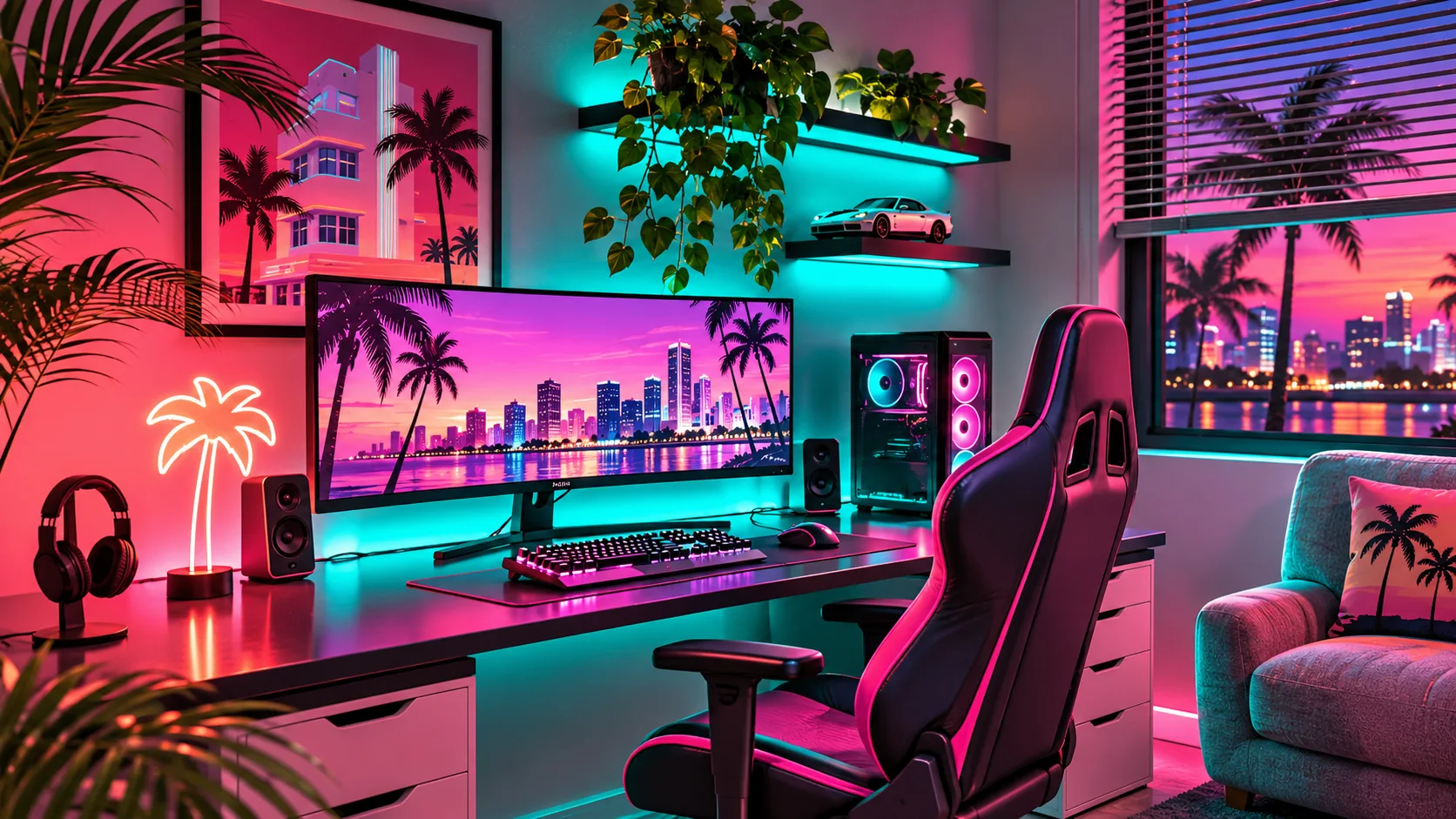
VICE CITY, AFTER DARK.
YOUR ROOM, REIMAGINED.
Seven GTA 6-inspired gaming room ideas that capture Miami’s electric color, Art Deco confidence, and after-dark atmosphere—without sacrificing comfort, floor space, or your security deposit.
Want a GTA 6-inspired gaming room that still looks good with the lights on? Start with a useful desk or console layout, add one memorable Miami-inspired accent, and use controlled light to change the mood after sunset. The most distinctive setups don’t imitate a game screenshot—they translate Vice City’s personality into a home you actually enjoy living in.
Grand Theft Auto VI brings the fictional Vice City and the wider state of Leonida into focus. The interior-design opportunity is richer than pink LEDs: think the streamlined geometry of Miami Beach’s Art Deco buildings, turquoise water, warm sunset tones, chrome details, lush greenery, and the deep blue quiet after midnight. GTA VI launched on November 19, 2026; this guide focuses on a lasting room aesthetic, not launch-day merchandise.
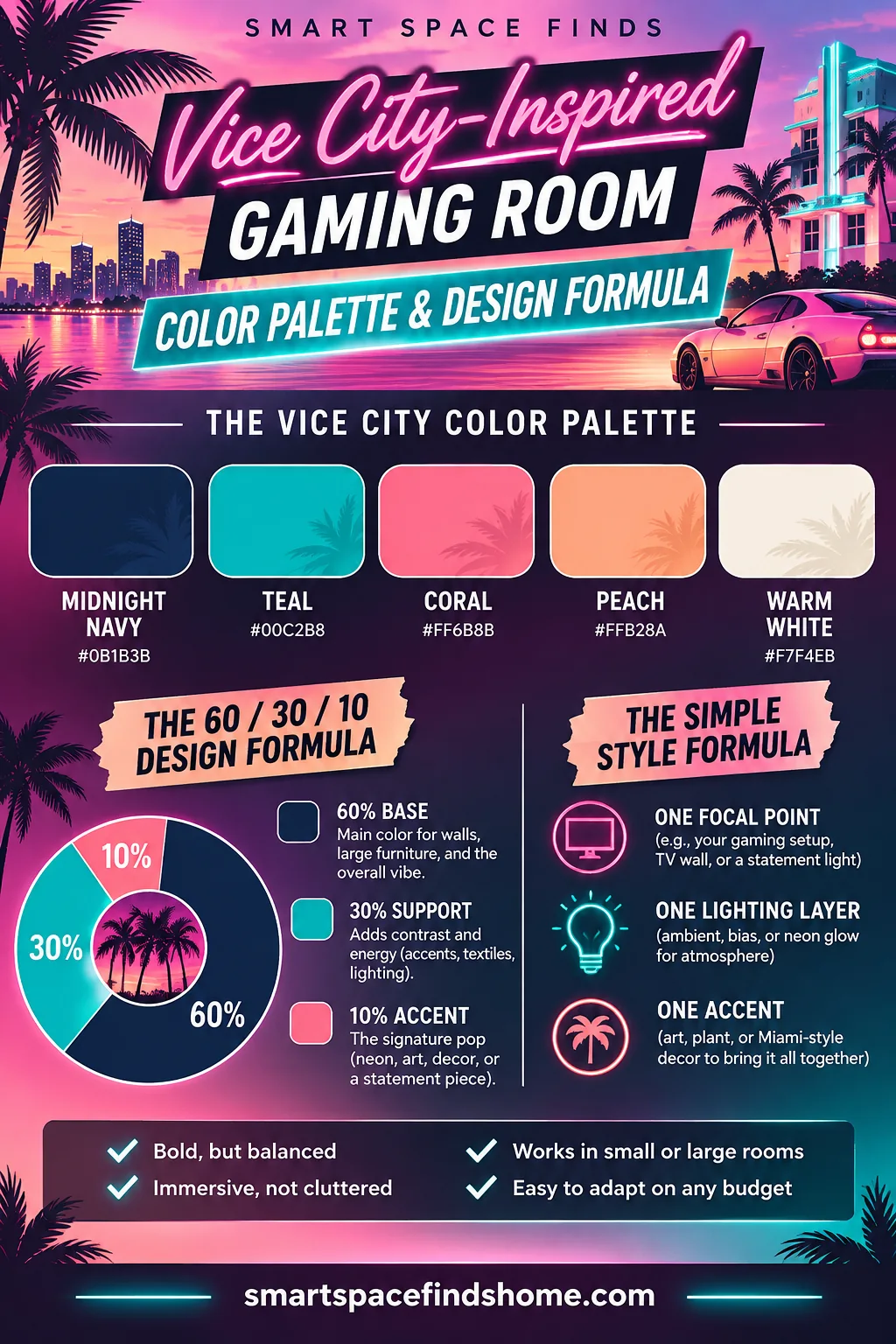
01 / The Vice City color system: sunset meets midnight
Miami-inspired interiors work because they balance theatrical color with architecture and empty space. Choose your foundation first—warm white for a bright apartment, charcoal for a dramatic studio, or sand for a relaxed console lounge. Then repeat a restrained combination of teal, faded blue, coral, and peach across light, art, and soft furnishings.
#101E34
#166B78
#FF907F
#F4D3BB
#F5EEE6
Midnight + teal + coral
For an immersive desk setup or a gaming-only room. Keep decorative glow behind the monitor.
Warm white + peach + seafoam
For a shared bedroom, sunny apartment, or rental with pale walls.
Walnut + amber + dusty rose
For a grown-up console lounge that feels refined when the game is off.
Designer note: The 60/30/10 split is a starting heuristic, not a measurable requirement. Place vivid color where the eye naturally lands; don’t spread neon evenly over every surface.
02 / Seven GTA 6-inspired gaming room ideas
Each concept below is a complete design direction, with a distinct palette, focal point, lighting choice, and practical constraint. Pick one before shopping so the room feels intentional rather than assembled from seven unrelated trends.
After-Dark Vice City: the midnight desk
Use a charcoal or dark navy backdrop, a slim black desk, an indirect teal wall wash, and one coral-toned original print. Keep the keyboard and mouse area neutral. A warm shaded lamp outside the screen area makes the room usable for everyday tasks.
Best for: dedicated PC gaming rooms · First move: hide power bricks and cables beneath the desk.
South Beach daylight: pastel without the glow
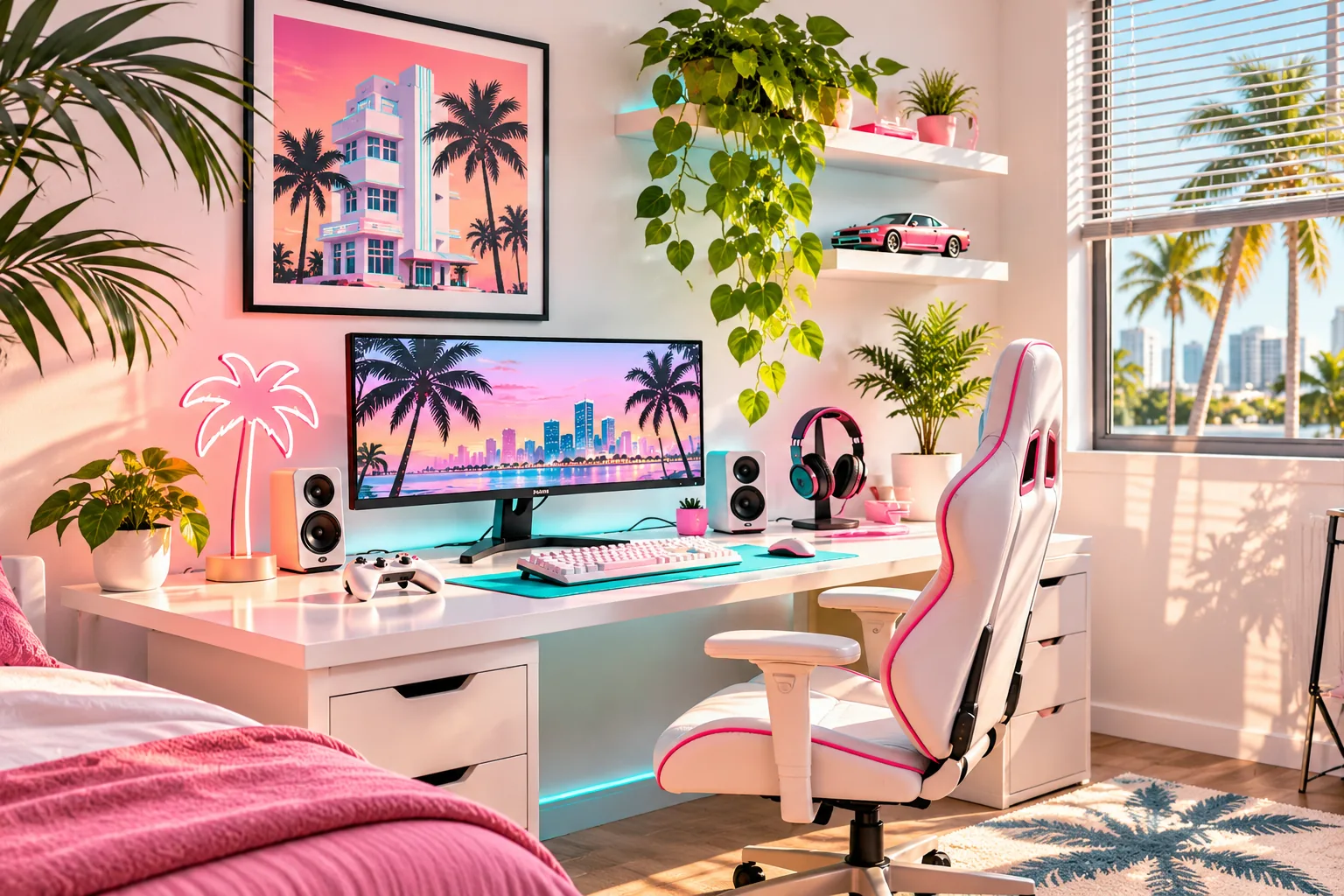
Pair a warm white desk with soft peach artwork, pale aqua textiles, a chrome detail, and a plant silhouette. White walls remain an asset rather than something to cover. At night, switch a single lamp to coral instead of installing pink strips across the entire perimeter.
Best for: bedrooms and rentals · First move: build a cohesive two-print gallery.
Sunset console lounge: comfort first
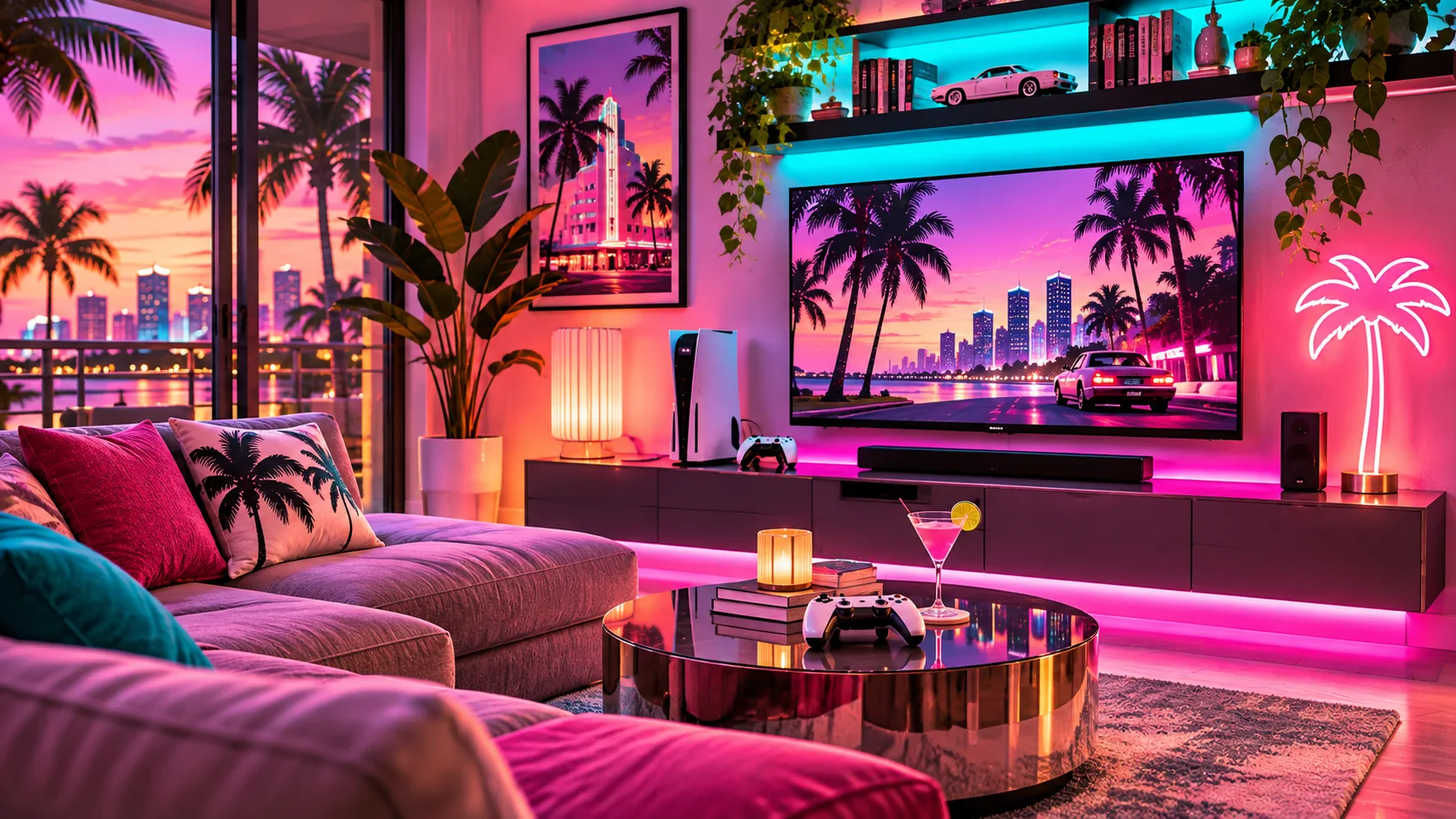
Start with the sofa-to-TV viewing relationship, then add an amber floor lamp, a small low-profile side table, and a pink-to-orange wall gradient behind or beside the TV. Keep controllers on a charging station and avoid shelves that crowd ventilation openings.
Best for: PS5 and Xbox gaming · First move: arrange seating and measure your TV wall.
Art Deco motel: geometric, not gimmicky
Borrow stepped outlines, arches, fluted textures, and clean chrome finishes from Miami Beach architecture. One removable geometric artwork panel can convey more than several neon novelty signs. Pair with a subdued blue desk mat and a sculptural lamp.
Best for: design-conscious studios · First move: choose one architectural motif and repeat it twice.
Neon skyline: a camera-friendly backdrop
Build layers behind your chair rather than crowding the monitor. Give the background a large low-detail artwork piece, diffused wall lighting, and a single plant or shelf. Keep face lighting separate so you don’t appear as a silhouette during calls or streams.
Best for: streaming and content creation · First move: test the view through your actual camera.
Tropical apartment corner: small footprint, big identity
A 40–48-inch desk, wall-safe artwork, a compact light source, and one vertical plant shape can create the mood in a shared room. Use closed storage and a cable tray to remove clutter from the visual field. Don’t sacrifice legroom or block an exit for another themed prop.
Best for: dorms, rentals and tight bedrooms · First move: measure the chair’s pullback clearance.
Vice City penthouse: restrained after-hours luxury
Make walnut, graphite, and smoked-glass finishes the foundation. Reserve coral and teal for a single diffused shelf light or original framed artwork. The contrast between understated furniture and controlled color creates a more enduring look than an all-neon room.
Best for: multipurpose adult spaces · First move: replace visual clutter with one statement object.
Which Vice City room should you build?
| Your constraint | Start with | Avoid |
|---|---|---|
| White rental walls | South Beach daylight | Permanent accent-wall treatments |
| Small bedroom | Tropical apartment corner | Oversized signage and furniture |
| Dark PC battlestation | After-Dark Vice City | Exposed, undiffused strips |
| Console and sofa | Sunset console lounge | Glare opposite the screen |
| Streaming backdrop | Neon skyline | Backlight without face light |
| Subtle sophisticated look | Vice City penthouse | Too many novelty props |
| Architecture-led style | Art Deco motel | Unrelated patterns |
Sunset Console Lounge Essentials
Build a console-first lounge with discreet TV lighting, useful audio and controller storage. Check display size and console compatibility before purchasing.
Add indirect light around a compatible television to make the console zone feel cinematic without crowding the media wall.
Best for: TV background glow
Consider this screen-responsive lighting option for a TV-centered lounge; confirm the mounting and display-size requirements.
Best for: Reactive TV lighting
A more elaborate ambient-light option for a dedicated console lounge; compare its features before choosing over simpler strips.
Best for: Premium TV atmosphere
Use paired light bars beside a TV or shelf to create a softer architectural glow around the entertainment area.
Best for: Media shelf accents
A coordinated lighting approach for a media wall; review kit contents to avoid buying accessories you already own.
Best for: Coordinated TV kit
Give the console corner a more intentional audio setup with compact speakers; check your TV or console audio connections.
Best for: Compact stereo sound
Give two compatible controllers a dedicated place to charge so the lounge stays organized between gaming sessions.
Best for: Controller drop zone
Affiliate disclosure: As an Amazon Associate, Smart Space Finds earns from qualifying purchases. Product links are affiliate links. Availability, prices and variants can change; check the current Amazon listing before buying.
03 / The Vice City lighting studio: three layers, one atmosphere
Lighting is where this aesthetic comes alive—but it’s also the easiest place to make a room uncomfortable. Use three independent layers so the setup works for gaming, cleaning, watching a movie, and everyday life. Soft illumination behind a screen can reduce the stark bright-screen/dark-wall contrast; it does not replace usable task lighting or guarantee relief from eye strain.
Foundation
A shaded floor lamp or dimmable ceiling source to illuminate paths, furniture, and controls.
Screen-zone glow
Soft, indirect light behind or beside the display, pointed away from the screen surface.
Signature scene
A diffused coral, cyan, or sunset gradient on a wall that doesn’t compete with gameplay.
| Scene | Foundation | Screen area | Accent |
|---|---|---|---|
| Daylight edit | Natural or neutral light | Optional soft white | Off |
| Vice City night | Dim, warm | Low-brightness neutral | Coral + teal |
| Late-night calm | Gentle warm lamp | Soft, neutral | Dim or off |
| Video call / stream | Balanced face light | Low-intensity fill | Muted background |
Avoid strobing or rapidly flashing effects. Keep lights, cords, and power adapters within the manufacturer’s instructions and ensure the display and consoles retain airflow.
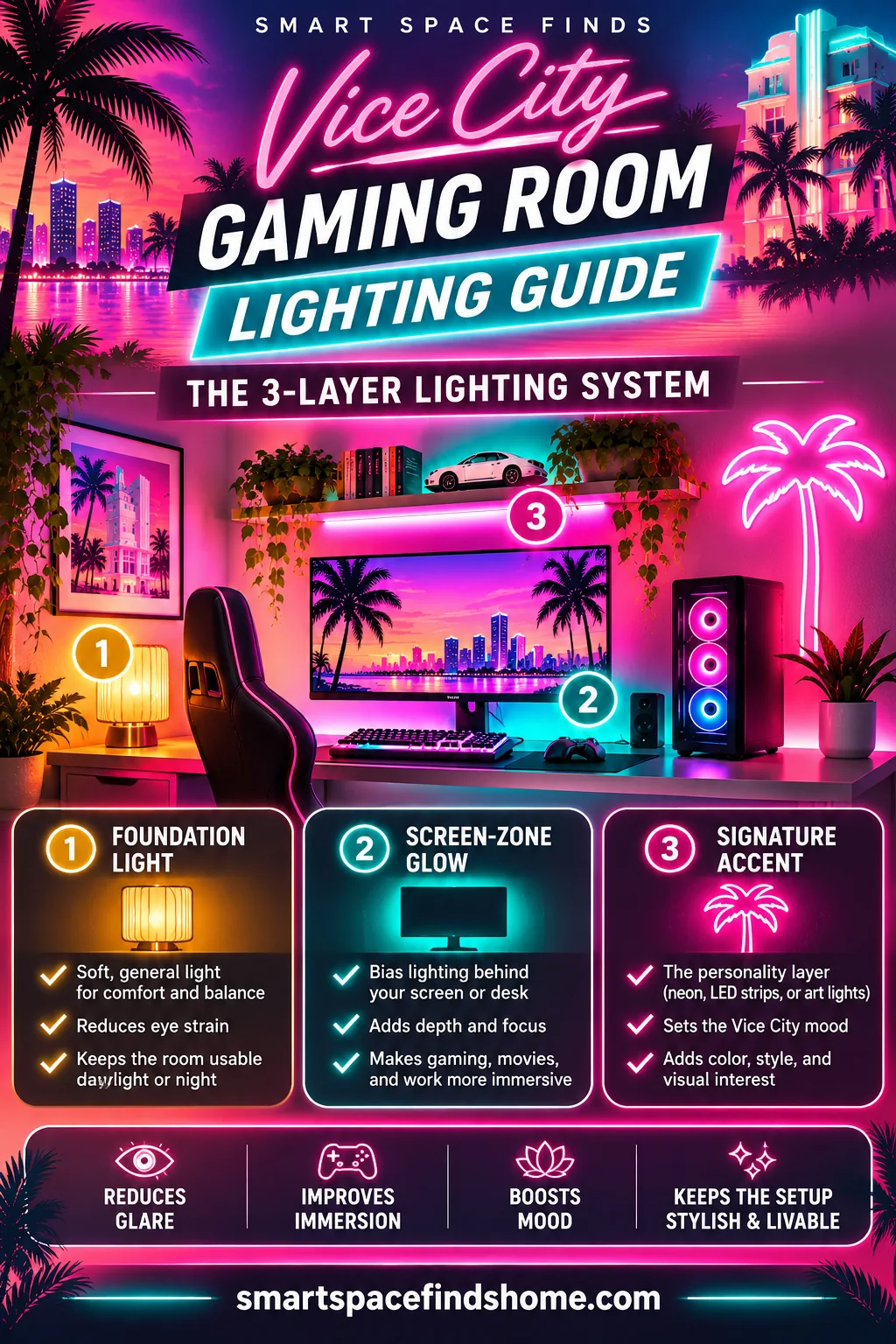
How to avoid the cheap LED-strip look
Use a channel or diffuser when strip LEDs would otherwise show individual bright dots. Hide the strip itself behind a desk lip or shelf, and light a surface instead of directing LEDs toward the viewer. Don’t aim colorful lights at glossy screens or run power cords through doorways. Test the room in darkness and in full daylight before committing to more gear.
The Vice City Lighting Edit
Create the signature coral-and-teal glow with adjustable lights. Choose a functional foundation, then one accent; you do not need every item.
Add an adjustable front-facing light for video calls or streaming without relying solely on dramatic room lighting.
Best for: Streaming and calls
Use a color-changing strip behind a desk or shelf to create indirect glow instead of exposing bright LED dots.
Best for: Budget ambient glow
A smart-control option for switching your gaming corner between understated daytime light and a Miami-inspired evening scene.
Best for: App-controlled scenes
Trace one curved or geometric wall accent with a diffused neon look; plan the route and mounting before purchase.
Best for: Statement wall accent
Create a smaller decorative outline behind your setup without covering an entire wall in lighting.
Best for: Compact neon styling
Frame the monitor area with a controlled accent, while keeping your main task light separate for comfortable use.
Best for: Immersive desk accent
Turn an existing compatible lamp into a flexible color accent instead of adding another visible lighting fixture.
Best for: Existing lamp upgrade
Illuminate your work surface while keeping the desk footprint clear; check monitor compatibility before buying.
Best for: Functional desk light
A practical foundation lamp that keeps everyday desk tasks usable when the neon mood is turned off.
Best for: Everyday task lighting
Affiliate disclosure: As an Amazon Associate, Smart Space Finds earns from qualifying purchases. Product links are affiliate links. Availability, prices and variants can change; check the current Amazon listing before buying.
04 / Small gaming rooms and renter-friendly upgrades
Build from the floor plan, not a product list. Place the desk where a chair can move freely and outlets are reachable without overloaded extensions. Measure the width of the desk, monitor stand depth, wall clearance, and the chair’s backward travel. If this is a shared bedroom, control visual clutter first: one contained backdrop and a closed-storage zone make the concept feel deliberate.
The five-point reset: (1) Clear the desktop except essentials. (2) Group and route cables. (3) Add one backlight or shaded lamp. (4) Hang one original geometric print using an appropriate renter-safe method. (5) Repeat one accent color in a small textile or mat.
Rental caution: Test removable adhesives on an inconspicuous surface and follow the wall-finish and manufacturer guidance. Avoid peel-and-stick products on fragile paint, heat sources, and textured finishes.
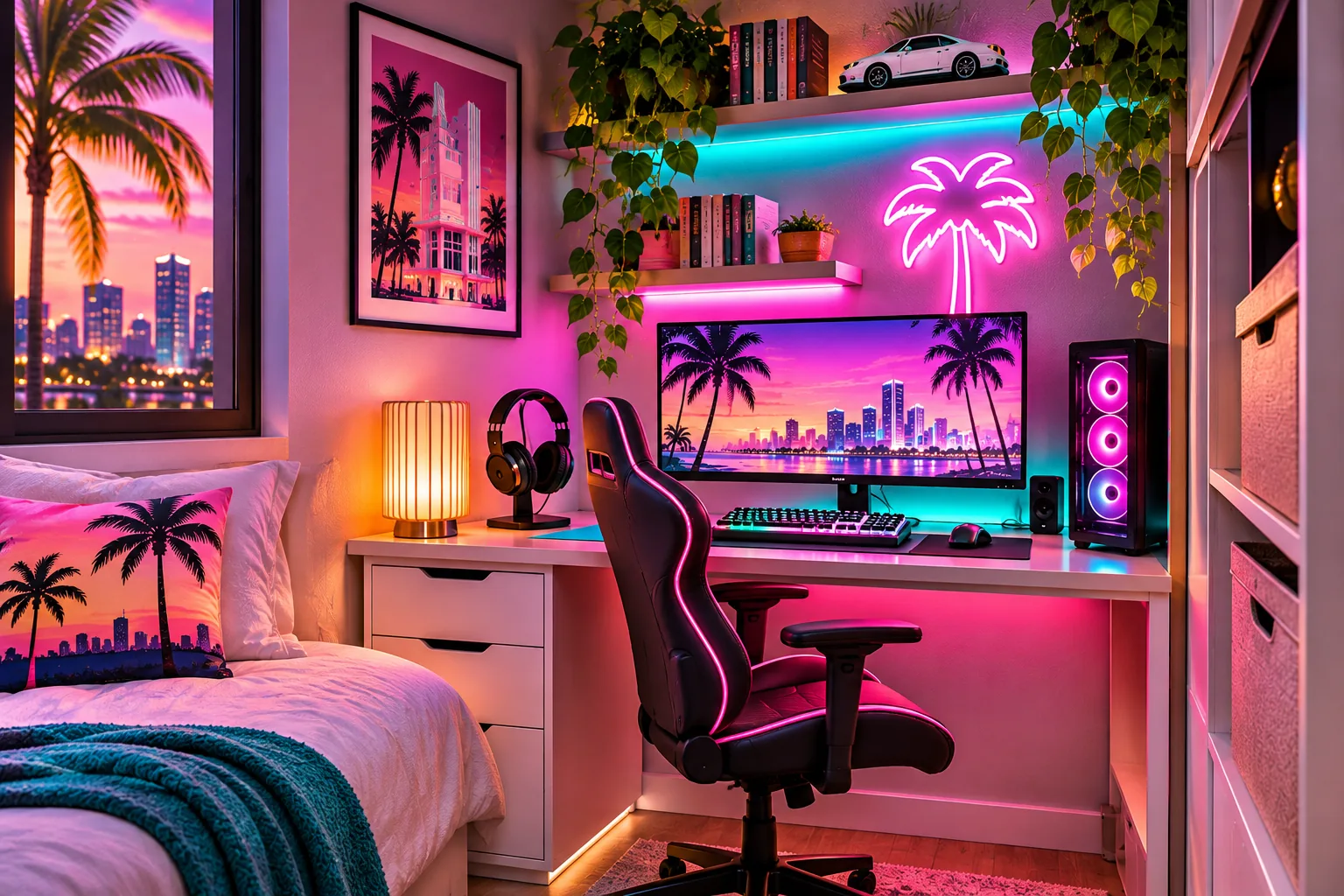
Renter-Friendly Finishing Touches
Keep upgrades reversible, respect wall finishes and test adhesive compatibility before installing decor. One bold detail can be enough.
Add an original Miami-inspired framed print without drilling, subject to wall finish and frame weight limits.
Best for: Removable art
Place practical task lighting where you need it, with no wall installation required.
Best for: Flexible desk light
Use appropriately rated adhesive strips for a larger frame while keeping a rental setup more reversible.
Best for: Larger wall prints
Outline a larger decorative wall feature; measure the route and mounting needs before committing.
Best for: Large neon accent
Affiliate disclosure: As an Amazon Associate, Smart Space Finds earns from qualifying purchases. Product links are affiliate links. Availability, prices and variants can change; check the current Amazon listing before buying.
THE SPACE PLAN / Make it work before it glows
You’ve found a color palette you love. Now picture sitting here for two hours, reaching for your controller, switching to a work call, or walking through the room at night. If the setup fails those ordinary moments, no amount of neon will rescue it.
Protect your screen
Sit in your normal position and locate windows, lamps, and reflective surfaces. Shift direct beams away from the display.
Leave room to live
Pull your chair out fully; open every drawer; walk the route to the door. Never let decor or cords block it.
Plan the cables
Identify outlets, adapter locations, airflow needs, and cable paths before purchasing lighting or shelves.
| Setup | Layout priority | Visual strategy |
|---|---|---|
| PC desk | Comfortable monitor and input-device positions | Diffused rear-wall glow, clear desktop |
| Console + TV | Seating sightline, TV reflections and ventilation | Subtle side or rear glow, concealed storage |
| Shared bedroom | Walkways, sleep-friendly lighting and storage | Portable accent, pale daytime materials |
| Streaming desk | Camera angle and face illumination | Separate foreground and backdrop lighting |
Before you buy: a no-regrets measurement checklist
- Desk width and depth: allow room for the display, keyboard, mouse movement, and a comfortable arm position.
- Chair clearance: check the actual distance needed to pull out and turn, not only the chair’s footprint.
- Viewing conditions: assess both midday reflections and nighttime glare from your seated eye level.
- Ventilation: maintain the clearances stated by the manufacturer for your PC, console, or display.
- Rental limitations: check adhesive compatibility, weight limits, and whether drilling or fixed cable routes are permitted.
Diagnose the room in 30 seconds
The room looks incredible at night—but flat during the day.
Carry at least one accent color into physical objects: a print, a textured cushion, or a restrained desk mat. Keep the main furniture neutral so the layout holds together in sunlight.
My RGB strips look like exposed dots.
Place strips behind a desk lip or shelf, or use compatible diffusion channels. Aim for a soft wash over a surface rather than visible points of light.
My monitor reflects the neon colors.
Move the accent source to a side wall or behind the screen. Test again from your normal seated position before changing brightness.
The desk feels crowded and distracting.
Remove all nonessential objects and rebuild around the display, input devices, and one statement item. Put chargers and power supplies in appropriate accessible storage, never in enclosed spaces that trap heat.
I’m worried the theme will feel dated.
Make the large pieces timeless and the Vice City layer removable: a print, a small textile, and a lighting preset. Swapping a theme becomes a weekend refresh, not a remodel.
The Clean Setup: Cable & Power
A polished neon room needs an orderly foundation. Choose the color and length appropriate to your desk; cable sleeves and ties are alternatives, not a reason to buy duplicates.
Move adapters and excess cable length out of sight beneath a darker desktop, leaving the floor easier to clean.
Best for: Dark desk cable tray
The light-finish alternative for hiding cables below a white desk while keeping a clean daytime look.
Best for: White desk cable tray
Bundle visible leads into a neater dark run behind the workstation; measure the cable bundle before selecting a sleeve.
Best for: Black cable grouping
Group cables behind a pale desk without introducing an obvious black line across the wall or floor.
Best for: Light-room cable grouping
Use reusable ties to separate cable runs and simplify future changes to your setup.
Best for: Reusable cable tidy
Organize multiple devices at one power point; check electrical ratings, cord reach and safe placement first.
Best for: Power management
Store headphones neatly beneath the desktop to keep your gaming station clear between sessions.
Best for: Headphone storage
Affiliate disclosure: As an Amazon Associate, Smart Space Finds earns from qualifying purchases. Product links are affiliate links. Availability, prices and variants can change; check the current Amazon listing before buying.
THE FLEXIBLE ROOM / Build a switchable Vice City scene
One of the smartest ways to personalize a gaming room is to separate its permanent foundation from its temporary atmosphere. Keep your desk, wall arrangement, cable routing, and storage consistent; swap an original art print, one lightweight accessory, and a lighting preset whenever your interests change. This makes the space less expensive to maintain and more enjoyable year-round.
Your room, your Vice City scene.
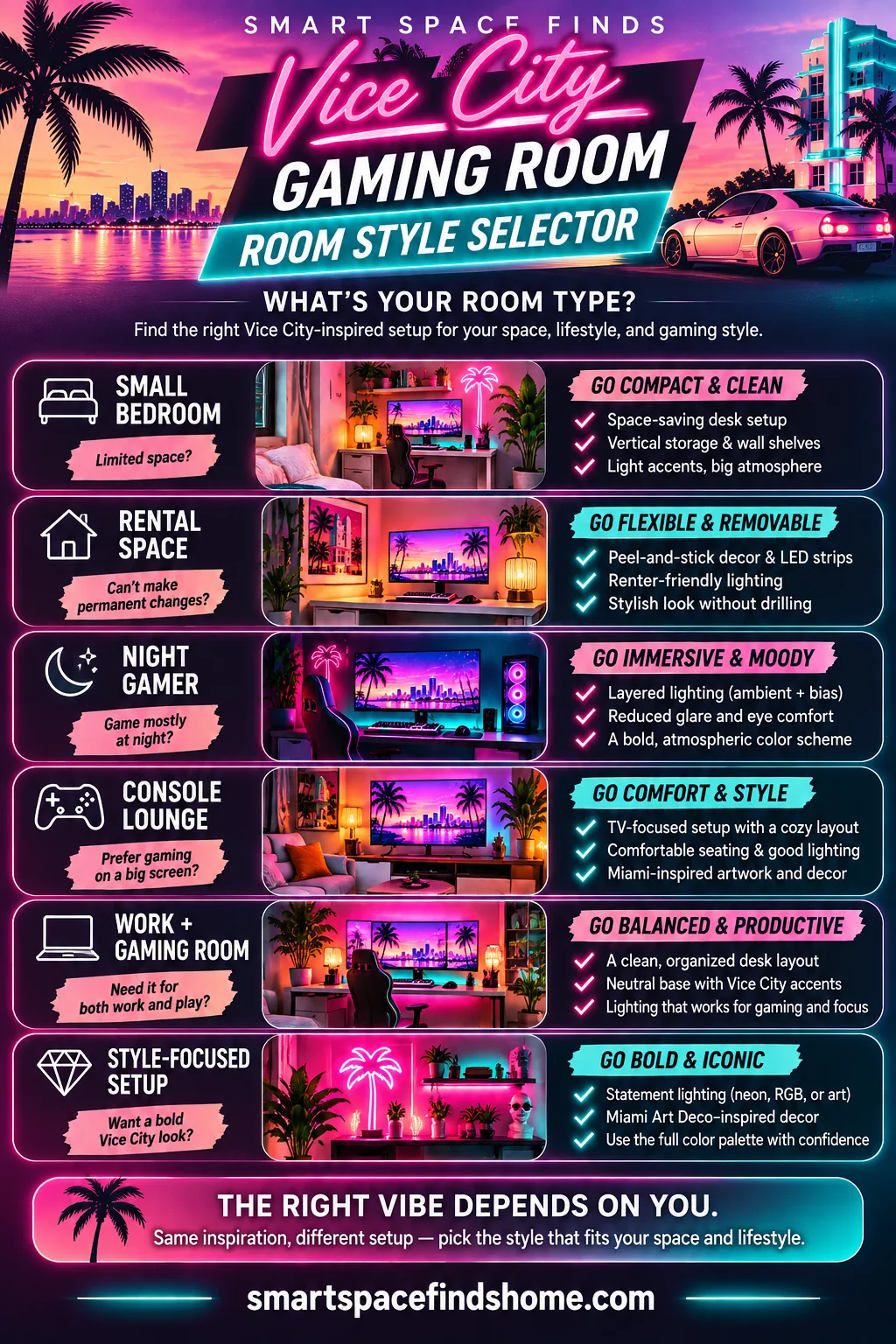
Don’t design for a photo. Design for the way you actually use the room. Choose the constraint that most describes your space, then follow the starter brief.
A room that changes without damage
Palette: warm white, seafoam and peach. Spend first: a portable shaded lamp. Signature: two coordinated original Art Deco prints. Skip: permanent wallpaper and fixed neon signage.
An immersive setup that stays comfortable
Palette: graphite, deep teal and coral. Spend first: concealed diffused lighting. Signature: one wall wash. Skip: direct glare and maximum-brightness RGB.
A gaming corner that belongs in the home
Palette: walnut, muted blue and sunset amber. Spend first: cable routing and closed storage. Signature: one removable color accent. Skip: oversized novelty props.
Choose the brief that removes your biggest daily frustration, not the one with the most dramatic photograph.
THE FLOOR PLANS / Three arrangements you can adapt
These aren’t architectural drawings or universal ergonomic prescriptions: they’re planning arrangements you can test with masking tape, a tape measure and your own furniture. The right dimensions depend on the room and your equipment.
Small bedroom desk
Keep your station on one uninterrupted wall. Store everyday items vertically and preserve the walking path beside the chair.
Console-focused lounge
Build around a clean sightline from the sofa. Position accent lighting to avoid reflections and retain safe circulation.
Work-by-day setup
Keep the permanent equipment neutral. Switch the lighting scene after work, rather than changing the whole desk.
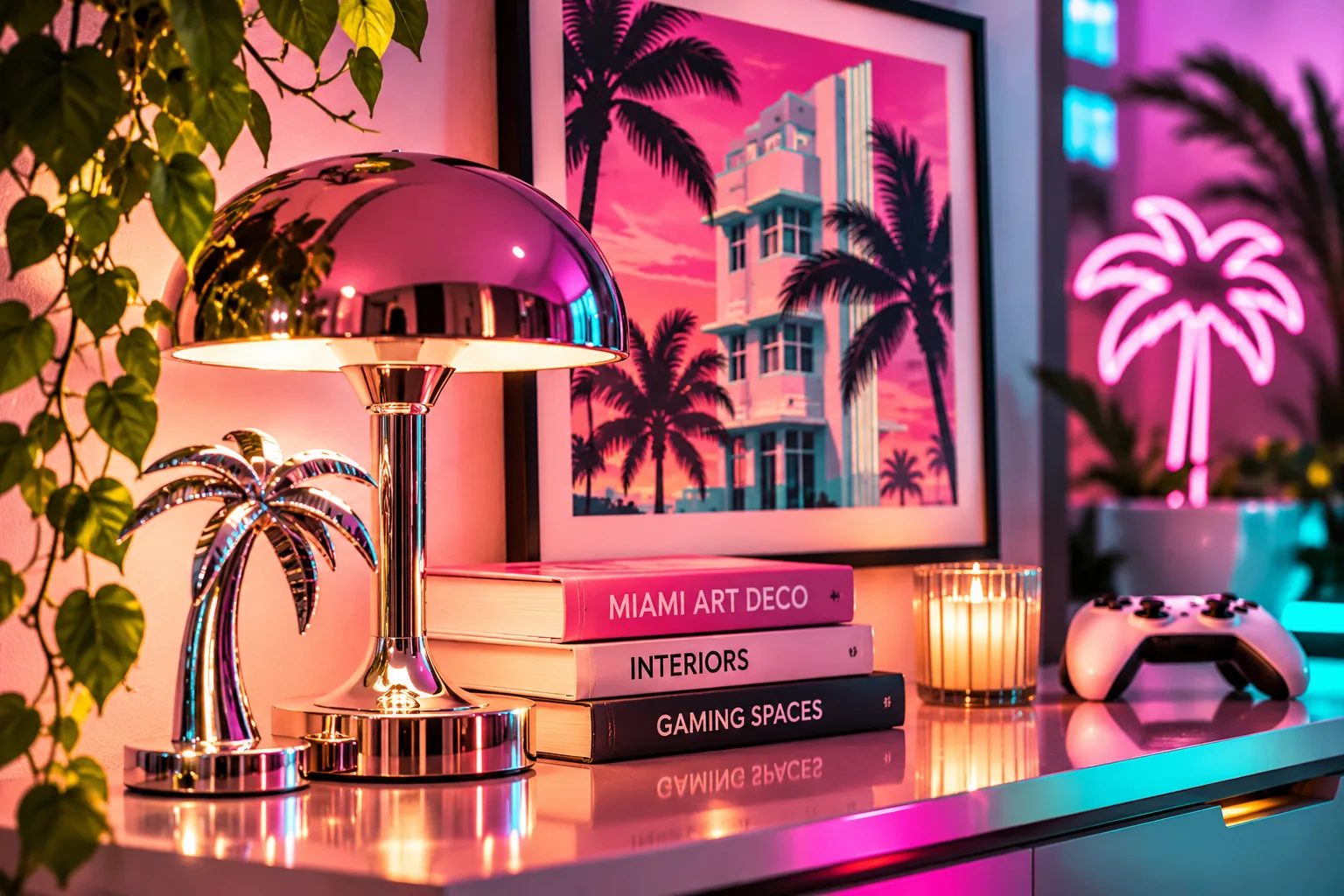
Steal the architecture, not the screenshot.
Miami Beach’s Art Deco language is a better design reference than copying a fictional scene. Translate its recognizable forms into accessible, original objects—without pretending your room is a movie set.
Repeat a stair-step shape in an original framed print or desktop organizer.
Choose one rounded lampshade or gently curved shelf, then stop.
Use an abstract palm-leaf shape or sunburst motif instead of branded game artwork.
Add a small chrome detail or brushed metal finish away from screen glare.
Editorial inspiration: Miami Beach’s documented Art Deco and Streamline Moderne architectural vocabulary. These are our own residential translations, not licensed game assets.
Calm enough to live in
Readable desk, tidy floor, artwork that stands on its own, no bright RGB required.
Cinematic without chaos
Indirect teal wall glow, one coral accent, a warm orientation lamp and no monitor reflection.
Pass the test: if either version feels uncomfortable or messy, fix the layout before buying more decor.
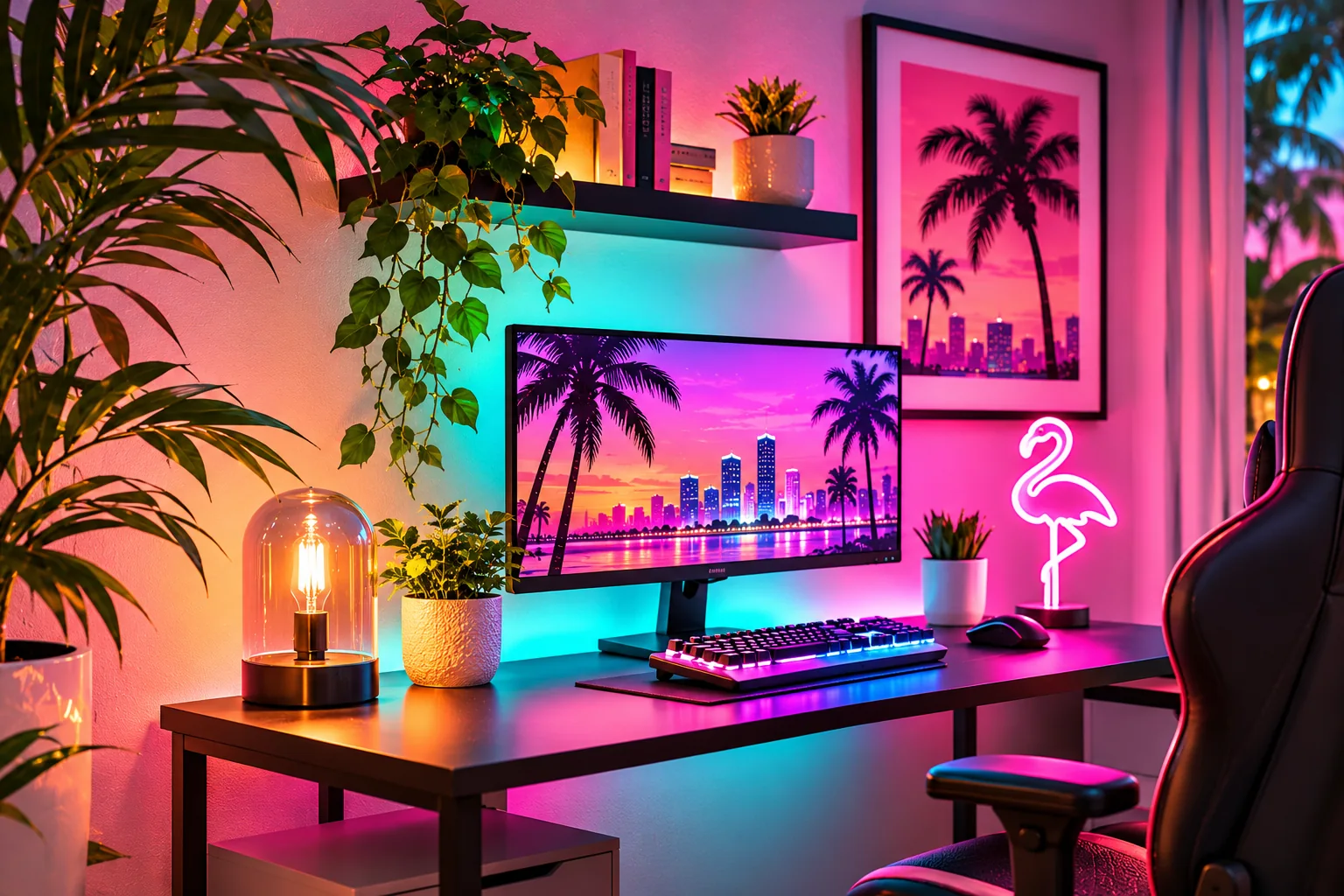
05 / Budget your Vice City makeover before you buy
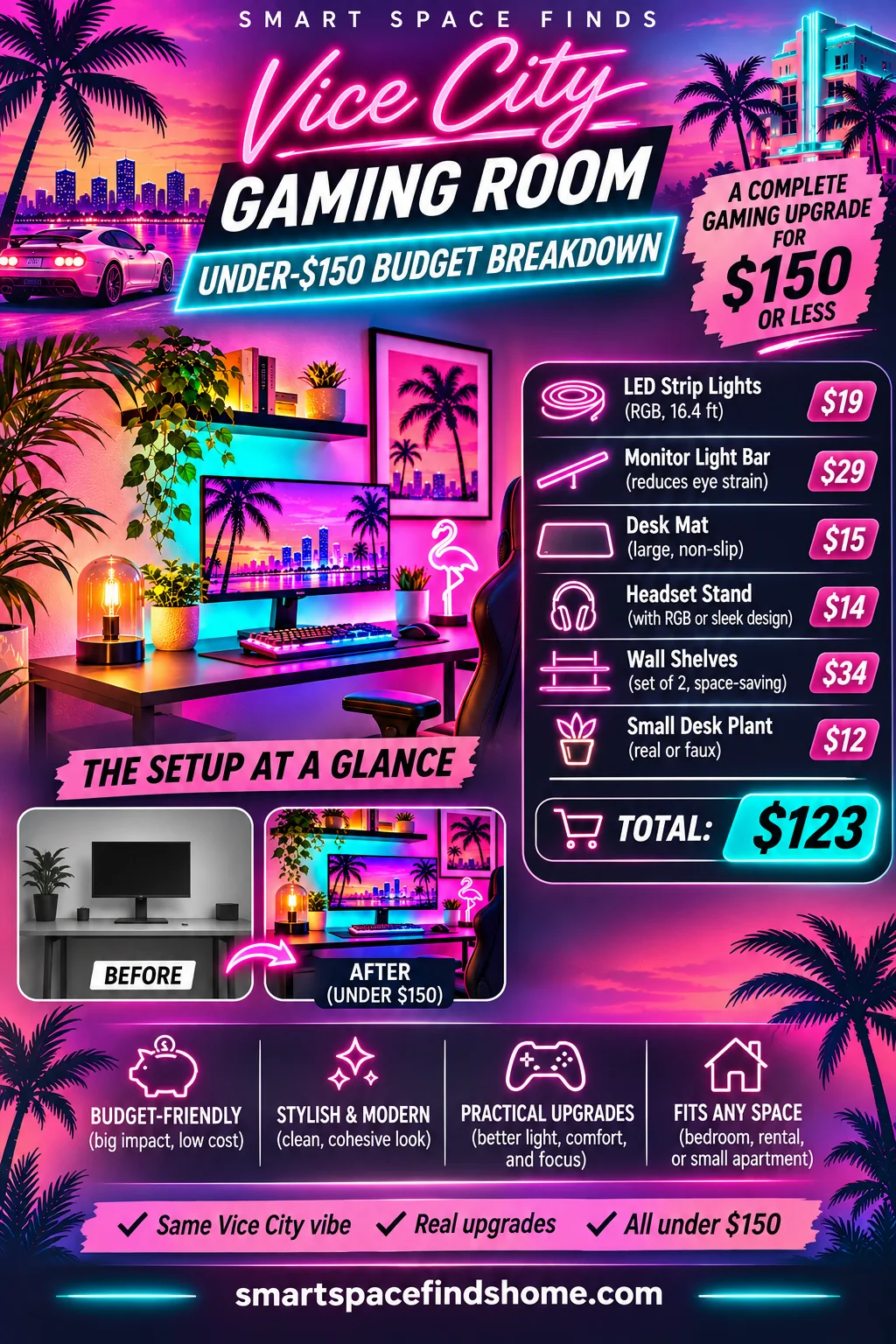
You don’t need a new gaming PC or expensive furniture to change a room’s identity. These are illustrative US-dollar planning allocations, not current product prices or quotes. Shop only after measuring and verifying compatibility.
| Category | $75 refresh | $150 makeover | $300 room edit |
|---|---|---|---|
| Lighting | $30 | $55 | $95 |
| Artwork / decor | $20 | $35 | $70 |
| Cable control / organization | $15 | $20 | $35 |
| Textiles / desk accessories | $10 | $40 | $60 |
| Reserve / finishing | $0 | $0 | $40 |
| Total | $75 | $150 | $300 |
Assumes you already own your gaming device, display, seating, and main desk or TV stand. Tax, shipping and installation are not included.
The order that makes the biggest difference
First improve layout and cable management; then fix functional lighting; then add one piece of art. Only after those steps should you consider mood-specific decor. This sequence gives the room a coherent visual identity even if your budget stops halfway through.
The Gaming Desk & Comfort Edit
Keep the desk useful first. Review your monitor weight, VESA pattern, available mounting space and accessory dimensions before selecting an arm or mat.
Raise a compatible monitor above the desk to free useful space for a keyboard, controller or notebook.
Best for: Clearer desktop
A flexible mounting option for compatible smaller screens; verify VESA pattern, weight and clamp clearance.
Best for: Compact monitor arm
Support a large ultrawide setup while saving surface space; check exact monitor weight and mounting specifications.
Best for: Ultrawide setup
A low-clutter wireless mouse choice for a dark desk that does not rely on flashy RGB effects.
Best for: Minimal black setup
Give a light-colored gaming workstation a coordinated wireless mouse without adding unnecessary decoration.
Best for: Bright desk styling
Visually unify your keyboard and mouse area with a broad desk mat that makes the workstation feel more intentional.
Best for: Large desk surface
A simple everyday surface for a compact setup where full-desk accessories would feel oversized.
Best for: Compact mouse space
Introduce a localized lighting accent at desk level rather than illuminating every corner of the room.
Best for: Desk-level RGB
Keep commonly used shortcuts within reach for streaming or daily desktop work without visual clutter.
Best for: Creator shortcuts
Affiliate disclosure: As an Amazon Associate, Smart Space Finds earns from qualifying purchases. Product links are affiliate links. Availability, prices and variants can change; check the current Amazon listing before buying.
06 / What to buy—and what to skip
Prioritize versatile items that function well when the GTA mood is switched off. Useful categories include dimmable and diffused light bars, appropriate bias lighting, understated desk mats, cable trays, controller storage, original Art Deco-inspired prints, and compact shelves with verified load limits.
Before adding a product to your cart, ask: Does it solve a real problem? Is its size right for the room? Does it have safe, compatible power requirements? Can it work with more than one room theme? Is it genuinely necessary after you have finished organizing?
Skip an entire wall of competing neon icons, unknown-quality electrical accessories, unlicensed items marketed as official GTA merchandise, bulky display shelves in narrow spaces, and glossy objects that reflect into the screen. Any future product selections for this editorial will be separated into clearly disclosed affiliate modules rather than inserted into the informational text.
07 / Five styling mistakes that ruin the effect
- Every surface glows. Give the eyes one primary focal point and retain dark or neutral visual rest areas.
- Pink and teal clash in daylight. Repeat gentle physical colors in prints or textiles so the room works without RGB.
- Exposed LED dots cheapen the finish. Conceal or diffuse the light source.
- Merchandise takes over the room. One meaningful gaming reference has more impact than a crowded collage.
- Design ignores comfort. Ergonomics, airflow, safe cabling, and usable ambient lighting always come before the cinematic shot.
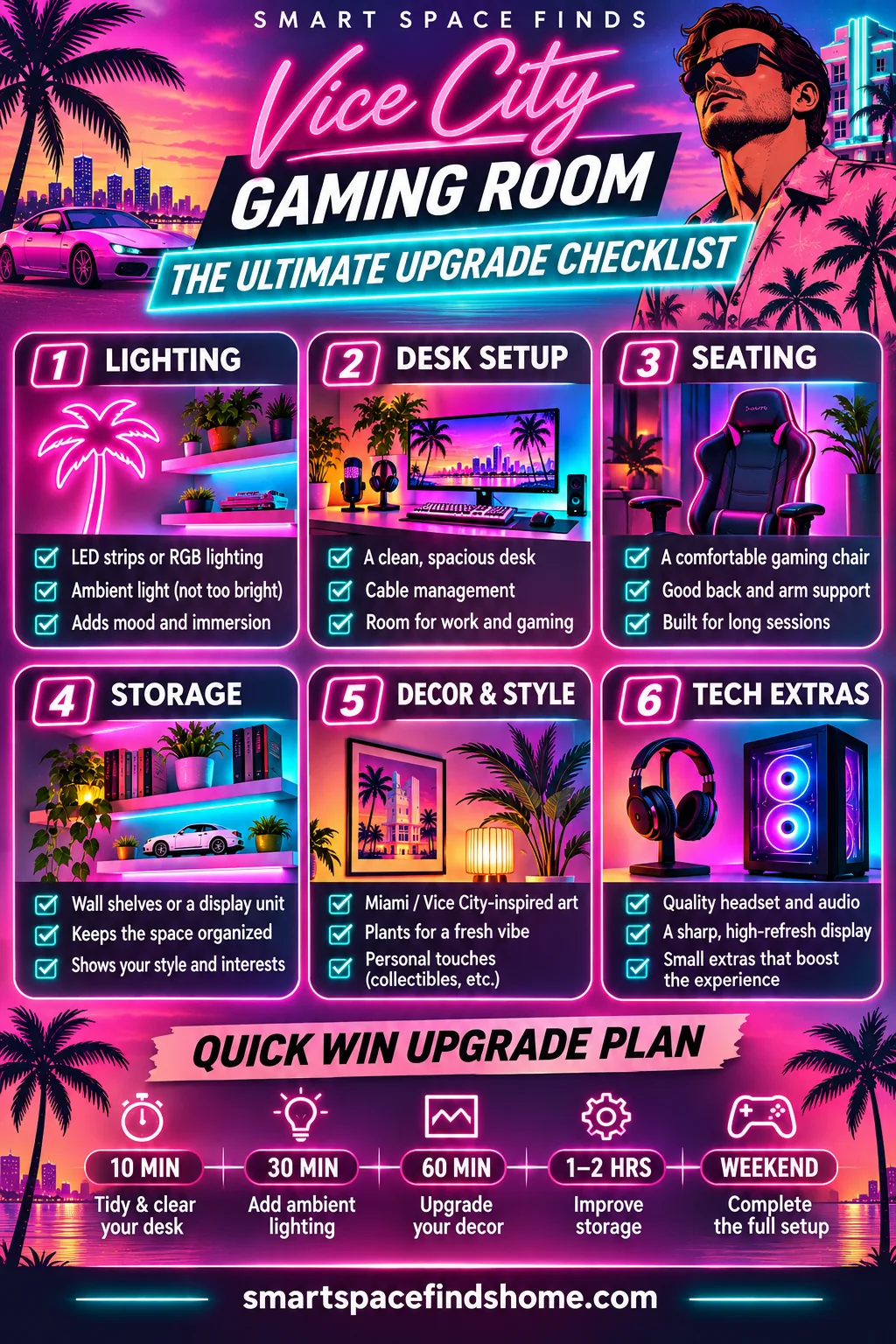
08 / The one-week Vice City room transformation
Plan and edit
Measure the space; select one of seven concepts; clear clutter; choose three colors.
Build the foundation
Position furniture, organize cords, and establish comfortable functional lighting.
Add the mood
Install renter-appropriate artwork, add a single signature light, then test by day and by night.
09 / GTA 6-inspired gaming room FAQs
How can I make a GTA 6-inspired room without spending much?
Start with your existing desk or TV setup. Tidy cables, pick a consistent pink-and-teal or peach-and-navy palette, add one original art print, and introduce one carefully positioned ambient light. A coherent setup matters more than the number of products.
What colors define the Vice City aesthetic?
Sunset coral, pink, cyan, teal, deep midnight blue, peach, and warm sand are strong starting points. Use just two or three in a given room rather than all of them at once.
Can I create this look in a small bedroom or rental?
Yes. Choose a compact desk, removable artwork appropriate to your wall, portable lighting, and slim accessories. Avoid permanent wiring, crowded exits, and anything that damages wall finishes.
Is pink and blue LED lighting enough?
It creates a recognizable color signal, but a convincing room also needs comfortable furniture placement, hidden cables, neutral space, and a clear decorative focal point.
Where should RGB lights go around a gaming monitor?
Place diffused lighting behind or beside the display so it softly illuminates the wall. Keep direct glare and visible bright LED points out of your normal line of sight.
Do I need official GTA VI artwork or merchandise?
No. Original Art Deco geometry, tropical silhouettes, retro lines, and a sunset-inspired palette can evoke the setting without reproducing protected game imagery or making unsupported licensing claims.
Does this design work for a console setup?
Yes. Start with seating distance, TV placement and safe ventilation, then add warm room light and a subtle wall accent near—not reflected on—the display.
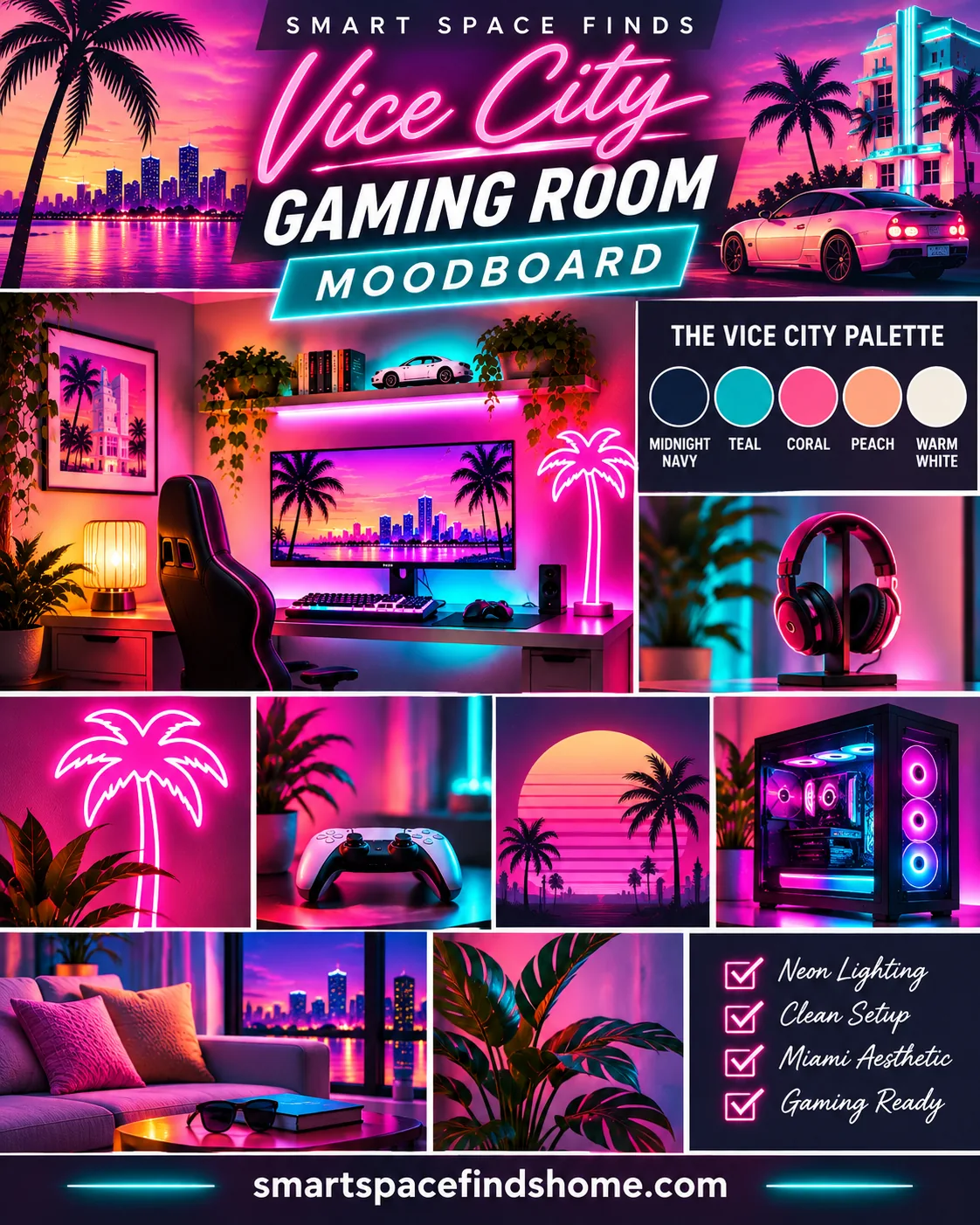
The final edit / create a feeling, not a replica
The most sophisticated GTA 6-inspired gaming room borrows Vice City’s optimism, contrast, and after-dark energy but keeps the home itself at the center. Pick one direction. Give the lighting a job. Let the decorative details breathe. You’ll get an atmosphere that feels unmistakably Miami at midnight—and an actual room worth spending time in the following morning.
Independent interior-design editorial. Grand Theft Auto, GTA VI, and Vice City are trademarks of their respective owners. Smart Space Finds is not affiliated with, endorsed by, or sponsored by Rockstar Games. All budget figures are illustrative.