
THE CREATIVE DESK EDIT · SMART SPACE FINDS
Your desk doesn’t need to match a trend—or a personality label. It needs to make your everyday work easier, fit the room you have, and feel like a space you want to return to.
Some people think best with a nearly empty surface. Others reach for color, reference materials, or a corner filled with greenery. These five creative desk setup ideas show how to build around the way you actually work, without giving up comfort, useful storage, or your own taste.
Start here: Choose the setup that matches your most frequent activity, not the photo you find most impressive. Then make one low-cost, reversible change before buying a whole collection of accessories.
Find Your Desk Style in 60 Seconds
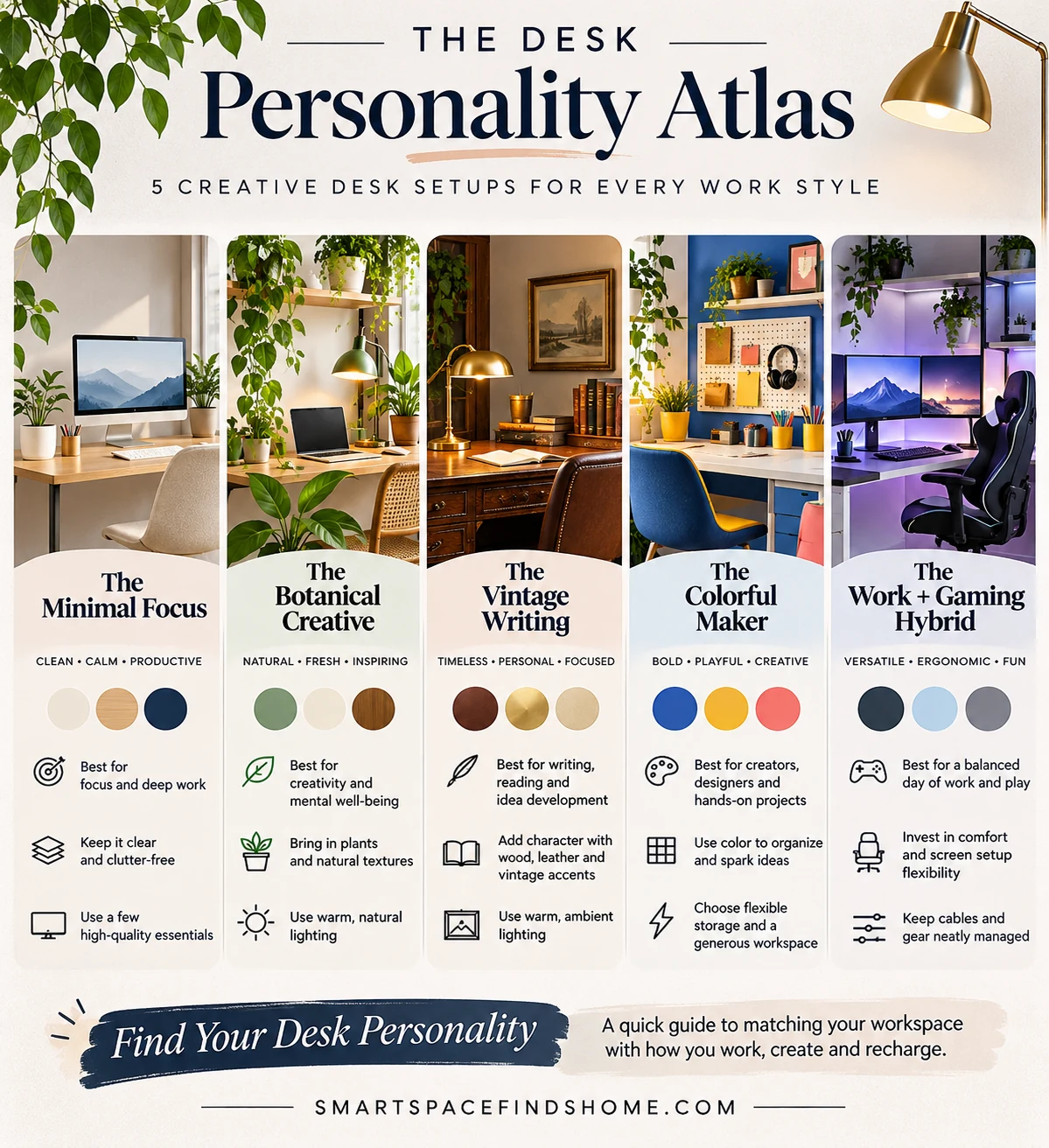
Think about the moment when your desk feels most useful. Is it when you can focus without distraction, spread out a project, write by lamplight, or switch between work and play? Your answer matters more than whether you identify as a minimalist or a maximalist.
| Desk direction | Best suited to | First practical upgrade | Watch out for |
|---|---|---|---|
| Minimal focus | Writing, studying, focused computer work | One home for everyday tools | Hiding items you constantly need |
| Botanical creative | Gentle, inviting workspaces | Plant or botanical print away from electronics | Water spills and poor light |
| Vintage writing | Reading, journaling, slow creative work | Adjustable task lighting | Beautiful but uncomfortable furniture |
| Colorful maker | Crafting, drawing, planning | Visible labeled supply zones | Color-coded storage without labels |
| Work + gaming | One desk for multiple activities | A simple reset and cable route | Glare, clutter, and awkward screen positions |
A useful rule: You can mix styles. A vintage lamp on a minimal desk or colorful organizers beside a gaming monitor can work beautifully when the layout makes sense.
Which desk mood fits your day?
Open the one that sounds most like you. Every option offers a realistic starting point rather than a strict personality label.
“I want fewer distractions.” — Minimal Focus
Your starting move: clear one uninterrupted working zone, and place the tools you use every day within easy reach.
Best first upgrade: a drawer organizer or cable clip, only if the current arrangement gets in your way.
“I want my desk to feel softer.” — Botanical
Your starting move: borrow one botanical detail from another room and position it away from electronics.
Best first upgrade: task lighting or a protective plant saucer, depending on your setup.
“I like objects with character.” — Vintage Writing
Your starting move: pair a meaningful book or art print with a practical lamp.
Best first upgrade: an adjustable lamp for reading or writing, if you need better light.
“I need to see my supplies.” — Colorful Maker
Your starting move: group tools by activity, label the containers, and keep a surface free for the project.
Best first upgrade: a flexible tray or vertical holder sized to your actual supplies.
“One desk has to do everything.” — Work + Gaming
Your starting move: give the headset, controller, and work notebook separate homes, then test a two-minute reset.
Best first upgrade: cable organization or compatible screen support if these solve a real limitation.
Five Creative Desk Setups, Designed for Real Life
01 / The Quiet Thinker
1. The Minimal Focus Desk: Clear Surface, Clear Priorities
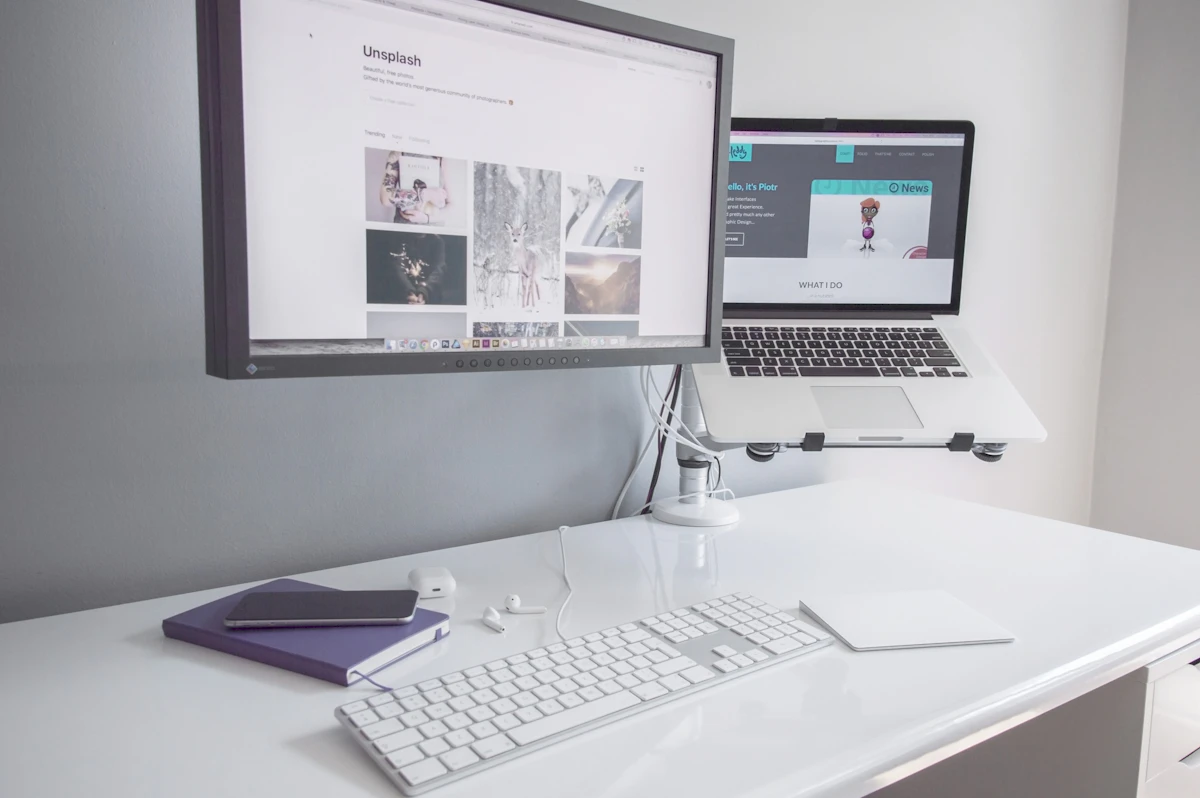
The feeling: calm, capable, quietly intentional. Think warm white, light oak, graphite, or a single deep-blue detail—not a desk stripped of everything useful.
Build it: Place your primary screen or laptop in front of your chair. Keep keyboard, mouse, notebook, and the one item you use repeatedly within comfortable reach. Store occasional equipment in a shallow drawer or a small nearby bin. Use a desk mat only if it improves writing or mouse movement, and route spare charging cables away from the work area.
Best first purchases, if needed: a compact drawer organizer, under-desk cable clips, or a monitor riser selected for the actual height of your screen. A riser is not automatically ergonomic; confirm where the screen ends up.
Try this without buying: remove everything from the surface, then put back only what you used today. Give every other object a reachable home. If you keep getting up to retrieve an essential, change the system rather than forcing a minimalist aesthetic.
The Creative Desk Edit · Curated Finds
The Focus Edit
Choose the problem you need to solve: screen position, laptop height, or a tidier desktop—not all three.
Buy one screen-height solution that fits your workstation rather than stacking multiple supports.
As an Amazon Associate, Smart Space Finds earns from qualifying purchases.
02 / The Nature Lover
2. The Botanical Creative Desk: A Softer Place to Think
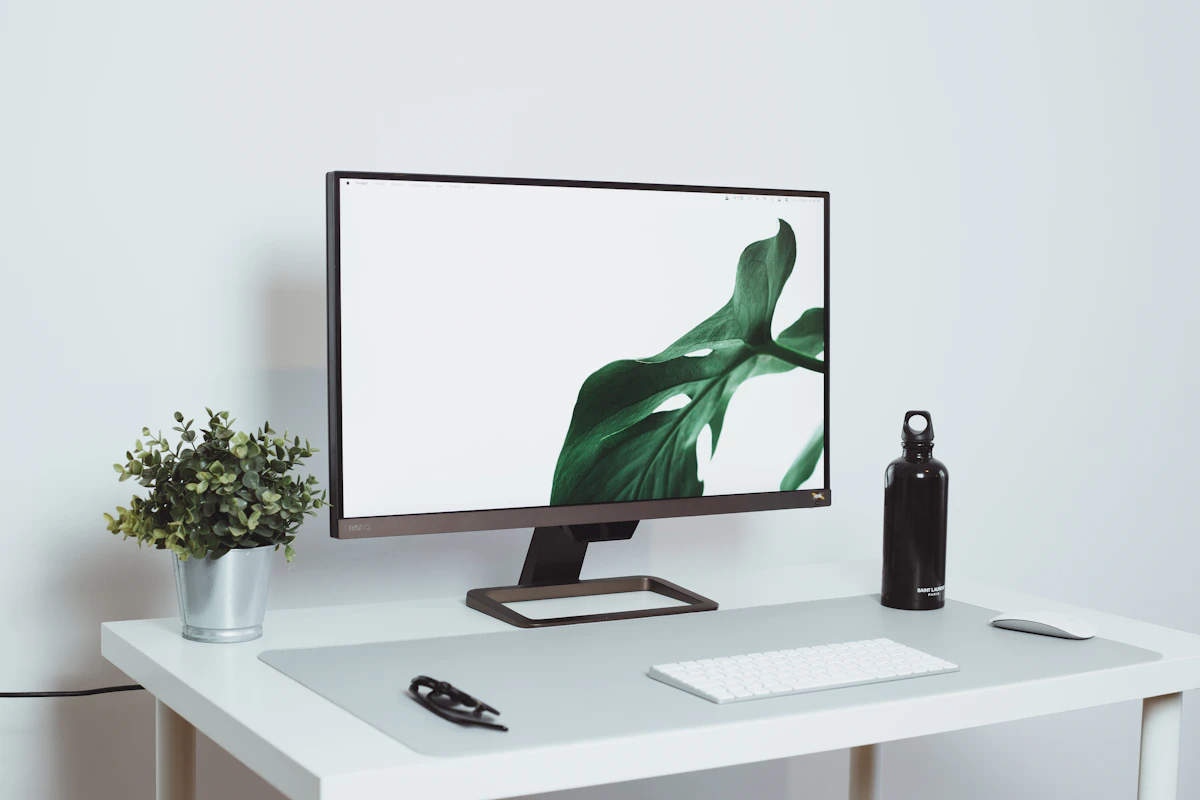
The feeling: fresh, layered, and quietly expressive. Pair a simple desk with warm wood, muted green, natural textures, and one or two carefully positioned botanical details.
Build it: keep the main work zone free. Put a small plant on a separate shelf or at the far side of the desk, with a saucer that protects the surface. Choose plants for the actual light in the room, not a styled photo. If the desk receives little light—or your home has curious pets—botanical prints can provide a similar visual mood with fewer complications.
Best first purchases, if needed: a small shelf, a water-resistant plant tray, or a compact adjustable lamp. Prioritize reliable task lighting over the number of plants.
Try this without buying: reposition an existing plant or frame a favorite leaf photograph. Keep watering separate from computers, power strips, and sockets.
The Creative Desk Edit · Curated Finds
The Botanical Studio
A softer workspace still needs controlled task lighting and tidy, reachable storage.
A plant or print you already own can achieve the look without another purchase.
As an Amazon Associate, Smart Space Finds earns from qualifying purchases.
03 / The Thoughtful Writer
3. The Vintage Writing Nook: Character Without Compromise
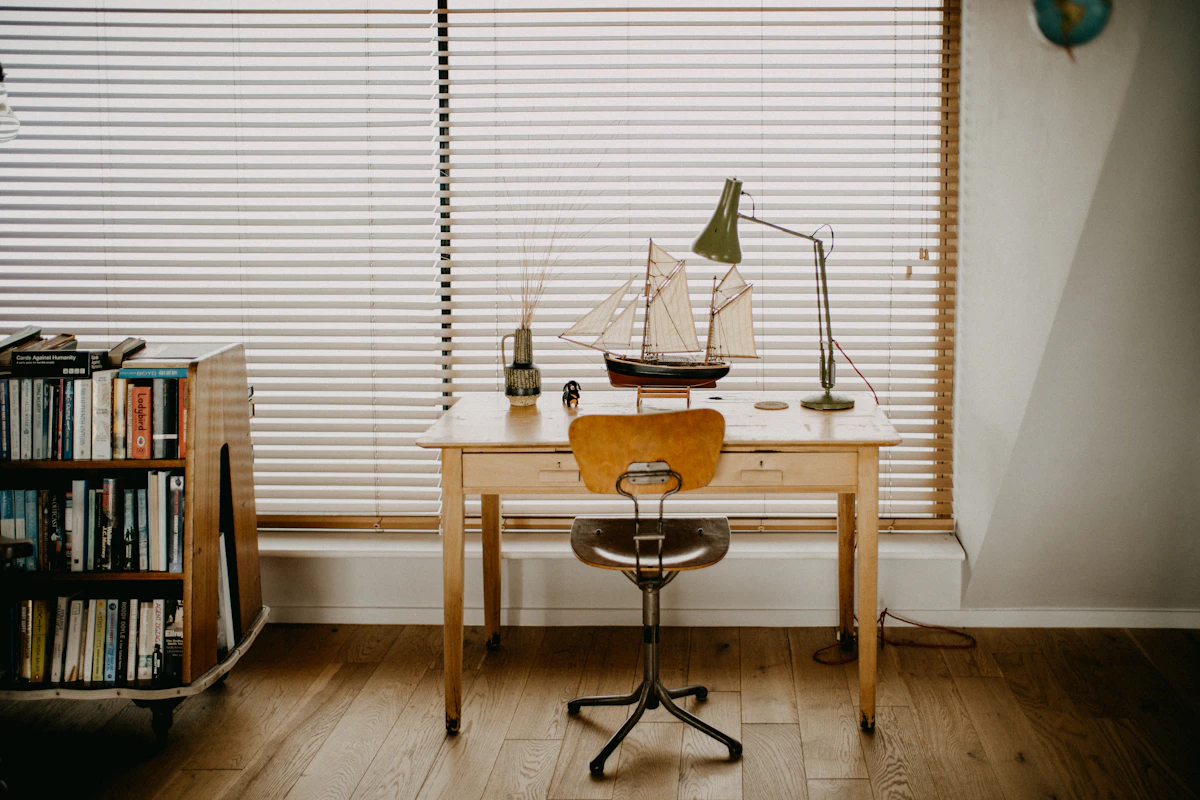
The feeling: collected, literary, and comfortable. Walnut tones, aged-looking brass, cream paper, and a beautiful lamp can make even a modern desk feel personal.
Build it: give the dominant task—writing, reading, or laptop work—the central space. Use an adjustable task lamp so pages are visible without glare. Organize pens and notebooks in one tray; keep a favorite old book or framed image as the focal point. Pair nostalgic finishes with modern, safe electrical equipment instead of relying on unknown vintage wiring.
Best first purchases, if needed: a task lamp that lights the page adequately, a durable desk pad, or a compact bookend. A decorative lamp is not a substitute for sufficient light.
Try this without buying: gather two meaningful objects you already own and restyle them on a cleared surface. This desk should tell your story, not look like a movie set.
The Creative Desk Edit · Curated Finds
The Writer’s Atelier
Task lighting and paper organization have more staying power than decorative clutter.
Choose lighting based on useful illumination rather than vintage appearance alone.
As an Amazon Associate, Smart Space Finds earns from qualifying purchases.
04 / The Curious Maker
4. The Colorful Maker Station: Inspiration You Can Find Again
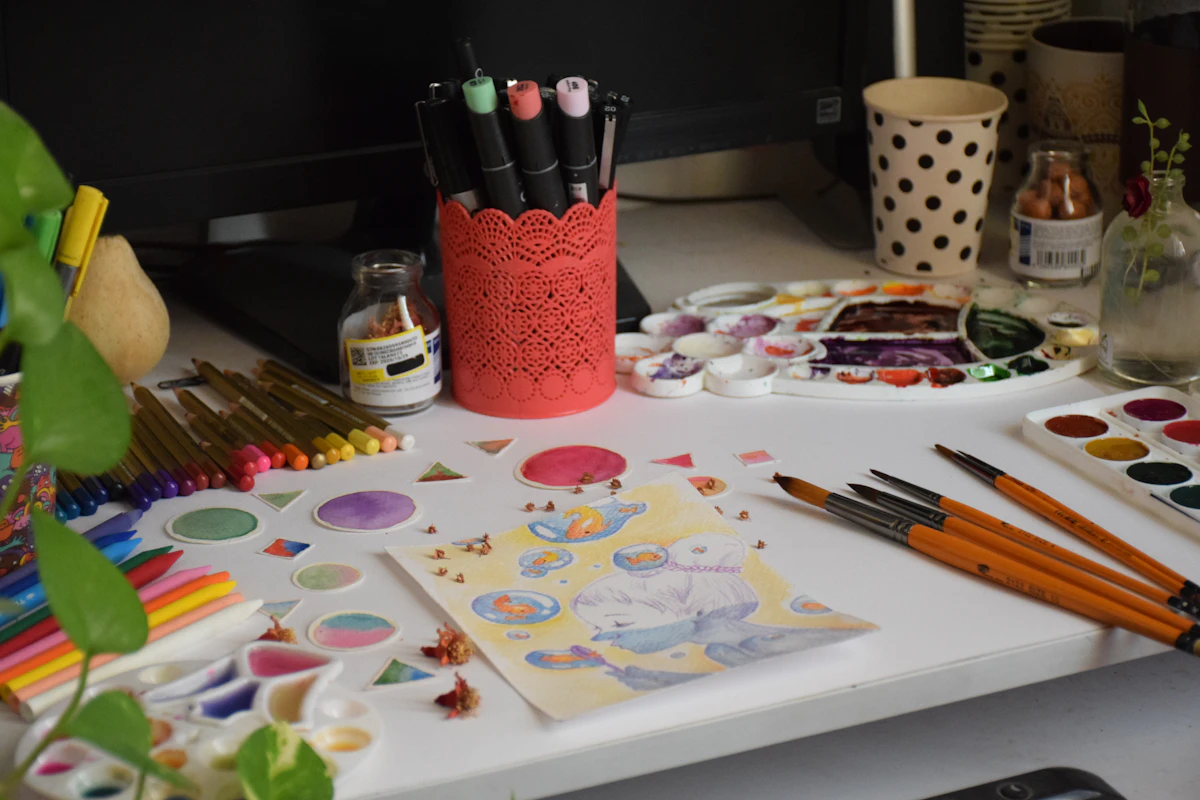
The feeling: energetic, playful, and organized enough to create freely. Use bold color on movable accessories, not necessarily on permanent furniture.
Build it: split your supplies into three zones: active project, frequently used tools, and reserve materials. Store tools by function first, then use color to make each zone easy to spot. A labeled pegboard or stackable trays can free up the worktop. Leave a generous clear area for drawing, folding, cutting, or assembling.
Best first purchases, if needed: modular labeled bins, vertical paper storage, or a clamp-on organizer if your desk supports it. Check mounting, weight limits, and reach before adding a pegboard.
Try this without buying: sort everything into three existing containers and label each. Use one bold color on a notebook or desk mat to test the aesthetic before committing.
The Creative Desk Edit · Curated Finds
The Color Lab
Keep supplies visible by function, with color as an optional organizing cue.
Label storage by purpose—color alone is not an accessible inventory system.
As an Amazon Associate, Smart Space Finds earns from qualifying purchases.
05 / The Multi-Tasker
5. The Work-and-Gaming Hybrid: Two Modes, One Practical Desk
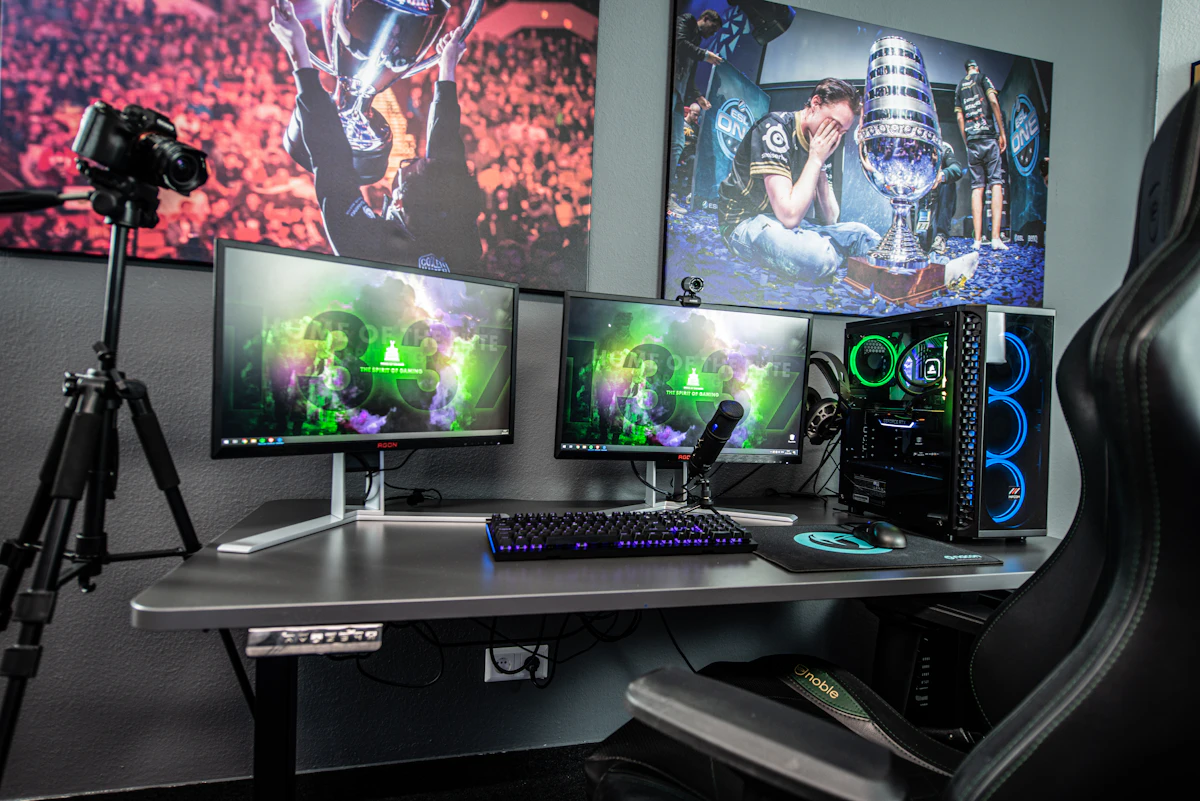
The feeling: adaptable and intentional. A hybrid desk can support meetings, writing, games, and downtime without requiring two complete setups.
Build it: start with the screen position and chair fit. Arrange the keyboard and mouse so your wrists and shoulders can remain comfortable. Route display, power, and peripheral cables to a secure area with ventilation and easy access. Provide a place for a headset and controller off the main work surface. If you use decorative lighting, keep it controllable and avoid screen glare.
Best first purchases, if needed: a properly rated monitor arm that fits your screen and desk, a cable tray, or a headphone hook. Check VESA compatibility, monitor weight, desk thickness, clamp clearance, and any restriction from your desk manufacturer.
Try this without buying: create a two-minute transition: close work tabs, move the notebook, put away meeting accessories, then switch lighting modes. Reverse the ritual when you start work.
Before copying any desk photo, identify its invisible tradeoffs: natural light, clearances, outlets, chair fit, and whether the pictured surface would actually hold your everyday tools.
The Creative Desk Edit · Curated Finds
The Hybrid Command Center
Only add hardware that supports easy transitions between work and gaming.
A headset hook and a two-minute reset may matter more than adding another peripheral.
As an Amazon Associate, Smart Space Finds earns from qualifying purchases.
The Layout Matters More Than the Aesthetic
A pleasing photograph can hide uncomfortable reaches, screen reflections, and poor lighting. Use this practical check before committing to any of the styles above.
Position the screen and input devices for your body
For a practical starting point, OSHA suggests placing the screen directly ahead, roughly 20–40 inches from the eyes for many workstation setups, with the top of the display at or below eye level. Treat these as guidelines—not a substitute for adjusting the monitor to your vision, glasses, and working position. See the OSHA computer workstation monitor guide for the complete explanation.
Start with a chair and desk combination that allows relaxed shoulders and supported feet. Keep the keyboard and mouse close rather than stretching forward. Place the main screen directly in front of you at a comfortable viewing distance and height; adjust for glasses, screen size, and individual comfort. If your laptop is elevated, consider a separate keyboard and mouse for longer sessions.
Make lighting useful
Natural light is welcome, but a window directly behind or in front of a screen can create distracting reflections or contrast. Try placing the desk sideways to a window and adding an adjustable task light for reading or handwriting. Keep enough ambient light in the room so the monitor is not the only bright source.
Keep cables secure and accessible
Use cable clips or a tray to prevent loose cords from catching your legs or chair. Do not pinch cables, overload outlets, cover power supplies that require airflow, or route cords through unsafe improvised openings. Check mounting instructions before attaching hardware underneath a desk.
For a room that doubles as an office and living space, read our studio apartment room divider ideas. For simple storage systems beyond the desk, explore small home organization solutions that save time.
- Can you sit with your shoulders relaxed and feet supported?
- Is your screen comfortable to view without craning your neck?
- Can you reach your main tools without twisting or stretching?
- Does lighting support your actual tasks without glare?
- Do cables, bins, and decorations stay out of your movement path?
How to Make Any Desk Style Work in a Small Space
A desk in a bedroom or studio has to make visual sense even when work is finished. Instead of treating the whole room as an office, define the workspace with the desk’s orientation, a single accent color, and storage that can close or tuck away. Let the rest of the room remain a place to relax.
Small desks need fewer competing zones, not necessarily fewer interests. Measure the desktop’s usable width and depth, including the space taken by the monitor base and lamp. Then decide which object needs full-time access.
- Use the wall carefully: a shelf or pegboard can hold lightweight supplies, but check the wall, fixings, and rental rules.
- Choose one visual focal point: a lamp, print, desk mat, or plant gives character without occupying every surface.
- Go vertical where appropriate: a slim file holder can replace multiple stacks of paper.
- Keep a reset zone: a drawer, cart, or basket lets the desk change activities without moving everything across the room.
- Protect chair clearance: storage under the desk is unhelpful if it restricts knees, feet, or movement.
For rooms that must do several jobs, see our ways to make a home feel less cluttered. Select the layout that leaves adequate legroom and does not force you to relocate essential tools each time you sit down.
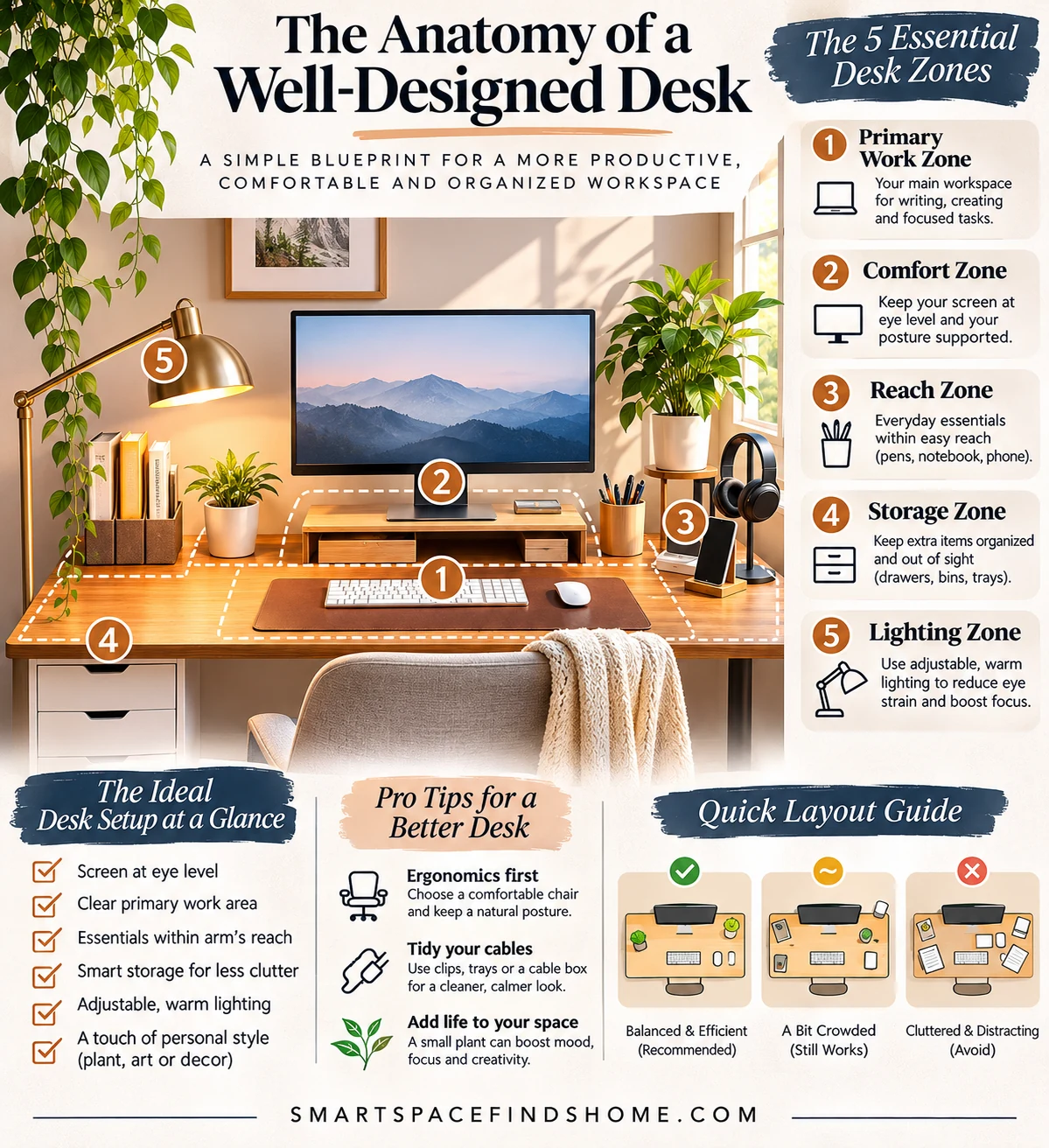
Work zone: the clear area for your main task. Reach zone: tools you touch during most sessions. Reserve zone: supplies you need occasionally, stored close by rather than across the room.
The Creative Desk Edit · Curated Finds
The Invisible Upgrade
Workstation improvements you notice in daily use—not necessarily in a styled photograph.
Keep outlets accessible and power supplies ventilated. Never overload an extension or power strip.
As an Amazon Associate, Smart Space Finds earns from qualifying purchases.
A Better Way to Budget for a Desk Refresh
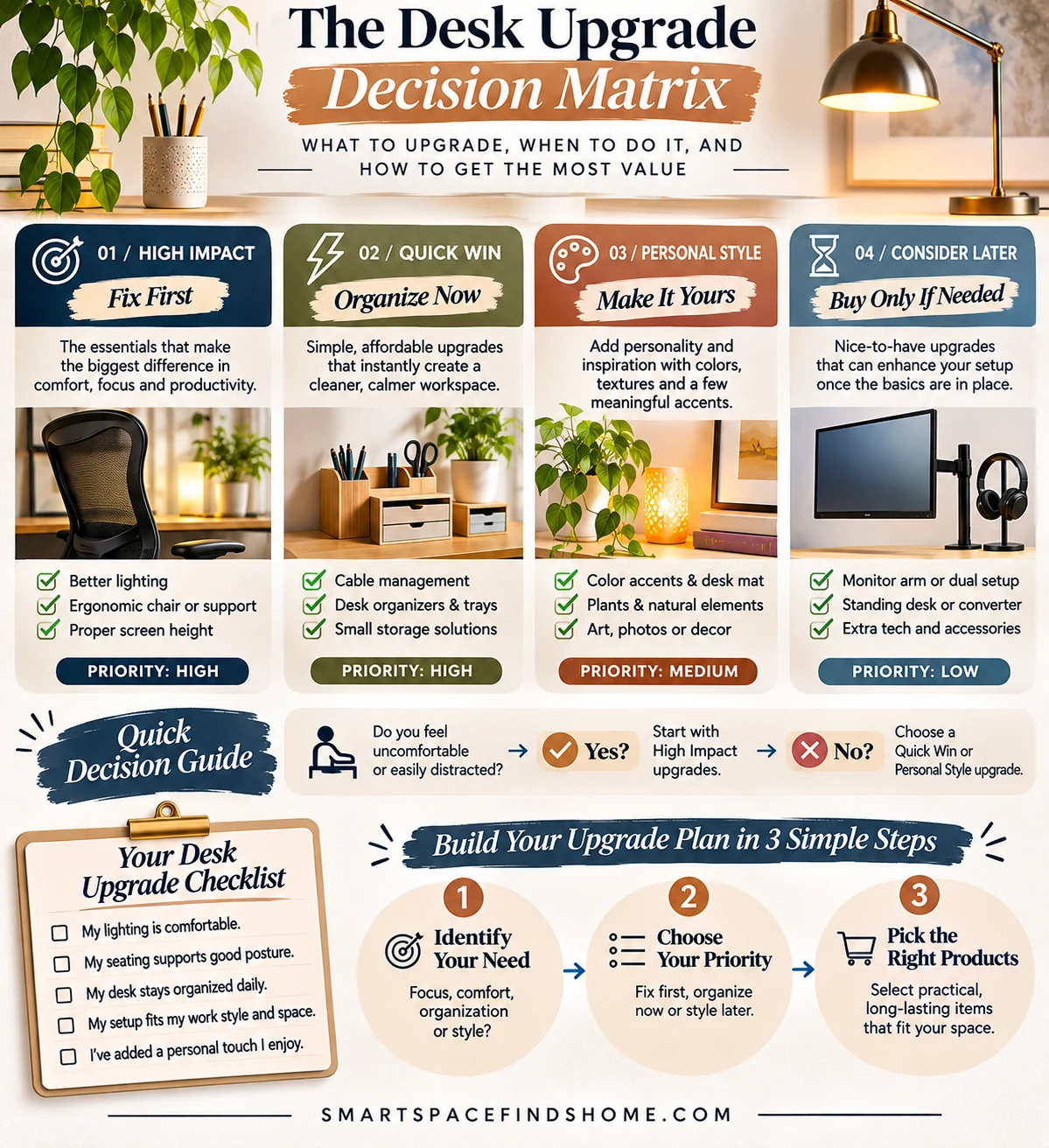
Start with function, then add personality. Set a spending limit and make a three-column list: already own, problem to solve, and optional visual upgrade. This prevents a set of matching accessories from taking priority over an uncomfortable seat or a poorly positioned screen.
| If the problem is… | Try free first | Consider buying only if needed |
|---|---|---|
| Constant desk clutter | Remove unused items and assign a home | Shallow tray or drawer organizer |
| Dim task area | Reposition an existing light | Adjustable task lamp |
| Tangled cables | Separate and reroute existing cords | Cable clips or cable tray |
| Small work surface | Move secondary items nearby | Vertical storage or suitable monitor arm |
| Room feels impersonal | Display one meaningful object | Desk mat, print, or small accent |
Before buying: measure dimensions; check desk and monitor compatibility; read current product specifications; consider cleaning and maintenance; and decide whether a product will solve a recurring problem. A beautiful accessory is optional. A practical setup is not.
Try the layout with what you already own for several days. Buy a product only when you can name the problem it solves, confirm the dimensions and compatibility, and explain why a free adjustment did not fix the issue.
The five-point pre-purchase check
Use these before buying any desk accessory. Nothing is submitted or tracked; the checkboxes are just for your own planning.
A Five-Minute Desk Personality Test
- Write down the top two things you do at your desk.
- Choose three words describing how the space should feel—perhaps calm, playful, or collected.
- Pick one of the five setups as a starting point, not a rigid identity.
- Change only one surface, storage, or lighting detail today.
- Use the desk for several normal work sessions, then keep, adjust, or remove the change.
This process creates a desk with room to evolve. You do not need a perfectly matched shopping cart to start.
If you prefer a nature-inspired look, explore our low-maintenance indoor plants guide. For compact multifunctional rooms, our studio apartment divider ideas can help make a work area feel more defined.
Frequently Asked Questions
What colors make a creative desk feel cohesive?
Choose one large neutral foundation, one repeatable accent, and let tools or artwork add smaller variations. A single cobalt organizer can be more effective than five pieces that compete for attention. Test colored accessories before painting furniture or walls.
How do I style a desk shared by two people?
Agree on a clear common work area, then assign a small portable tray or bin to each person. Adjustable accessories and easy cable access help avoid reconfiguration problems. If the desk is used at different heights, prioritize individual comfort over identical styling.
Which desk setup is best for a small bedroom?
Usually the one that keeps your main task clear and stores secondary items vertically or nearby. A minimal focus desk or a simple hybrid setup can work especially well, but your actual desk dimensions matter more than the style name.
How can I make my desk aesthetic without buying anything?
Clear the work surface, simplify visible cables, reposition a lamp, choose one meaningful object, and use supplies you already own to build a consistent arrangement.
Can I combine two desk aesthetics?
Yes. Combine the functions you need with colors and objects you like. Keep the workspace coherent through one dominant surface finish or repeated accent rather than forcing a strict category.
What should I buy first for a desk makeover?
Only what solves your biggest practical problem. That may be task lighting, accessible storage, or safer cable organization. Personal decor can come later.
Are monitor arms suitable for every desk?
No. Check the monitor’s weight and mounting pattern, the arm’s rated capacity, desk thickness and construction, clamp clearance, and the desk manufacturer’s guidance before purchase or installation.
The Final Edit: A Desk That Works Like You Do
The best creative desk setup is not the one with the most accessories. It is the one that makes your everyday activities feel easier while giving your interests a genuine place in the room. Pick a direction, try one small change, and let actual use—not a trend—guide what stays.